Draw your call flow with us.
Tell us how your business takes calls, and we’ll set up the flow with you before your number moves.
Your hours, a phone menu, a queue for support, a ring group for sales, and voicemail you can read when you’re closed. Set it up once; Kafono follows it on every call.
One table for the whole phone system: what each number does during your hours, after them and on holidays, and a warning when a phone it rings is offline.
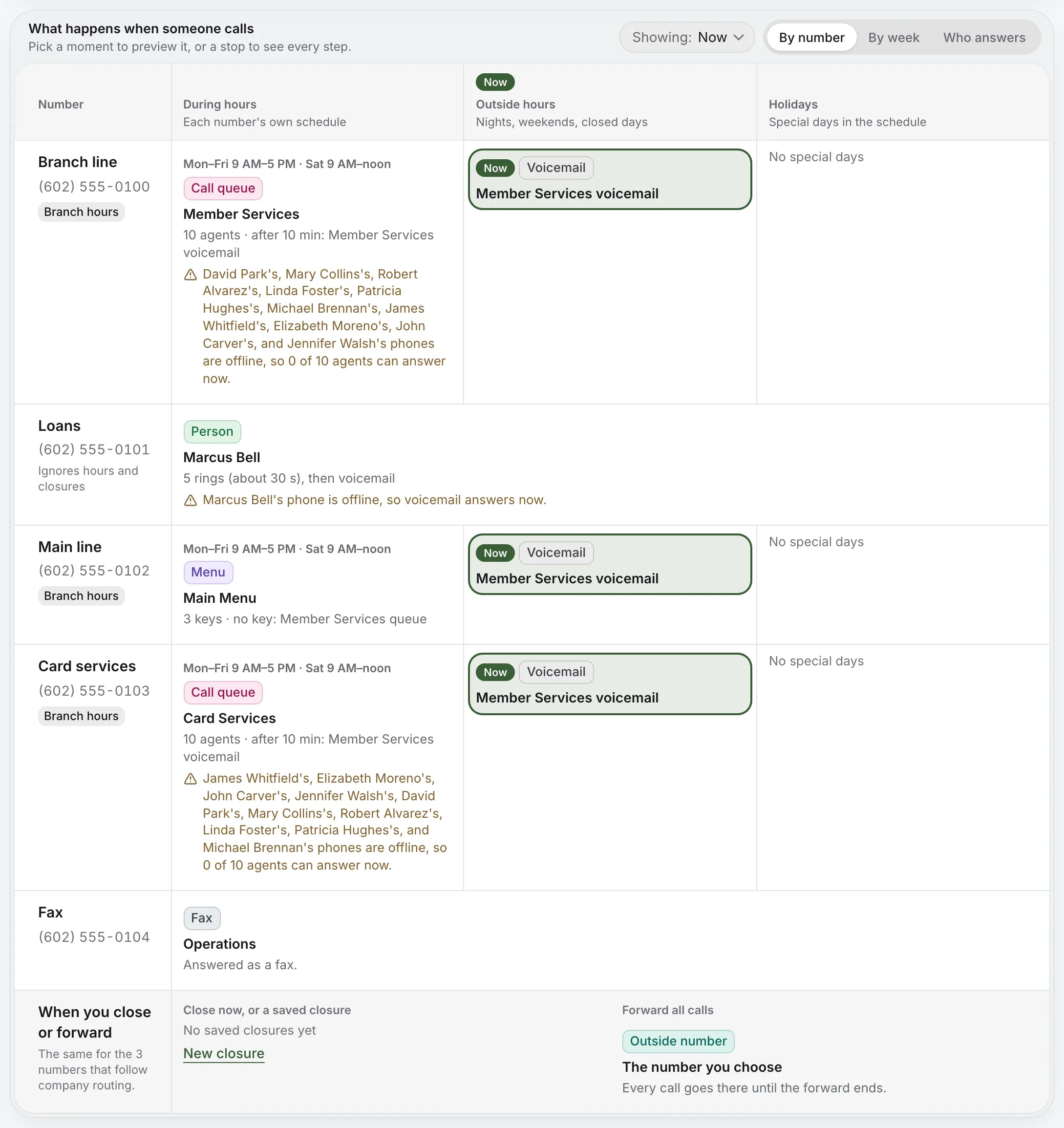
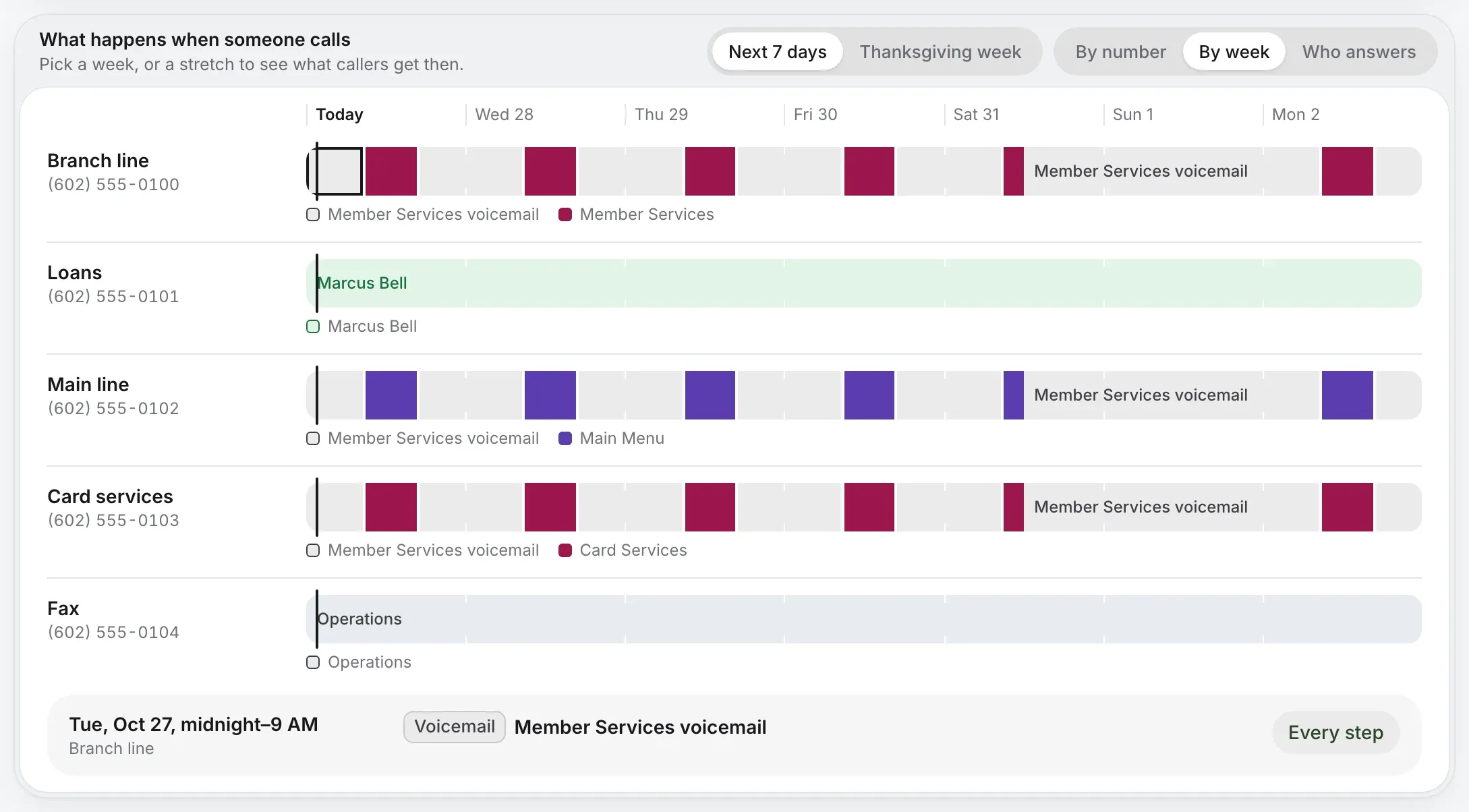
Switch to the week and see, day by day, when each number goes to the menu, a queue or voicemail.
A special day shows in its week before it arrives.
Flip to who answers and see each person’s part in every path.
Preview a closure before you turn it on.
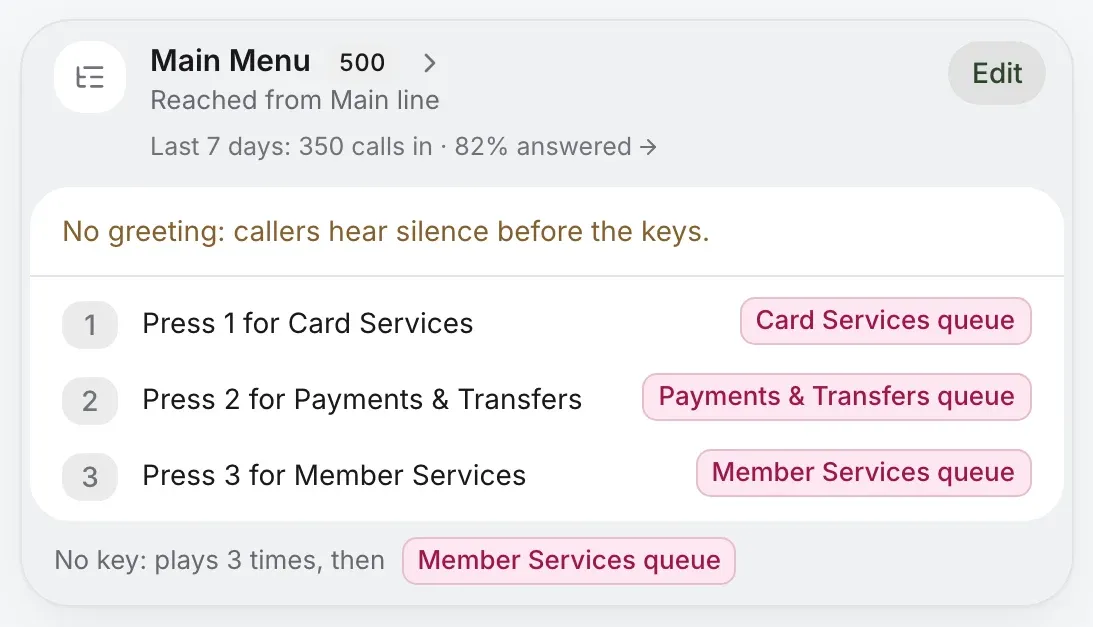
“Press 1 for card services.” Each key goes to a queue, a person, a group, another menu or voicemail, with your own greeting or one written for you.
Phone menus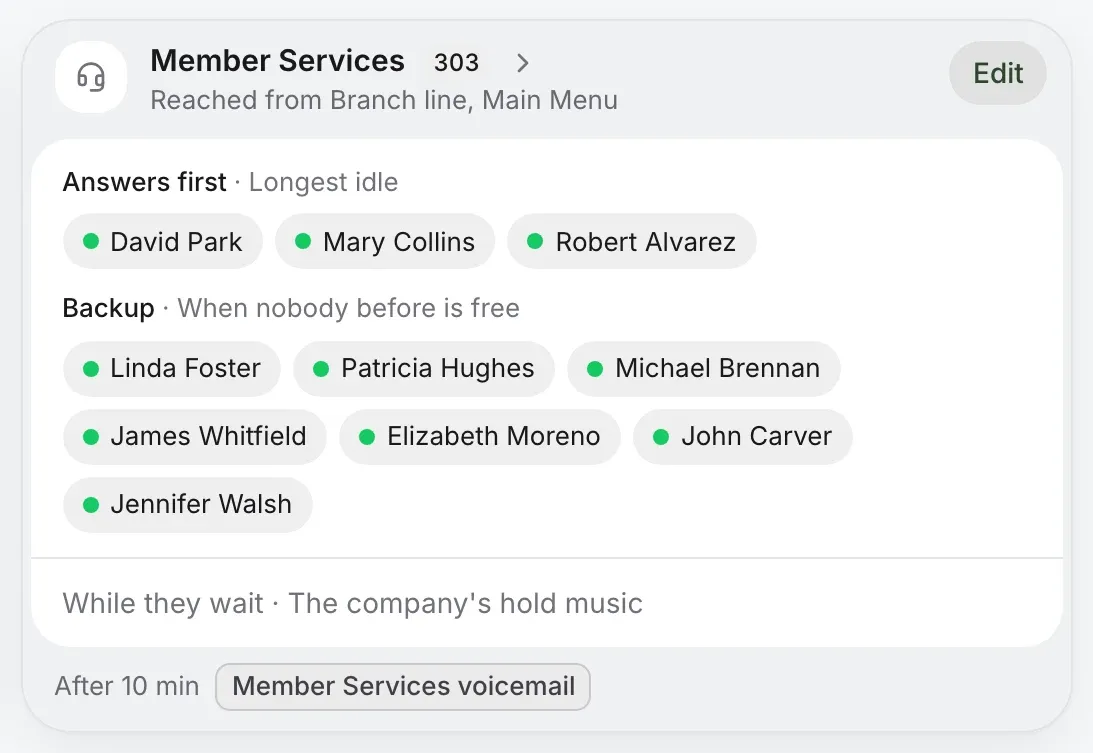
Callers wait for the next free person, hear your hold music, and can ask for a call back. Agents answer first or back others up.
Call queues
Ring the front desk first, then the warehouse, then voicemail. Or ring everyone at once. Each step waits as long as you say.
Ring groups
Your week, your lunch hour and your holidays, with where calls go while you’re closed.
Business hoursA call flow is a switch your team flips from any desk phone: dial its code and calls take the other path.
Dial the code to switch; dial again to switch back.
See whether it’s on and flip it from the page.
Voicemail, a ring group, another number or the receptionist.

Caller journeys follow every call from the number dialed to how it ended, so you can see which path works.
Which menu choices callers make, and how those calls end.
Calls that hung up in the menu or the queue, by hour.
Switch to the calls nobody answered and follow them.
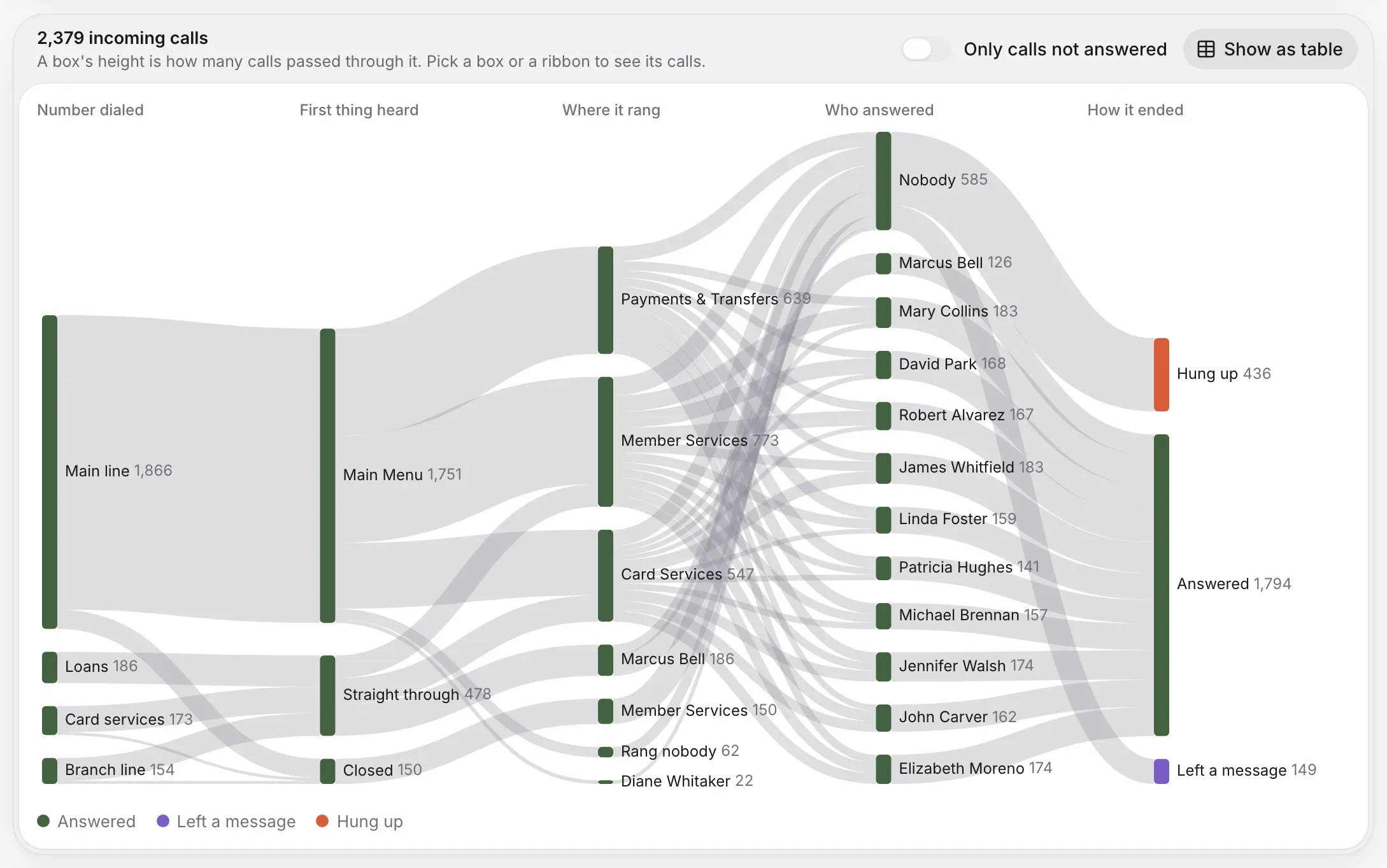
The tables and charts on this page are from Harper Valley National Bank, our demo account, and a made-up sample business. Every name and number is made up.
Tell us how your business takes calls, and we’ll set up the flow with you before your number moves.