Your number, on your terms.
Check your number in a few seconds. Every AI feature waits for your yes.
Rather talk it through? Write to us and a person answers.
Every AI feature starts off. The account owner turns each one on after reading exactly what is sent, and to whom, and can turn it off again at any time.
Before anyone agrees, each permission says what it sends, when, and to which provider.
Businesses
When someone with access asks for a call, its recording is sent to be written out, then the transcript to be summed up: what the caller wanted, the mood and the follow-ups. Turning it on doesn’t transcribe your call history.
ElevenLabs writes it out; OpenAI sums it up
Homes and businesses
New messages in the mailboxes you choose are written out and summed up as they arrive. Messages already there aren’t processed because you turned it on.
ElevenLabs writes it out; OpenAI sums it up
Homes and businesses
The words you write for a greeting or a menu are sent to the provider of the voice you pick, which sends back the recording.
ElevenLabs, Cartesia or Inworld, by voice
Businesses
An owner’s or admin’s question goes with the phone system’s setup: names, extensions, numbers, queues and menus. Emails, cell and forwarding numbers, 911 addresses, PINs and passwords are never sent. Kafono counts the figures itself.
Anthropic’s Claude
The providers named are today’s. The permission shown before anyone agrees always names the ones in use, and a change of provider asks again.
Turning a permission off stops it at once, for the whole account.
Remove a call’s recording, transcript and analysis together, for everyone on the account.
A business’s owners and admins, or a home’s account holder. Being able to listen doesn’t mean being able to delete.
The call itself stays in your history: who called, when and for how long. The recording, transcript and analysis are gone.
The activity log notes who deleted it and when, without a word of the conversation.
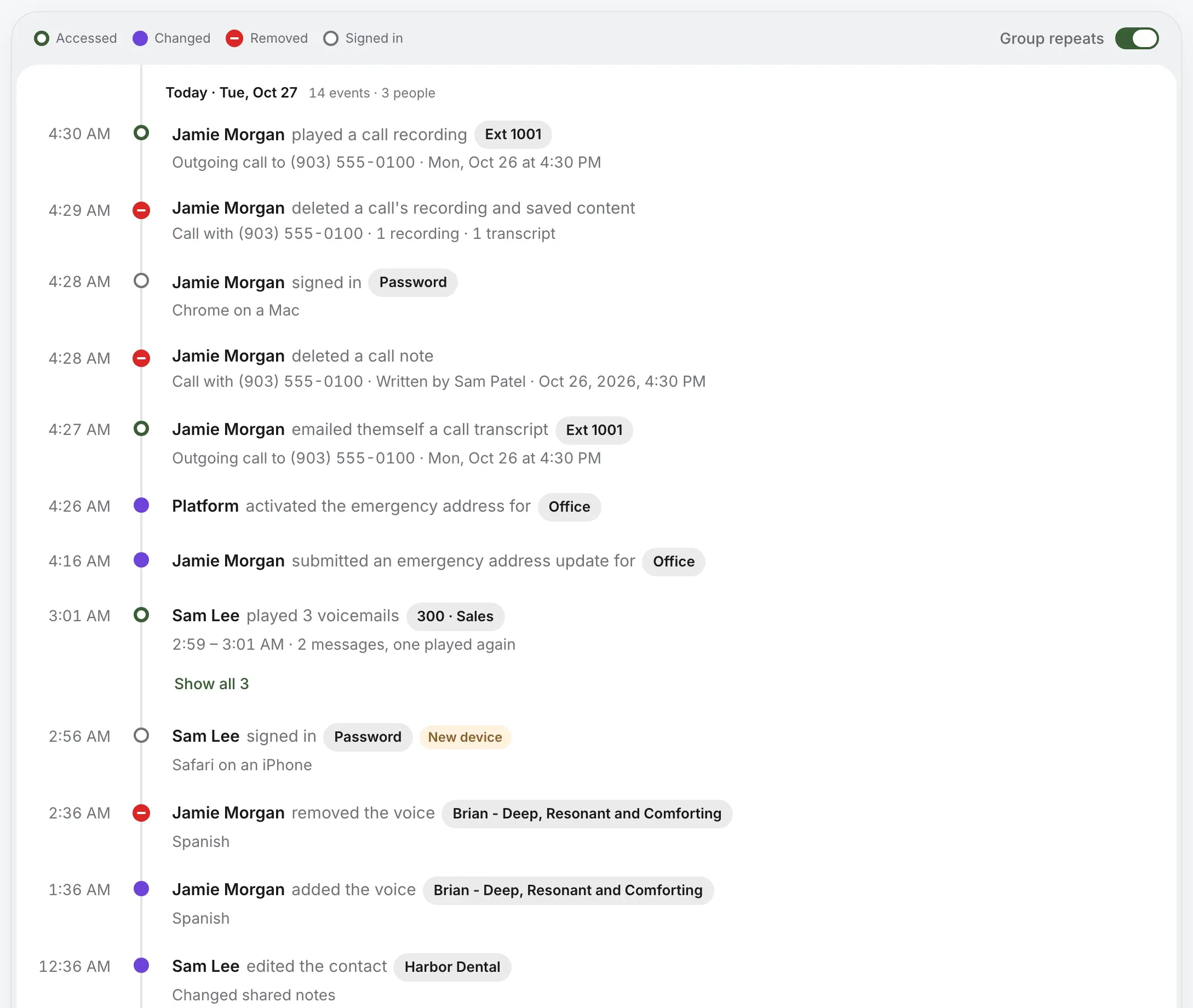
Live calls and recordings are for the people you choose, and every listen is written down.
Check your number in a few seconds. Every AI feature waits for your yes.
Rather talk it through? Write to us and a person answers.