Put your desk phone in a tab.
Check your business number. The web phone comes with business phone, with nothing to install.
Rather talk it through? Write to us and a person answers.
Nothing to install. Turn on calls in your browser and your extension rings on any computer you sign in on, with your business number and every key a desk phone has.
C4=SUM(C2:C3)
| A | B | C | D | E | |
|---|---|---|---|---|---|
| 1 | Order | Customer | Items | Total | Status |
| 2 | 1041 | New Leaf Dental | 12 | $418.00 | Shipped |
| 3 | 1042 | Harbor Clinic | 4 | $96.50 | Packing |
| 4 | 1043 | Lakeside Roofing | 30 | $1,204.00 | Shipped |
| 5 | 1044 | Pine Street Vet | 2 | $58.25 | New |
| 6 | 1045 | Tomas Reyes | 1 | $32.00 | New |
| 7 | 1046 | Marcus Webb | 6 | $244.75 | Packing |
| 8 | 1047 | Elena Cruz | 3 | $121.10 | Shipped |
| 9 | 1048 | New Leaf Dental | 8 | $286.40 | New |
| 10 | 1049 | Harbor Clinic | 15 | $540.00 | Packing |
| 11 | 1050 | Lakeside Roofing | 5 | $199.00 | New |
Dana OrtizThursday’s delivery Can it come before noon? The dock’s closed after one.
AccountsInvoice 2207 is paid Thanks. A receipt is attached for your records.
Sam PatelLunch order Sandwiches or tacos? I’m ordering at eleven.
Marcus WebbReplacement part It arrived this morning. All sorted, thanks.
Rosa DiazSchedule for next week I’m out Tuesday. Morgan’s covering the desk.
Priya ShahNew price list Here’s the list that starts on the first of the month.
See who called, who you called, and whether they left a message.
Today · 5 calls
The people your whole company calls.
Read it, play it, call them back.
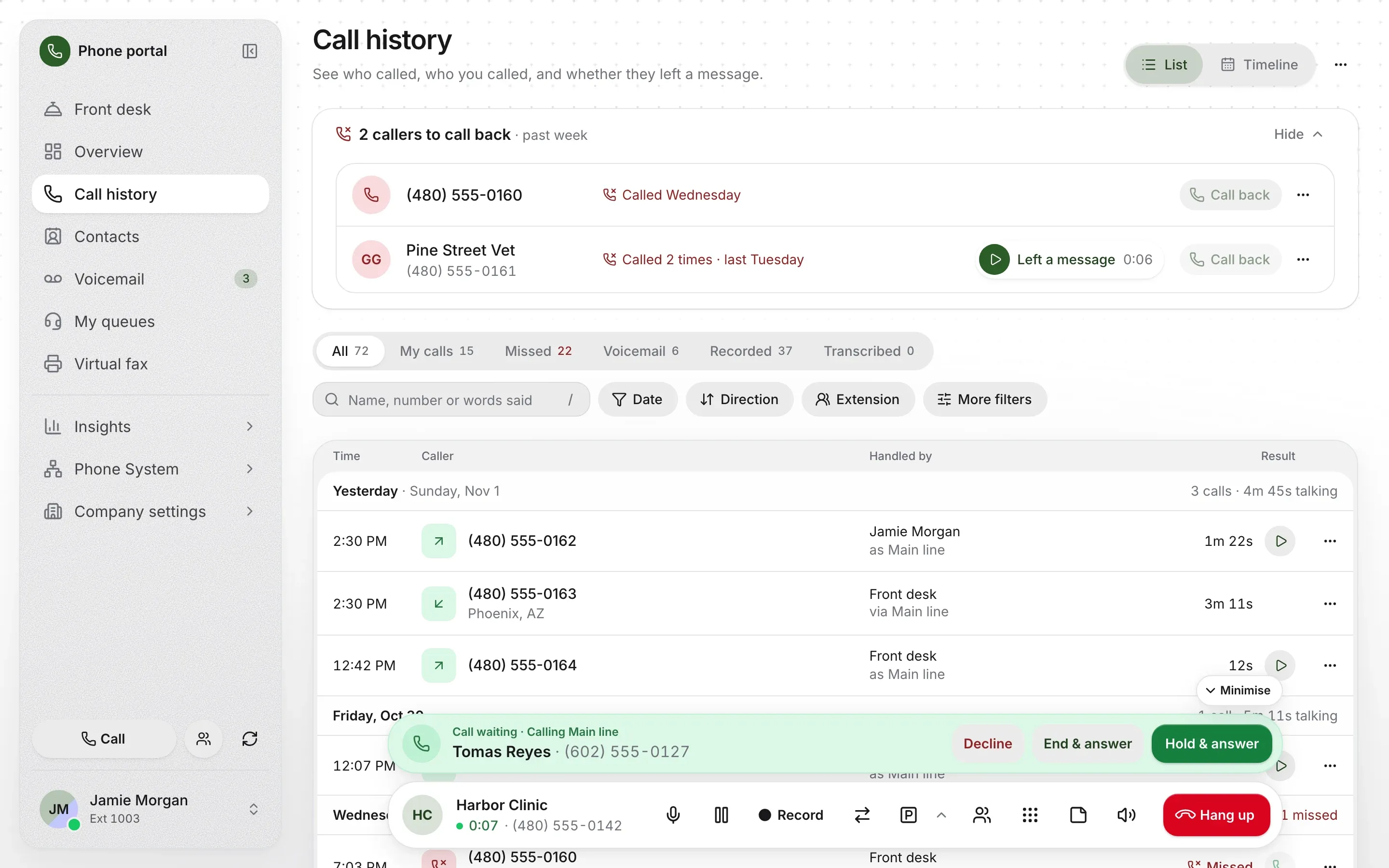
A drawing with made-up callers. It dials nobody and doesn’t touch your microphone. The real thing is just below.
It comes with your account, on whatever page you’re on. There’s no phone app to open first, and no second window to keep track of.
On a desk phone
It has no key for these
Press a key.
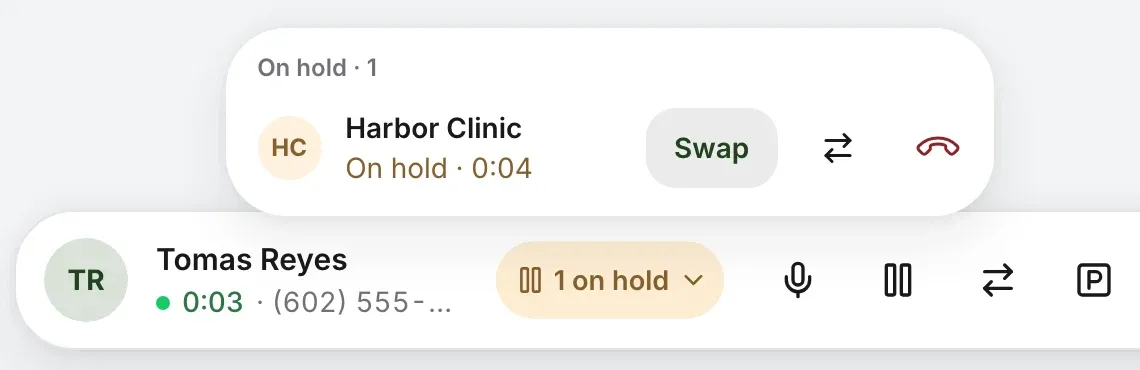
Your microphone stops and the caller hears your company’s hold music. Take another call, then Swap between them, up to three at a time.
Straight through, or Talk first and ask. Every name says whether they’re free, on a call or away, so you send a call knowing.
Transfer and park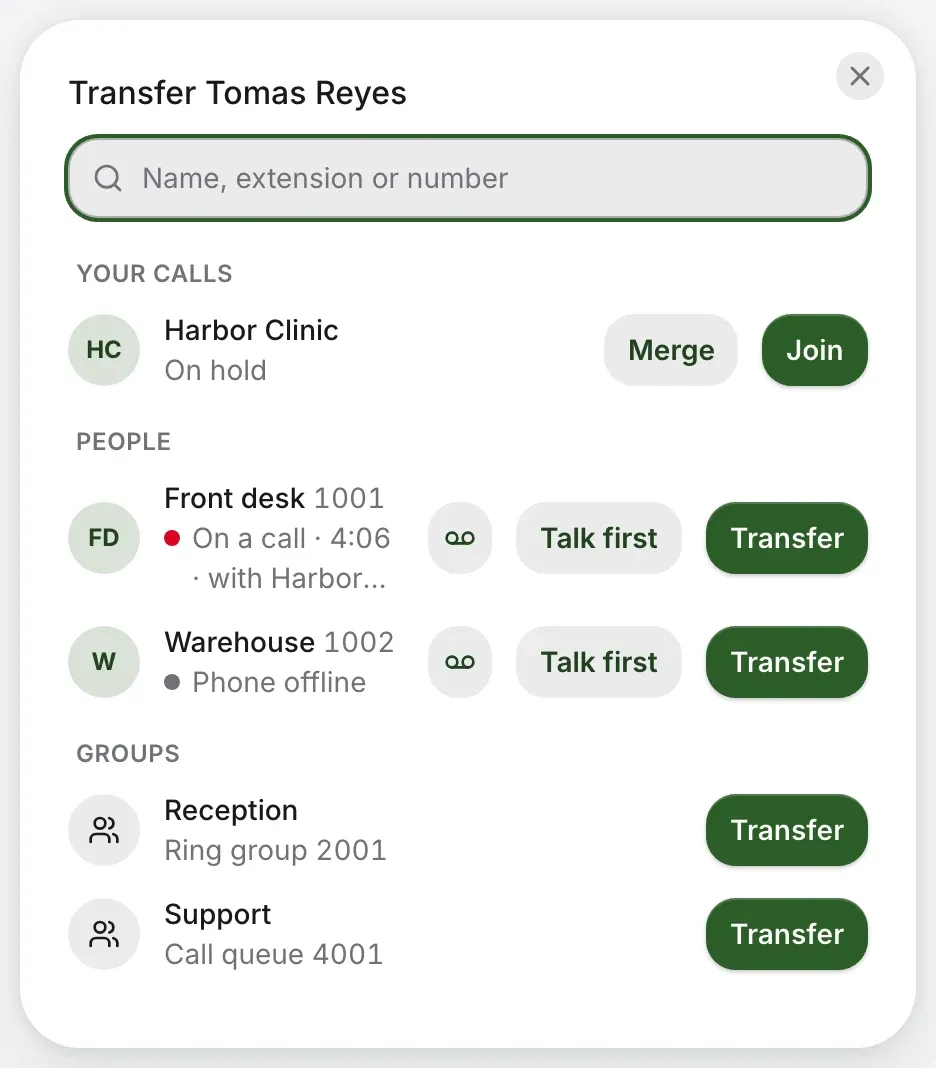
One press takes the next free slot, or pick one. Anyone can pick the caller up, from any phone, by dialing the slot.
Transfer and park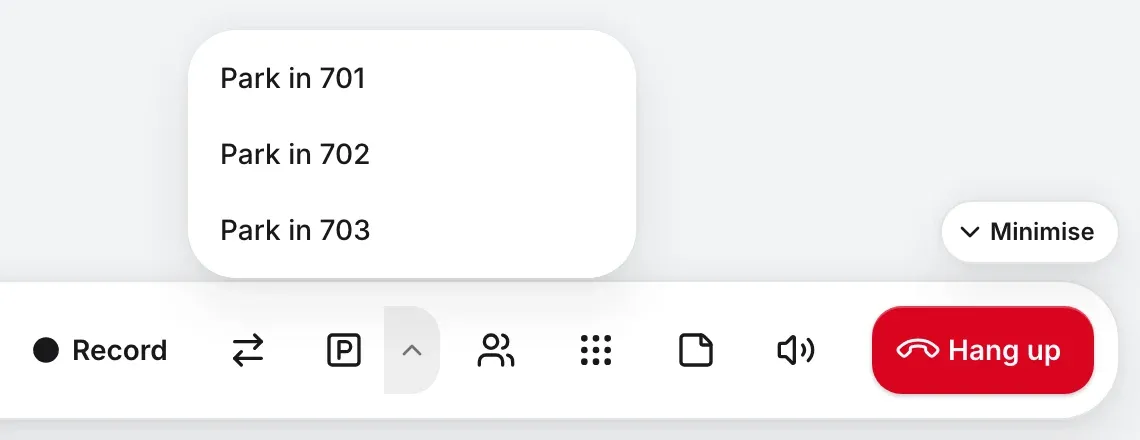
Turn the call you’re on into a conference call, then Add people. Everyone on the line is listed under the bar.
Conference calls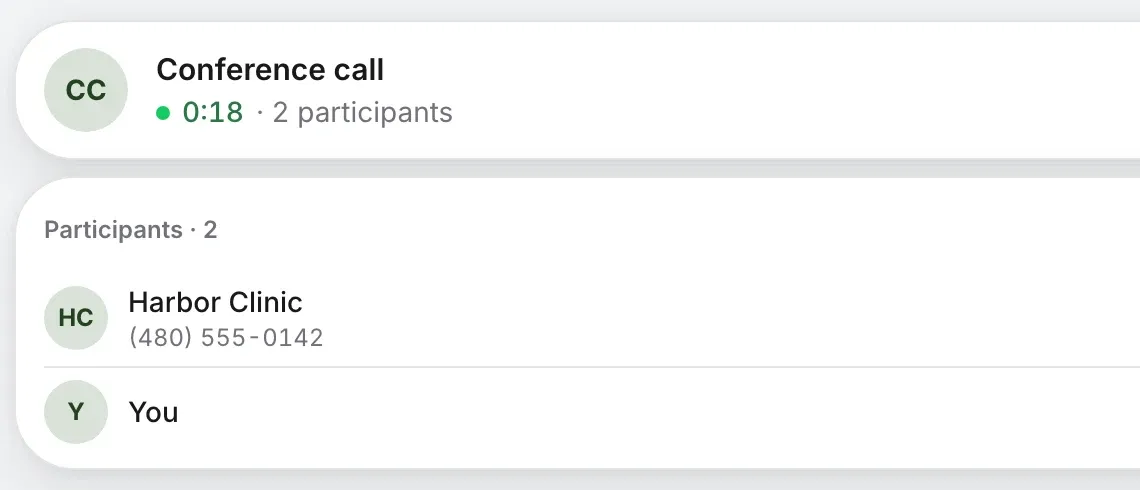
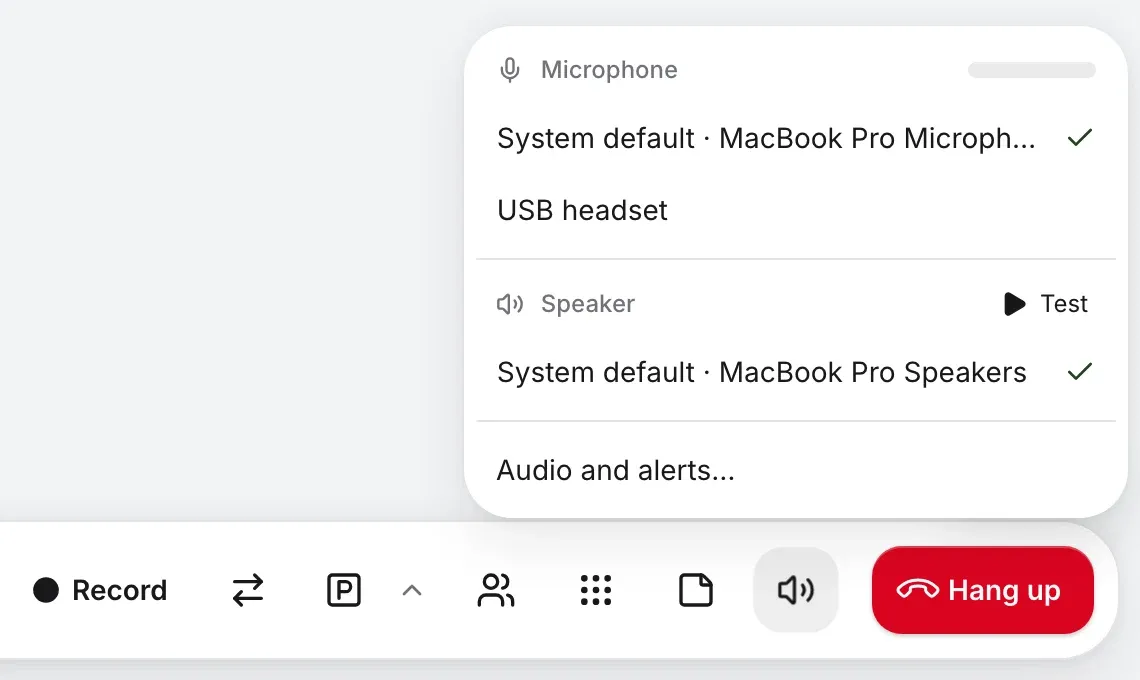
Change microphone or speaker in the middle of a call. A level shows it’s hearing you, and Test plays a chime.
Start a recording partway through, pause it, then stop, if your company lets you.
Call recording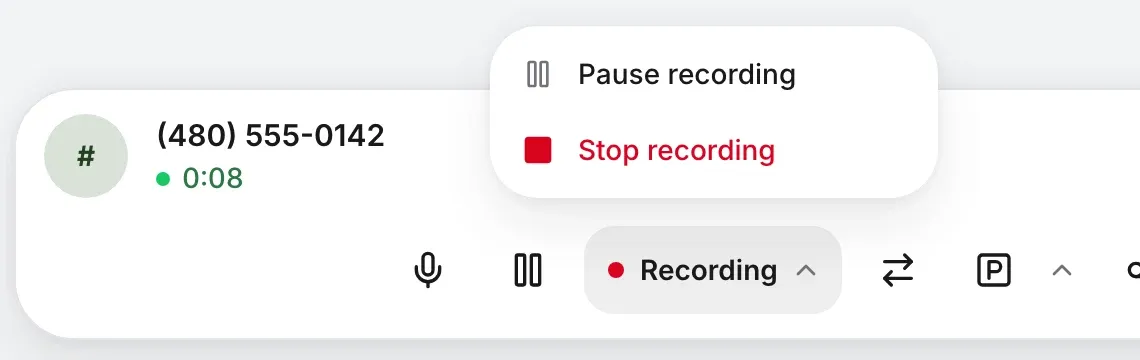
Reached their voicemail? Choose a recording and leave. It plays to them after you’ve gone, and you’re on to the next call.
Voicemail drop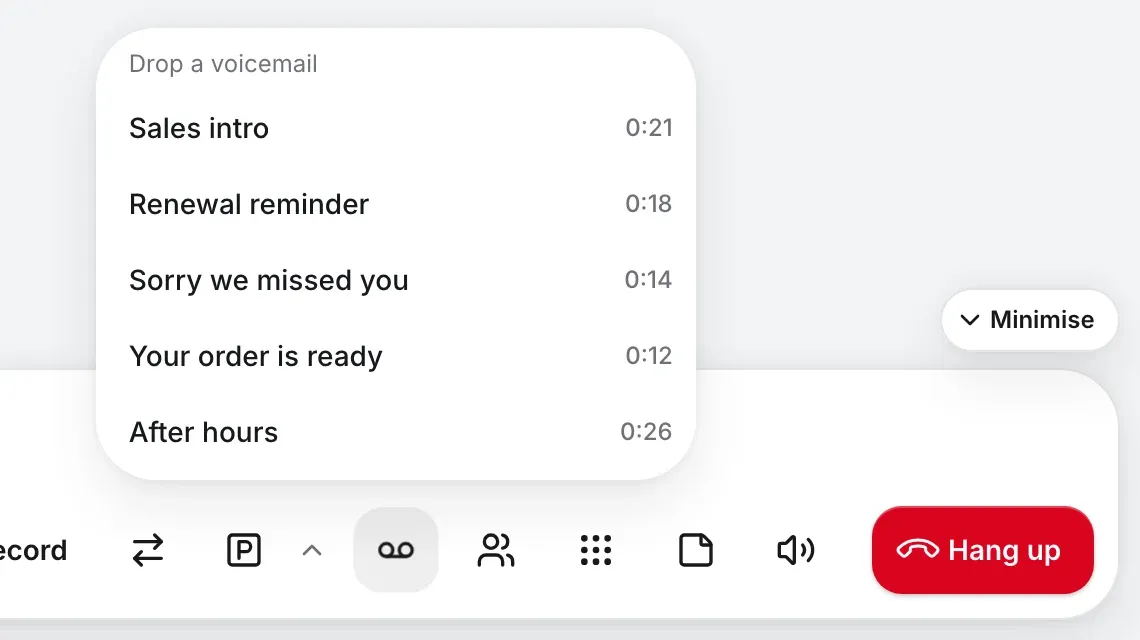
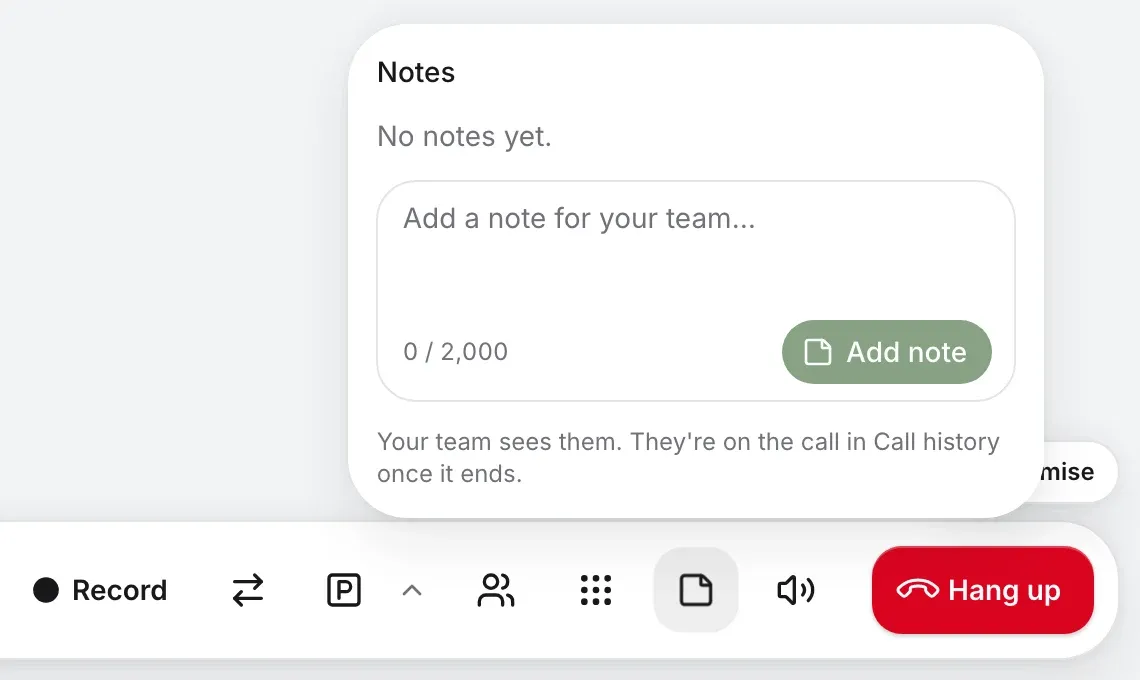
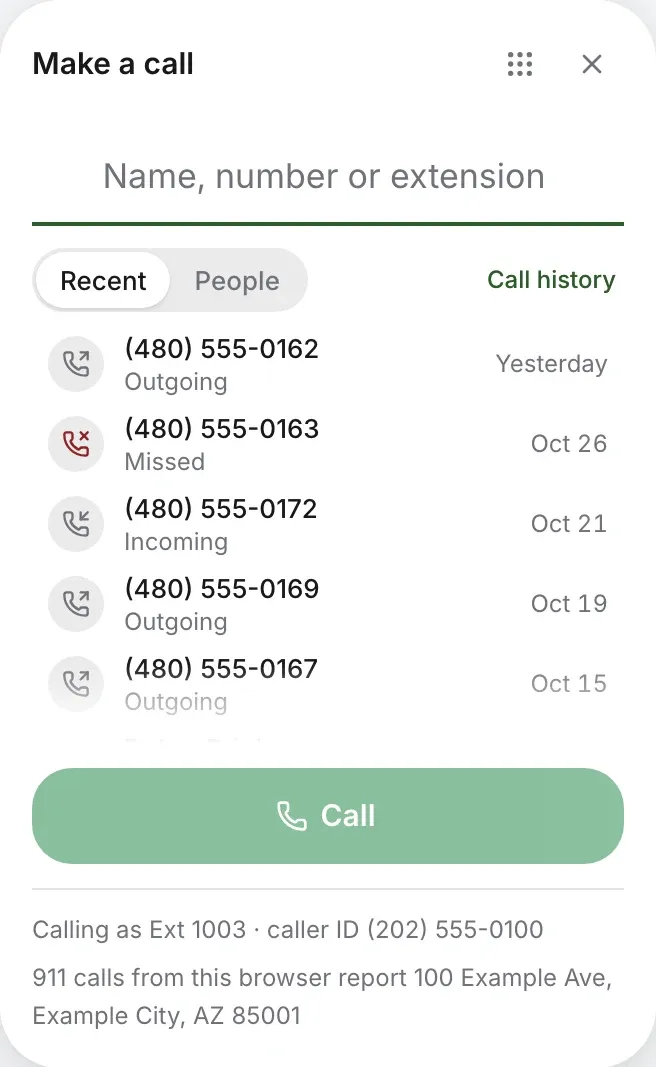
Calls go out from your extension with its caller ID, just as they do from a desk phone. Nobody sees your cell.
Or press the number where you found it
A phone in a browser is only any use if you hear it. So the call comes to wherever you’re looking.
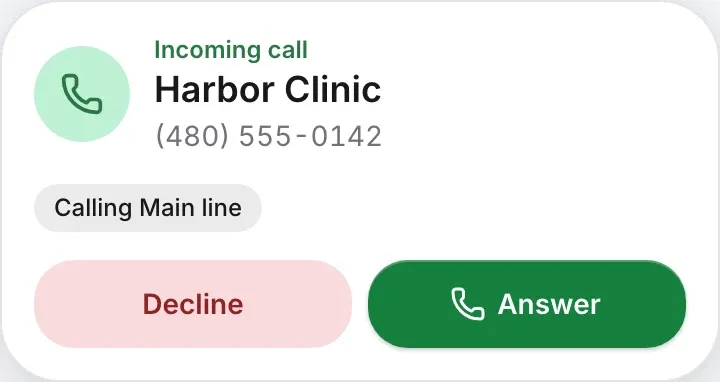
While it rings, the tab’s title says who’s calling, so you see it in the tab strip with nothing to allow.
Open your account in five tabs and the call shows in all of them, to answer from any. One tab does the ringing, so it rings once.
In another tab or another app, a notification says who’s calling. Allow it once, and it closes when you’re back.
Already talking? A soft beep on your call instead of a ring, and the new caller shows above the bar.
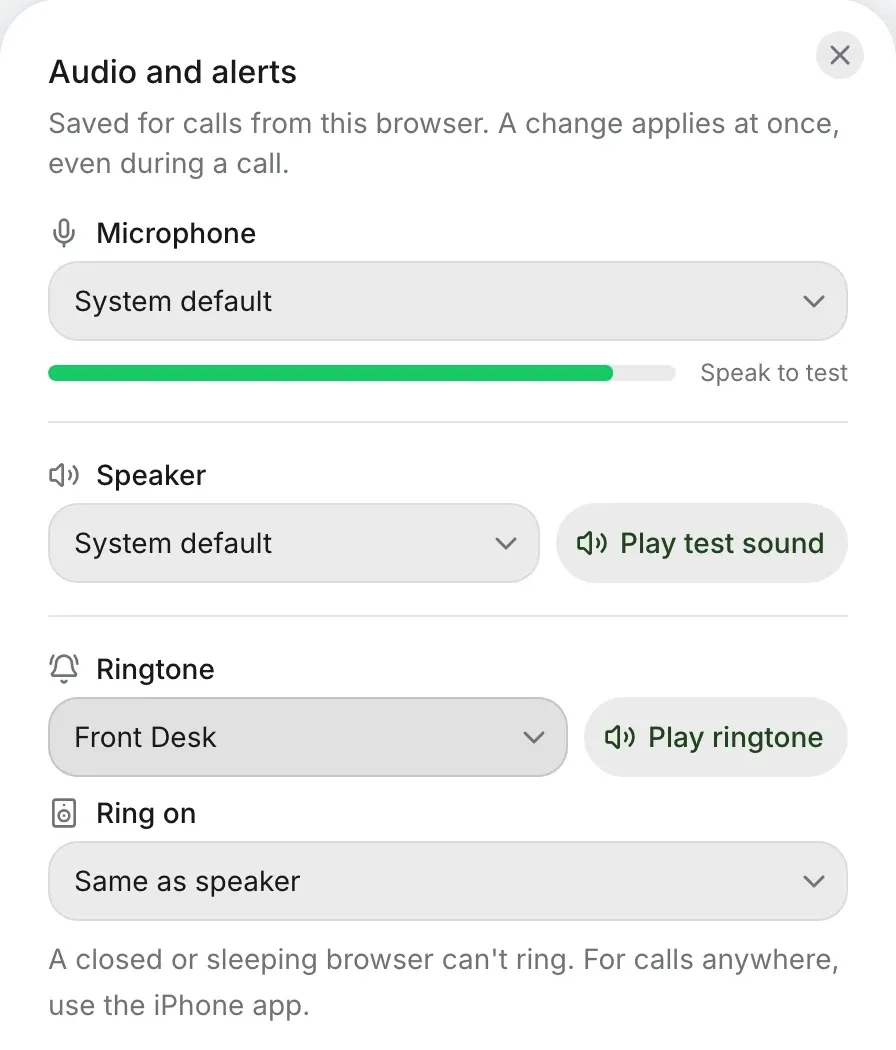
Take your headset off and you’ll still hear it ring. This browser keeps a microphone, a speaker and where the ring plays, and a change applies at once, even in the middle of a call.
Twelve ringtones. Press one.
The tab joins your other phones. It doesn’t replace them unless you want it to. You answer on whichever is closest, and the rest stop.
Where it’s always been.
Apple’s own call screen, locked or not.
A full-screen call.
Calls, texts and voicemail in one window.
Any computer you sign in on.
This is the browser it would run in, so it can answer for itself. It’s the same check the real setup makes. What you say stays on this page, and the microphone is let go when you stop.
Two presses, and you’ll know.
Next time you sign in, it’s already on, with nothing to ask.
On My phone, or in your account menu.

Your browser asks once, and it says which one it found.
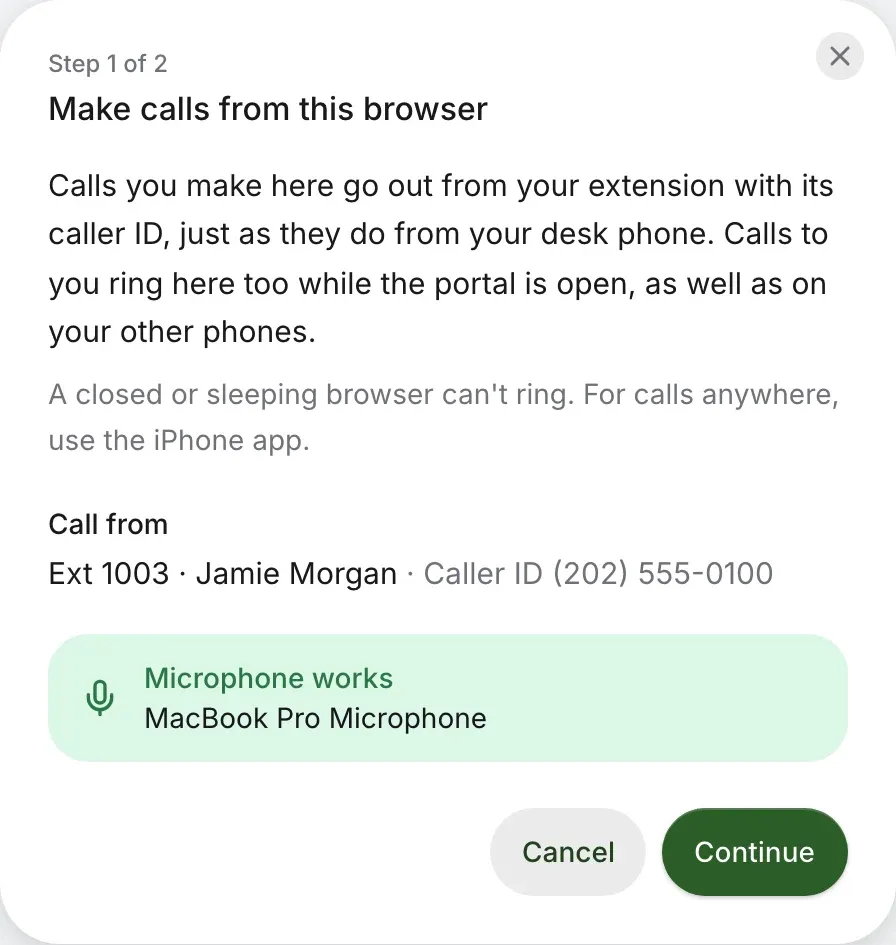
It asks once. Help goes to the address on your extension, so someone working from home needs to know. More on 911
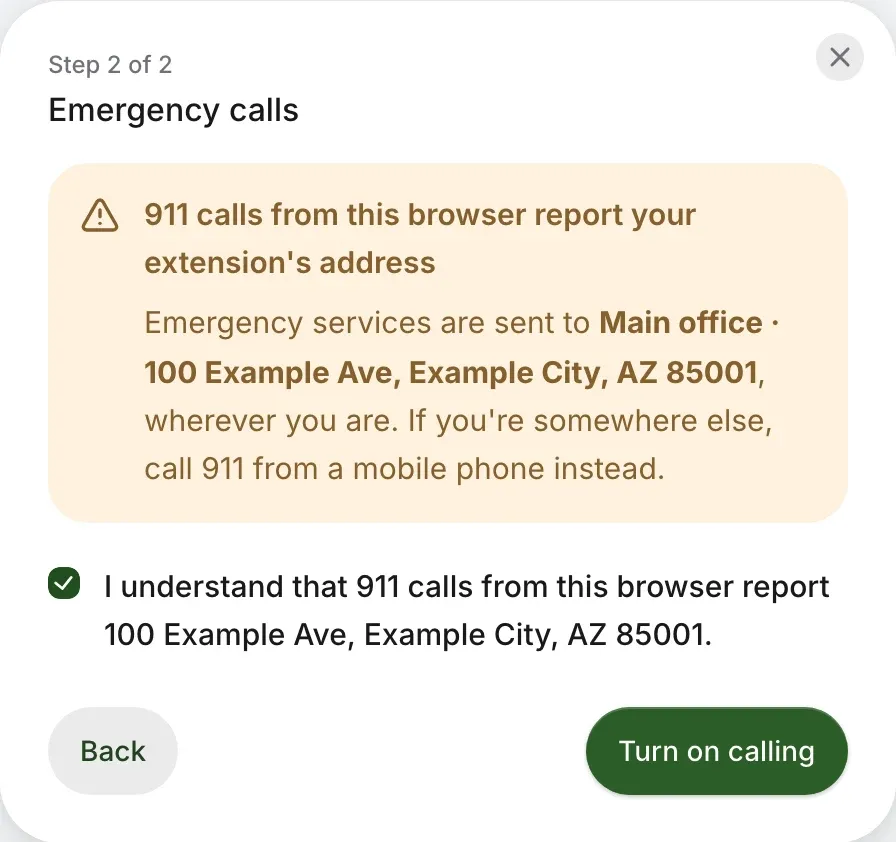
Your other phones still do. For calls anywhere, use the app.
Wherever you are. If you’re somewhere else, call 911 from a mobile phone instead.
A call stays in the tab that has it. Closing that tab asks first.
A fourth is refused until you end one.
Your account says so, and a ringing call offers Turn on sound.
Safari plays calls on the computer’s default speaker, and Firefox rings on it. The call itself works in both.
Once it’s on, these work from the same tab
Check your business number. The web phone comes with business phone, with nothing to install.
Rather talk it through? Write to us and a person answers.