
No contractFree number transfer30-day money-back guarantee

See every price
Finish

The caller’s record arrives with the call.

Connect HubSpot or Sonar and every ringing call shows who it is and what’s open with them. When you hang up, the call is already on their record.

  • HubSpotCRM
  • SonarBilling and CRM
  • OpenAIVoice agents
  • GrokVoice agents
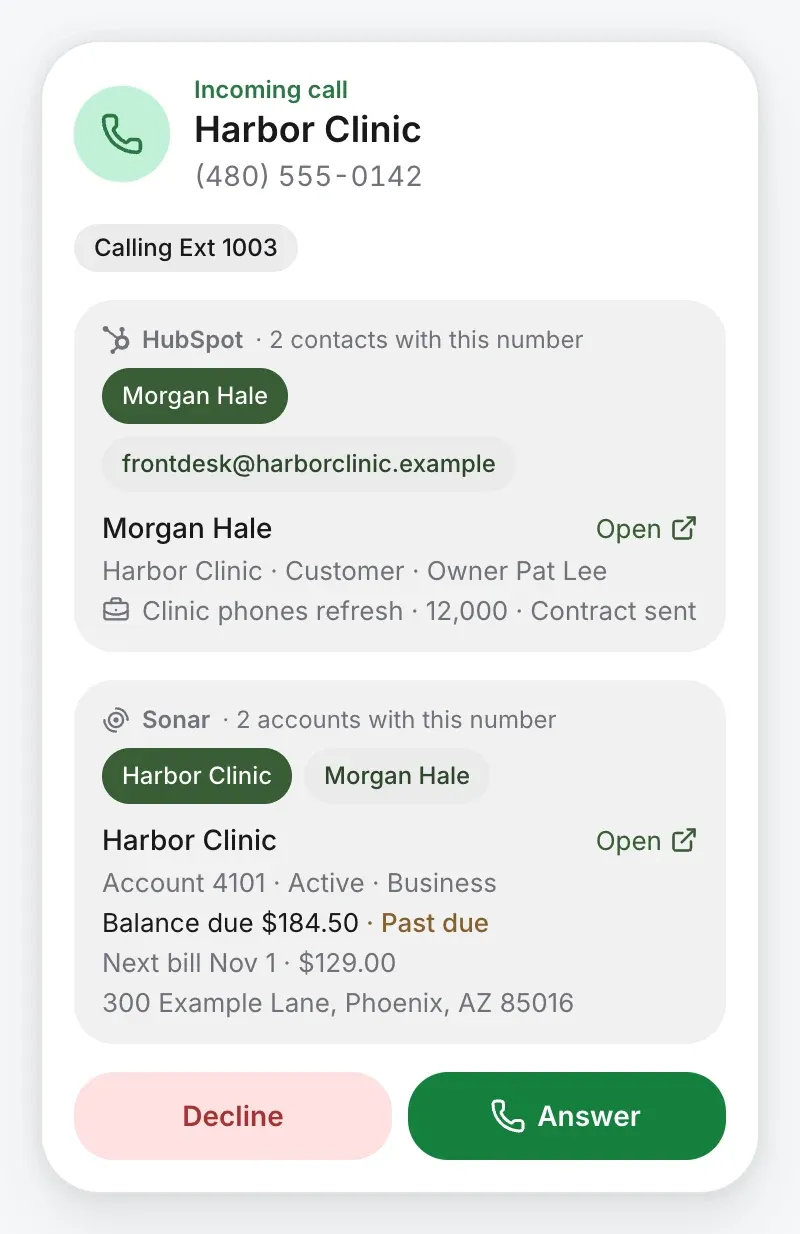
A call ringing from Harbor Clinic, with the caller’s HubSpot contact and open deal, and their Sonar account, balance due and next bill

One call, start to finish.

  1. 0:00Ringing

    Everyone it rings sees who it is.

    Before anyone answers, the call carries the caller’s records: from HubSpot, the contact, their company, stage, owner and open deal; from Sonar, the account, its status, the balance due and the next bill. One click opens either.

  2. 0:04On the call

    Take the note while they talk.

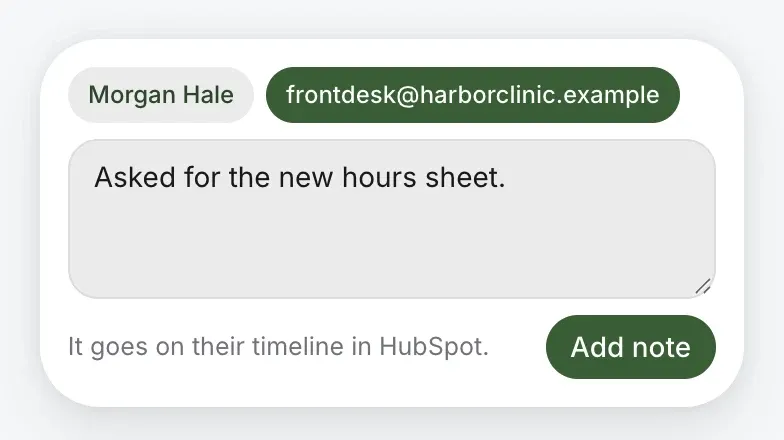
    The call bar has a HubSpot button. Pick the contact, type the note, and it goes on their timeline.

    A note to HubSpot taken on the call, for the contact chosen: it goes on their timeline in HubSpot
    The call bar on a call with Harbor Clinic, its HubSpot button beside mute, hold, transfer and park
  3. 4:12Hung up

    It’s already on their record.

    Nobody types it up afterwards. What lands, as your switches say:

    On Morgan Hale’s timeline HubSpot

    • Call4:12, answered by Jamie Morgan
    • Note“Asked for the new hours sheet.”
    • RecordingA link, for anyone signed in

    On Harbor Clinic’s account Sonar

    • Call log4:12, answered by Jamie Morgan

    Missed it? A missed call from a contact becomes a Call back task for their owner, due that day, and a voicemail’s summary and transcript go on their timeline.

Every part is a switch. Turn on what you want.

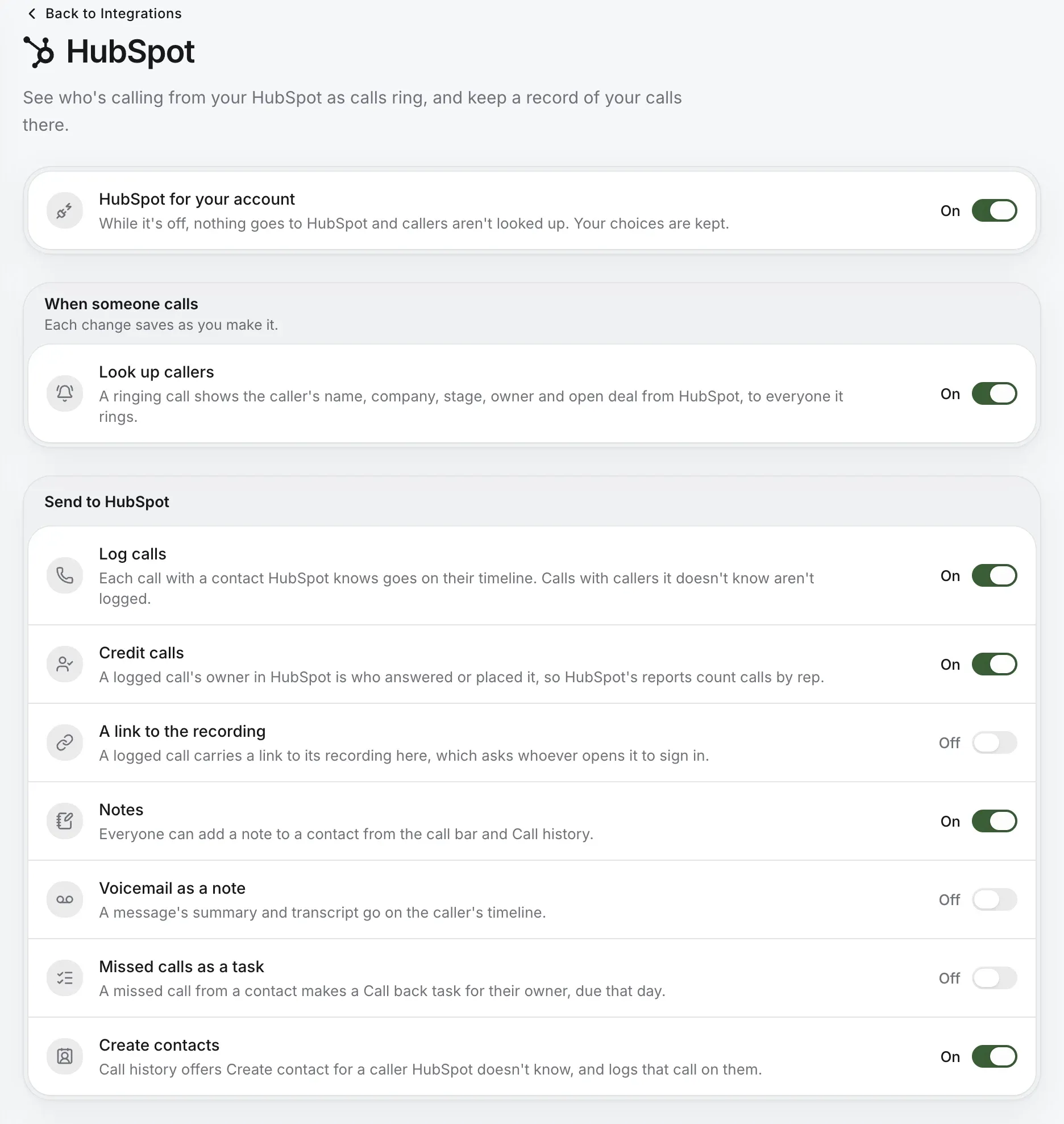
HubSpot’s page: look up callers, then what goes to HubSpot, each a switch: log calls, credit calls, a link to the recording, notes, voicemail as a note, missed calls as a task and create contacts

HubSpot

For teams that sell and support from HubSpot.

Look up callers
Name, company, stage, owner and open deal, to everyone the call rings.
Log calls
Each call with a contact HubSpot knows goes on their timeline.
Credit calls
The logged call belongs to whoever answered it, so HubSpot counts calls by rep.
A link to the recording
On the logged call, asking whoever opens it to sign in.
Notes
From the call bar or Call history, onto the contact.
Voicemail as a note
The message’s summary and transcript, on the caller’s timeline.
Missed calls as a task
A Call back task for the contact’s owner, due that day.
Search HubSpot
The dialer and Front desk find contacts from three letters typed.
Create contacts
Call history offers it for a caller HubSpot doesn’t know, and logs the call.
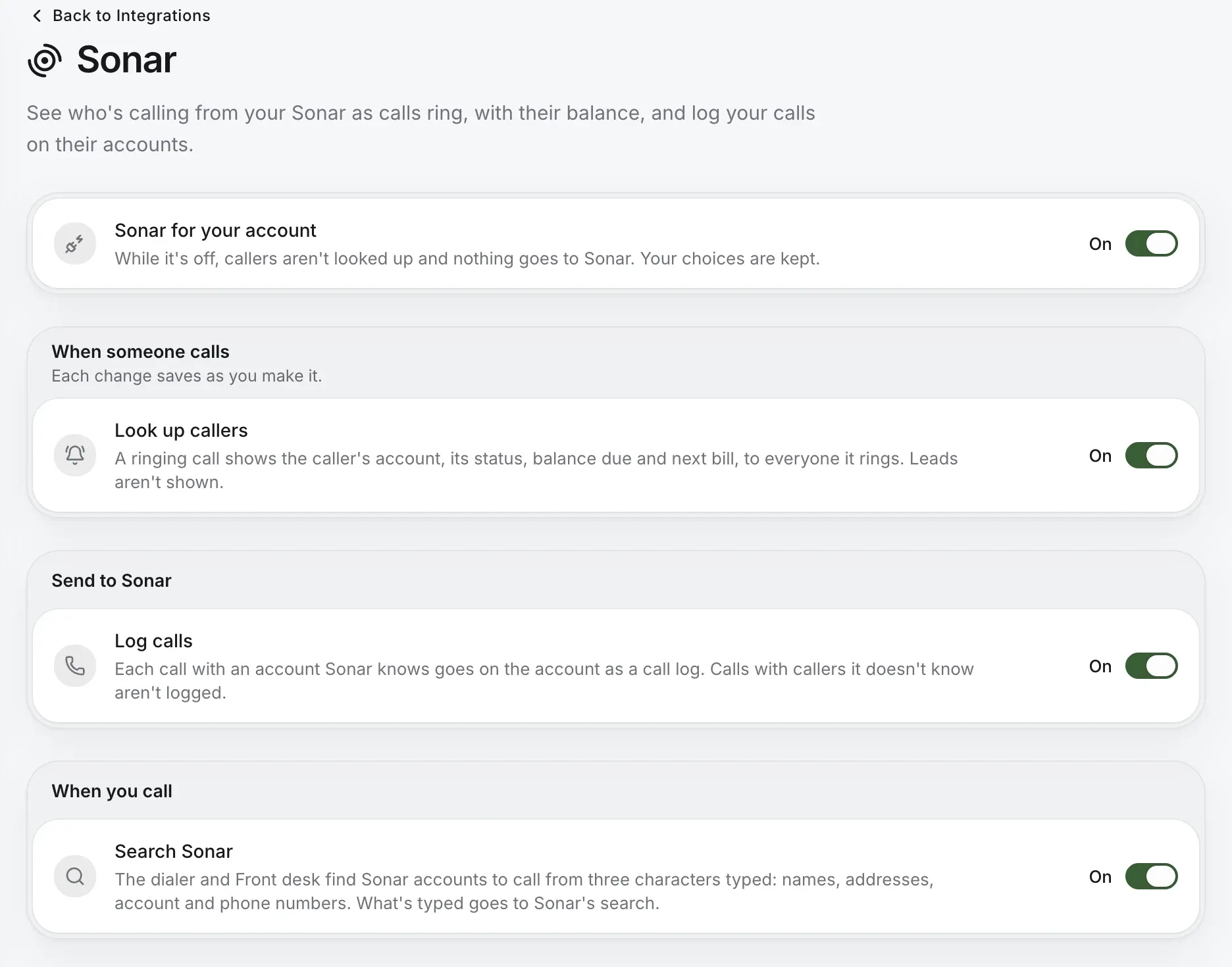
Sonar’s page: look up callers, log calls and search Sonar, each a switch

Sonar

For internet providers who bill and look after customers in Sonar.

Look up callers
The account, its status, balance due and next bill, to everyone the call rings.
Log calls
Each call with an account Sonar knows goes on it as a call log.
Search Sonar
The dialer and Front desk find accounts by name, address, account or phone number.

Payments by phone are on their way.

Built your own voice agent? Put it on the phone.

Connect an agent from your OpenAI project or your xAI account, Grok. It answers like any line in your phone system, and hands callers back only where you allow.

  1. A caller rings the main line after hours.
  2. Your agent answers, in your OpenAI project or xAI account.
  3. It may hand them back to the front desk or the billing queue, the places you allowed.
  4. If it doesn’t answer, the call goes to voicemail, or wherever you chose.
  • Routed like any lineFrom a menu key, after hours, or when nobody answers.
  • Hands back only where you allowYou pick the people, queues and groups it may transfer to.
  • Two fallbacks, alwaysWhere calls go if it doesn’t answer, and if it tries a transfer you didn’t allow.

All of it, on one page.

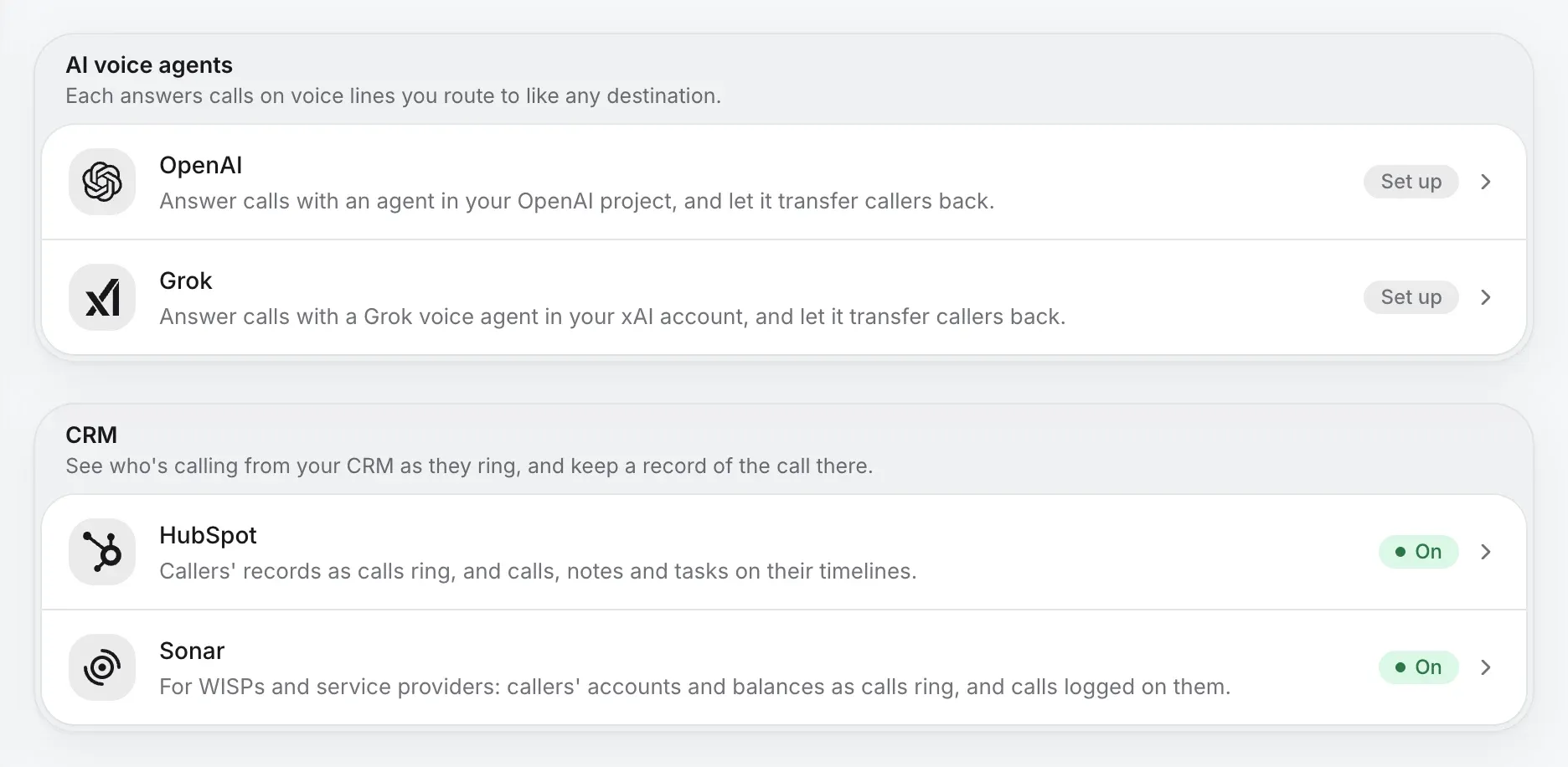
Company settings › Integrations. Owners and admins connect each one with its own key, and see at a glance which are on.

Integrations: AI voice agents from OpenAI and Grok, and HubSpot and Sonar in the CRM tray, both on

Questions about integrations.

Who connects an integration?
An owner or admin, in Company settings, under Integrations. Each one has its own switches, and turning an integration off stops everything it does and keeps its settings.
What if HubSpot doesn’t know the caller?
The call isn’t logged, so your CRM stays tidy. Call history offers Create contact, which makes the contact and logs that call on it.
Can callers pay their Sonar bill by phone?
Not yet. Payments by phone are on their way; today Sonar looks callers up, logs calls and finds accounts to call.
Do I need my own AI agent?
Only to connect one. Kafono’s AI receptionist is set up for you and needs no agent of your own.

Bring your number, and your tools.

Check your business number, and connect the rest once you’re on Kafono.

No number yet? Pick a new one

Rather talk it through? Write to us and a person answers.