No contractFree number transfer30-day money-back guarantee

See every price
Finish

Phones that work like the rest of your stack.

No box in a closet. Your numbers ring in the browser, the Mac app and on cells, and every call leaves a trail anyone on the team can read.

One call, tracedIncoming · Harbor Clinic · (480) 555-0142Answered4:26

Main line

It rings with the record attached.

A ringing call shows who it is from HubSpot, with the open deal, before anyone picks up. So nobody answers cold.
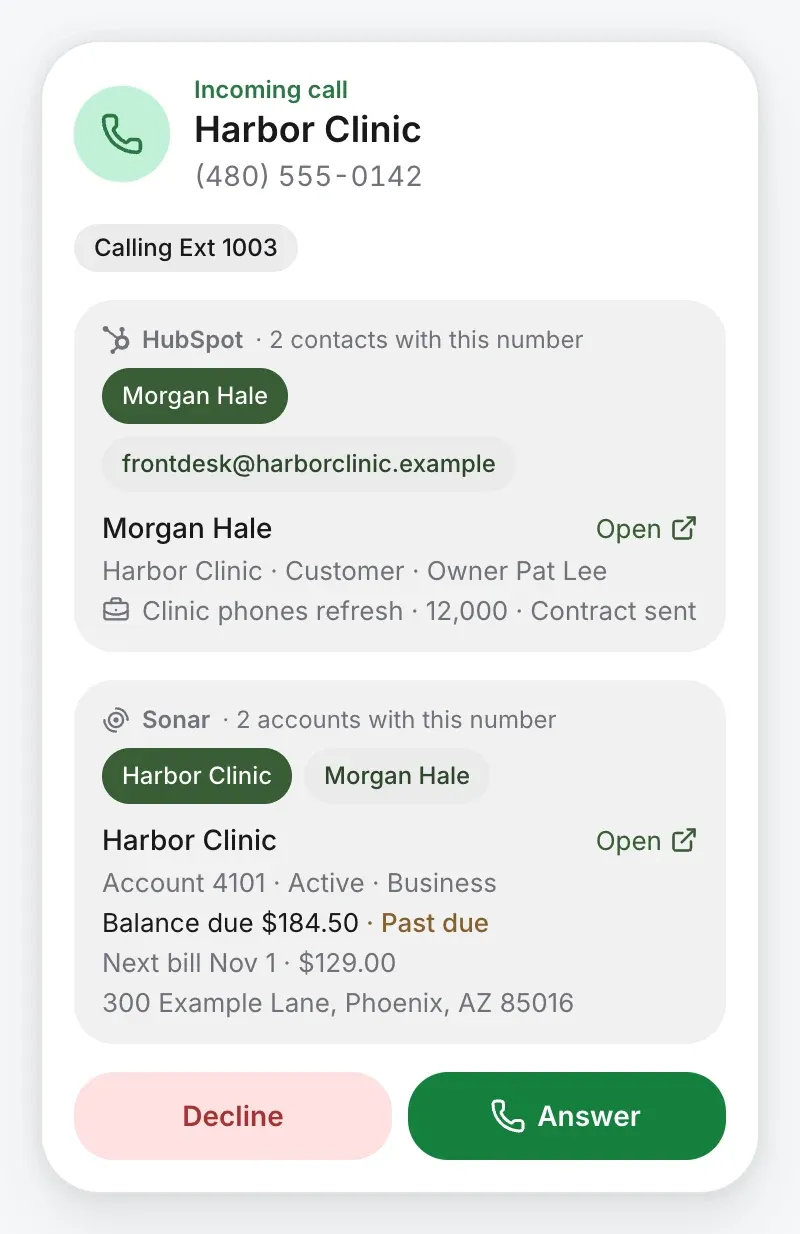
A call ringing from Harbor Clinic, with the caller’s HubSpot contact and open deal, and their Sonar account, balance due and next bill

Phone menu

They pressed 2.

1 for sales, 2 for support. Each key goes where you say, and Insights counts what callers pressed.
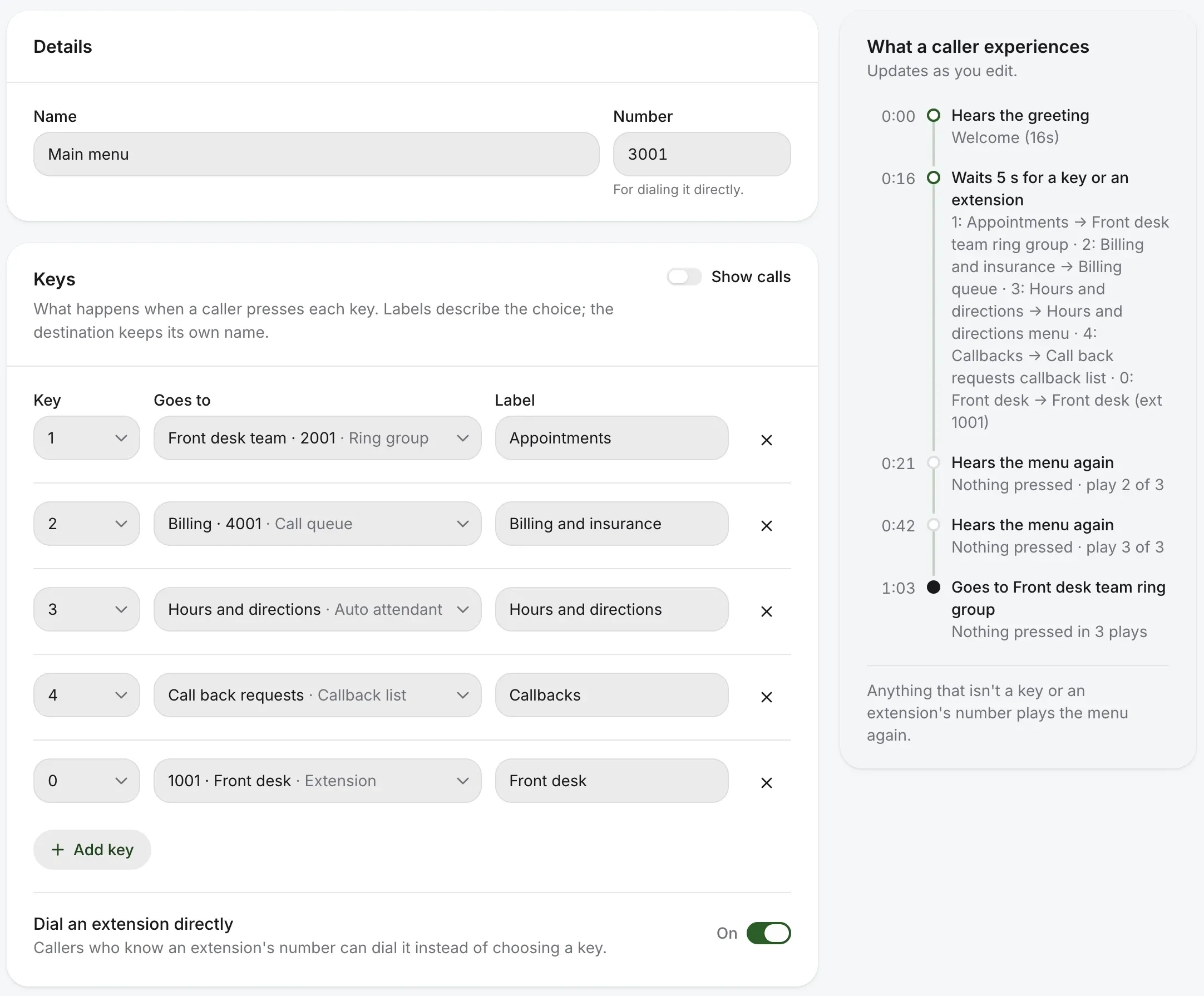
The main menu’s page: each key, where it goes and its label, Dial an extension directly switched on, and beside it what a caller experiences, second by second

Support queue

They waited in line, and you could see it.

Who’s waiting and for how long, what each person’s doing, and Take. On hold too long, they can ask for a callback and keep their place.
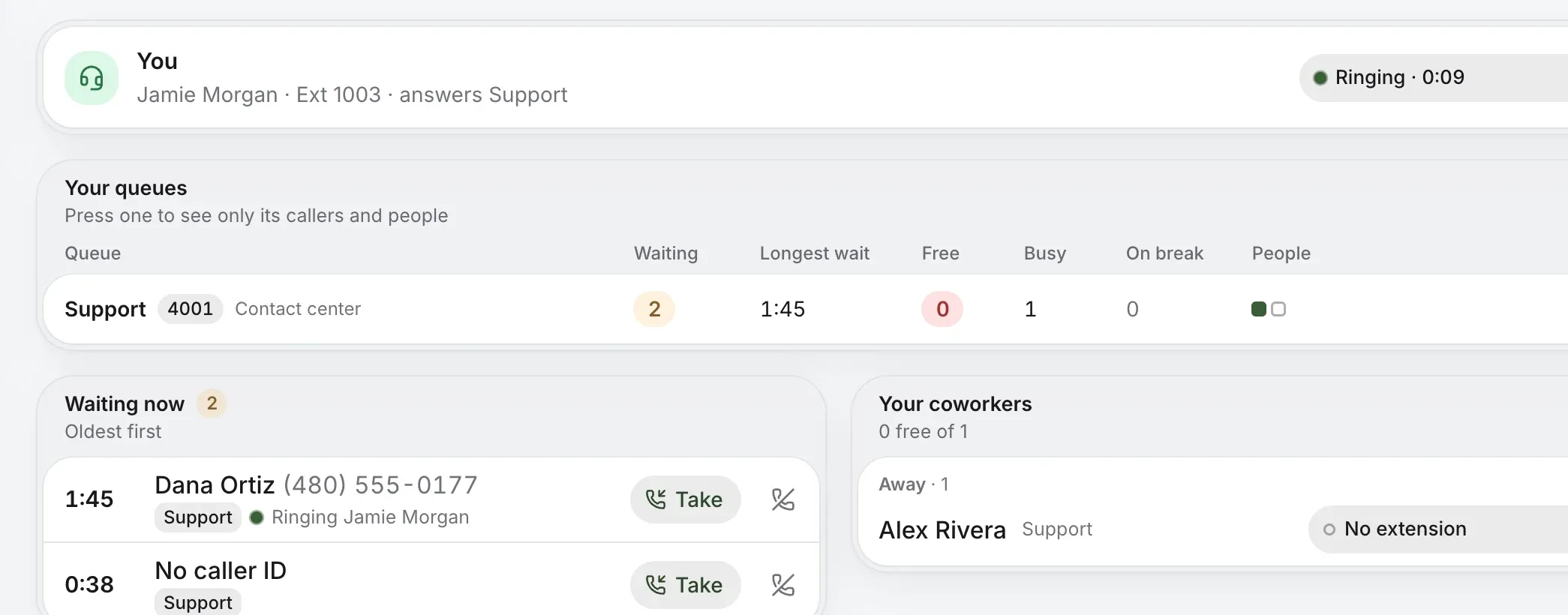
My queues, live: the agent’s own status, each queue’s waiting callers and longest wait, the callers waiting with Take, and coworkers

Priya Shah · Mac app

Priya answered, wherever Priya was.

In a browser tab, the Mac app, or the iPhone and Android apps. The call doesn’t care, and neither does the caller.
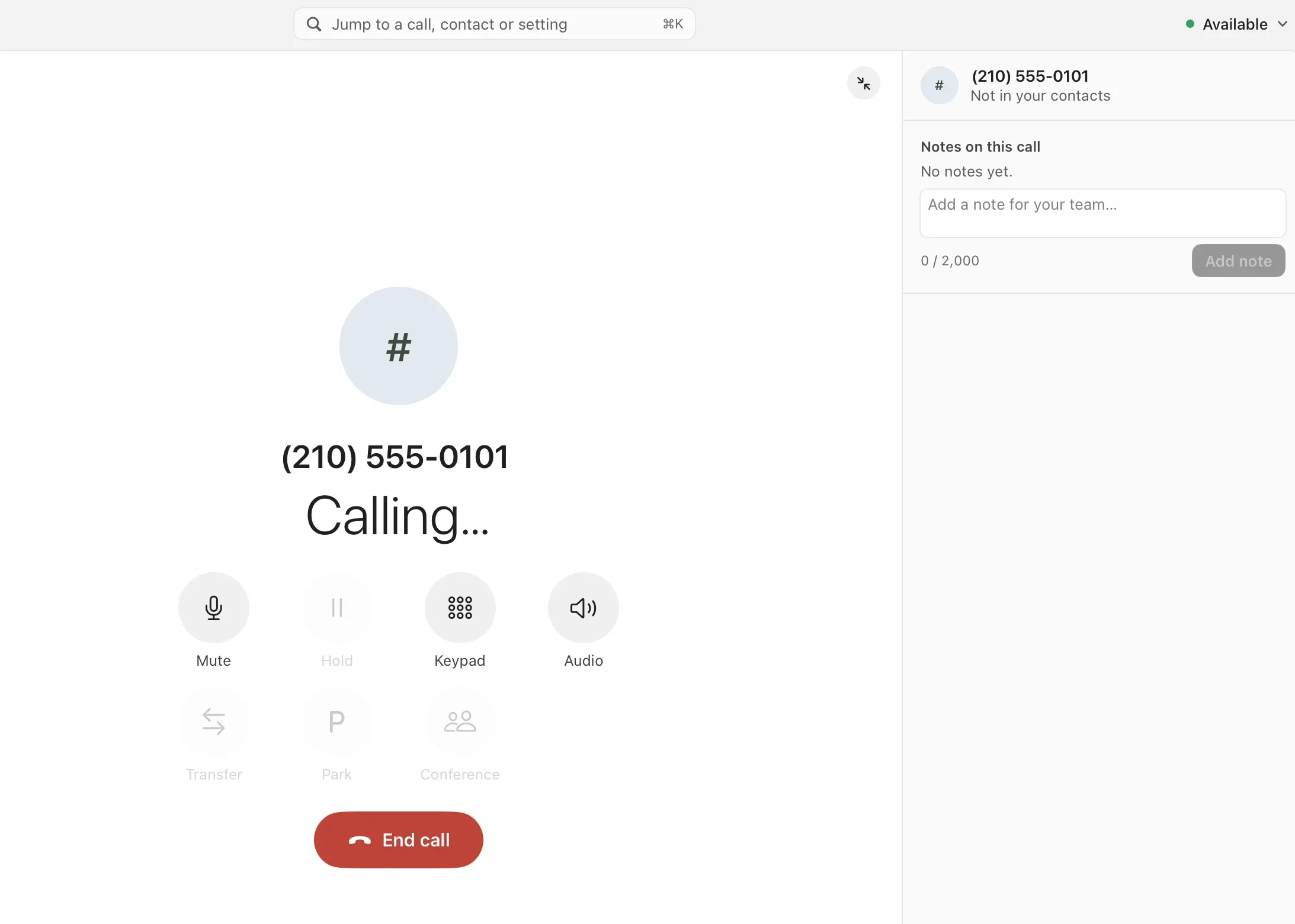
A call in progress in the Mac app: mute, hold, keypad, transfer, park and conference, with notes for the team beside it

Note to HubSpot

A note, mid-call, on the right contact.

Written during the call and sent to the contact’s timeline in HubSpot. You choose what goes there, switch by switch.
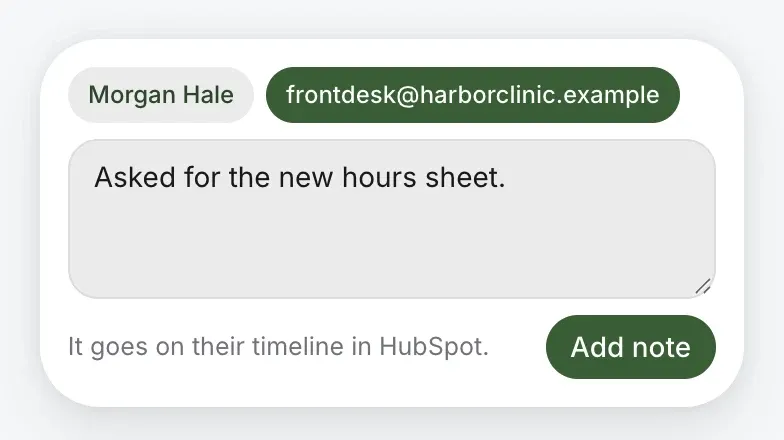
A note to HubSpot taken on the call, for the contact chosen: it goes on their timeline in HubSpot

Recording

Recorded by rule, or on demand.

Pick who’s recorded and who can listen. It plays straight from call history, with the call’s details beside it.
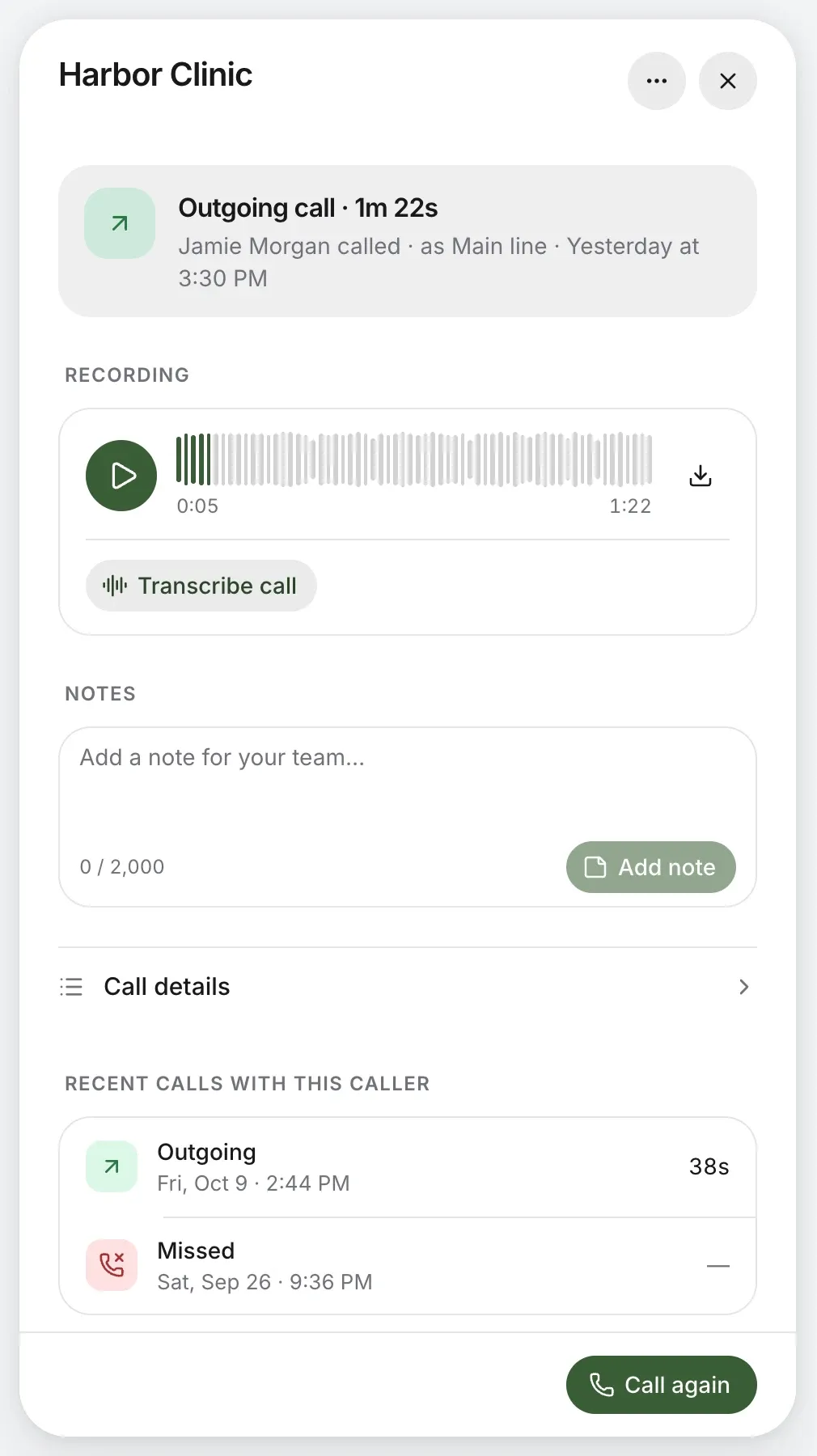
A recorded call’s panel: the recording to play or download, Transcribe call, notes and recent calls with the caller

Transcript

Every word, searchable.

Written out line by line, with who said what. Search all your calls by the words said, not just by who called.
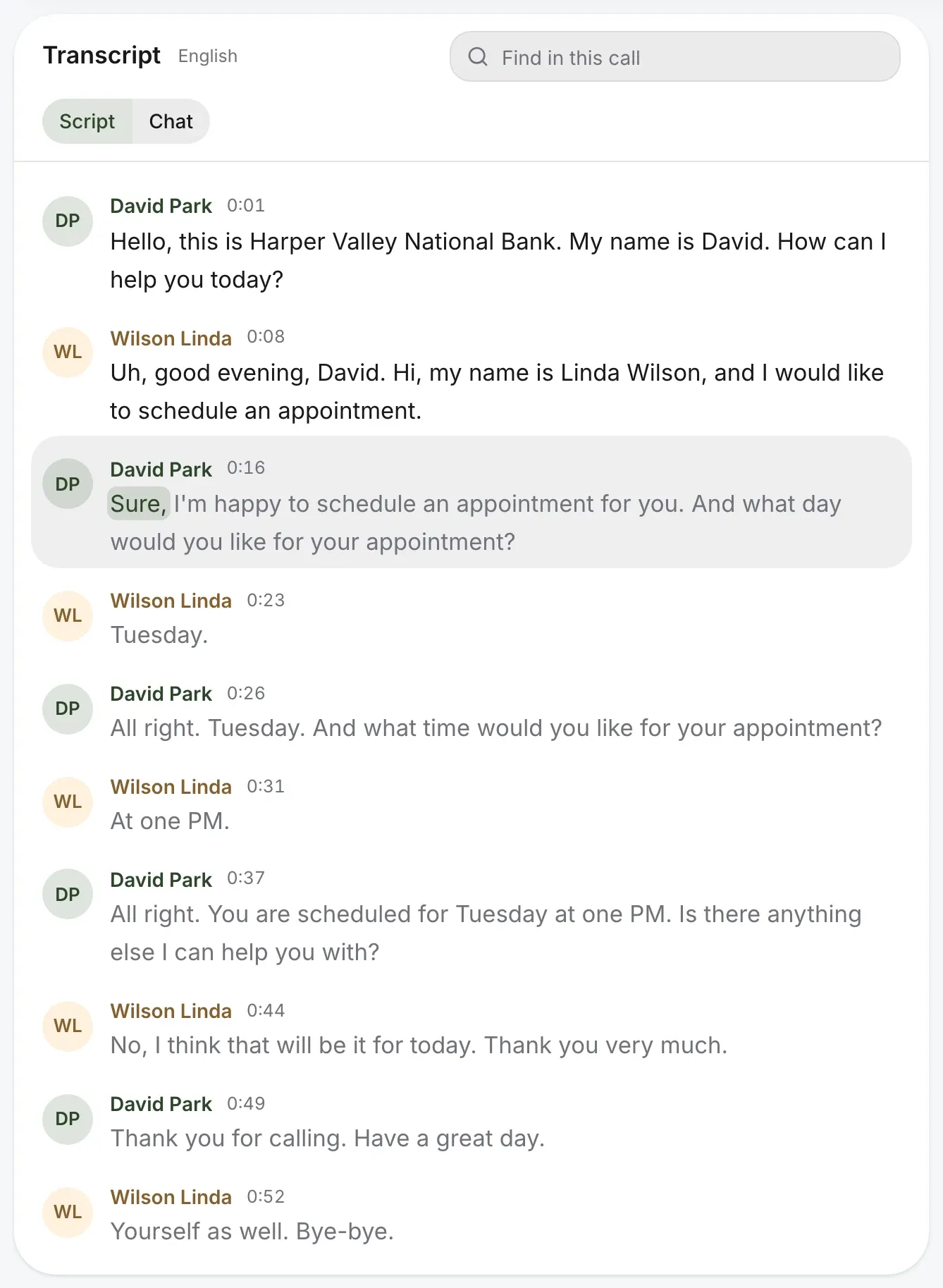
The transcript line by line, each with who said it and when, the word being played picked out

Summary

What they wanted, and what was promised.

A short summary, each sentence linked to its moment in the call, so the next person reads it instead of listening.
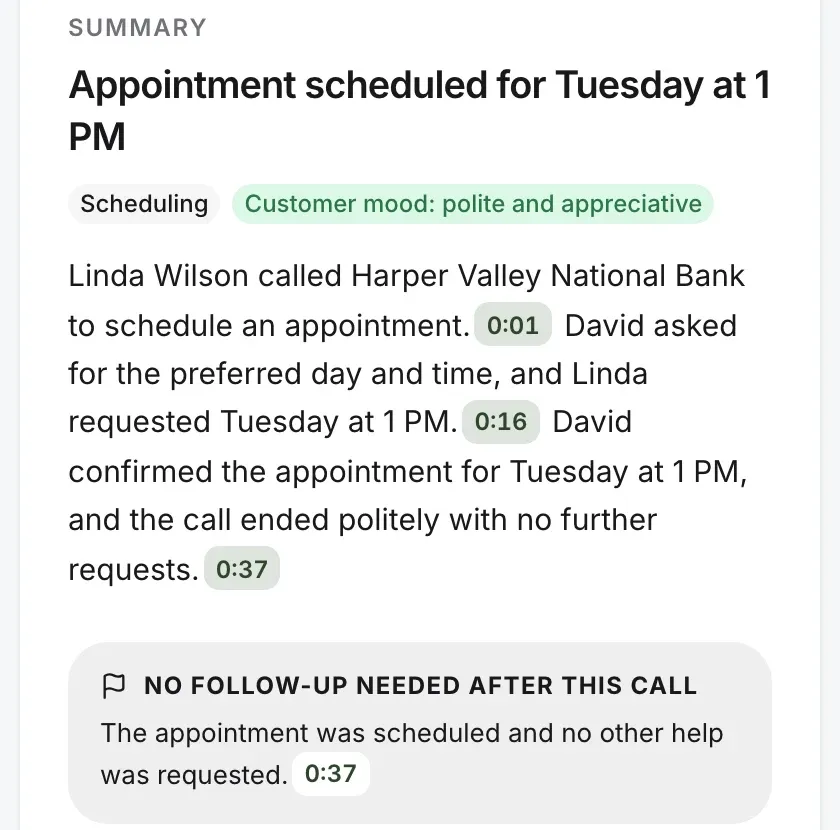
The call’s summary: what the caller wanted, each sentence linked to its moment, and whether a follow-up is needed

HubSpot timeline

It lands where the deal lives.

The call goes on the contact’s timeline in HubSpot, as you’ve set it up. Sonar works the same way, for its accounts.
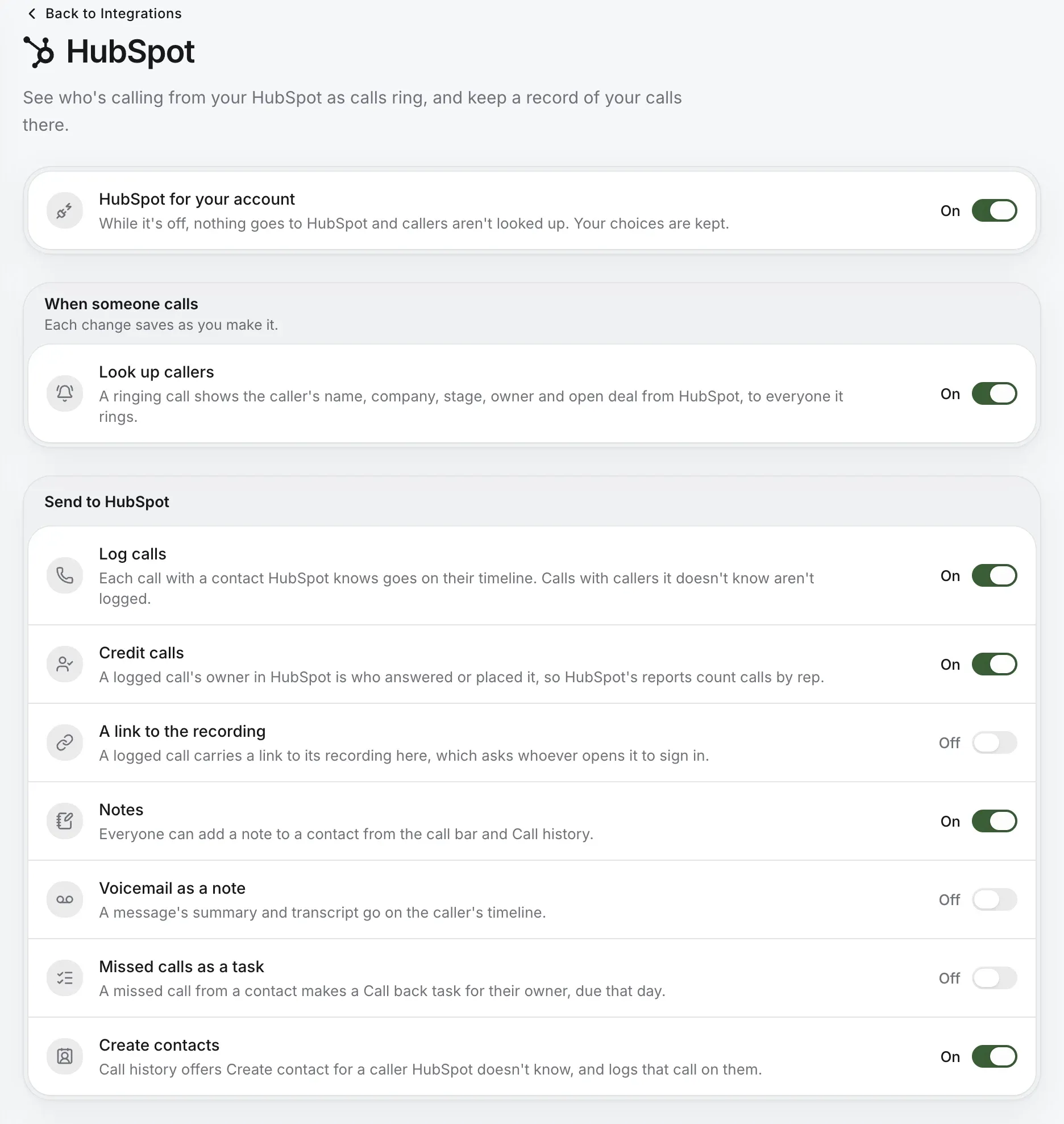
HubSpot’s page: look up callers, then what goes to HubSpot, each a switch: log calls, credit calls, a link to the recording, notes, voicemail as a note, missed calls as a task and create contacts

Insights

And it counts for Friday’s review.

Why people call, how fast they’re answered, and how each queue did against its goal.
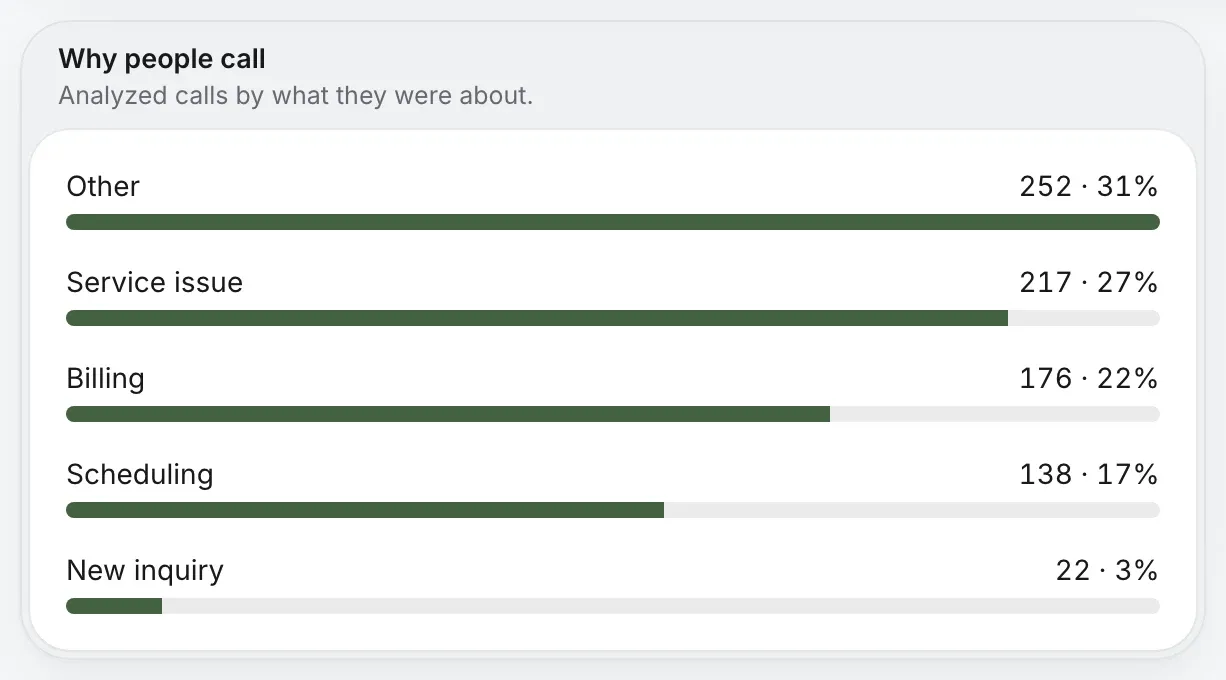
Why people call: each topic’s share of analyzed calls

The phone stopped being furniture.

Sales and support are lines anyone can answer, from wherever they’re working. Nothing to rack, nothing to reach over a VPN, and no desk nobody sits at.
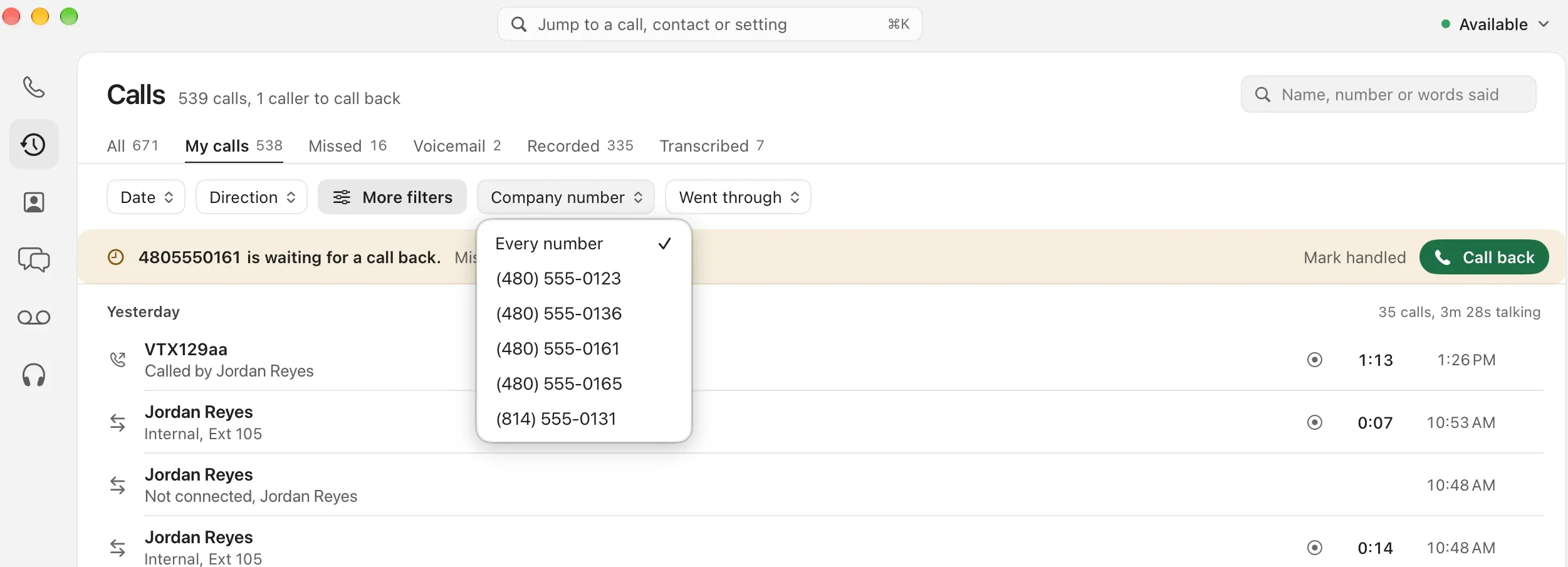
Calls in the Mac app, filtered to one company number, with a caller waiting for a call back
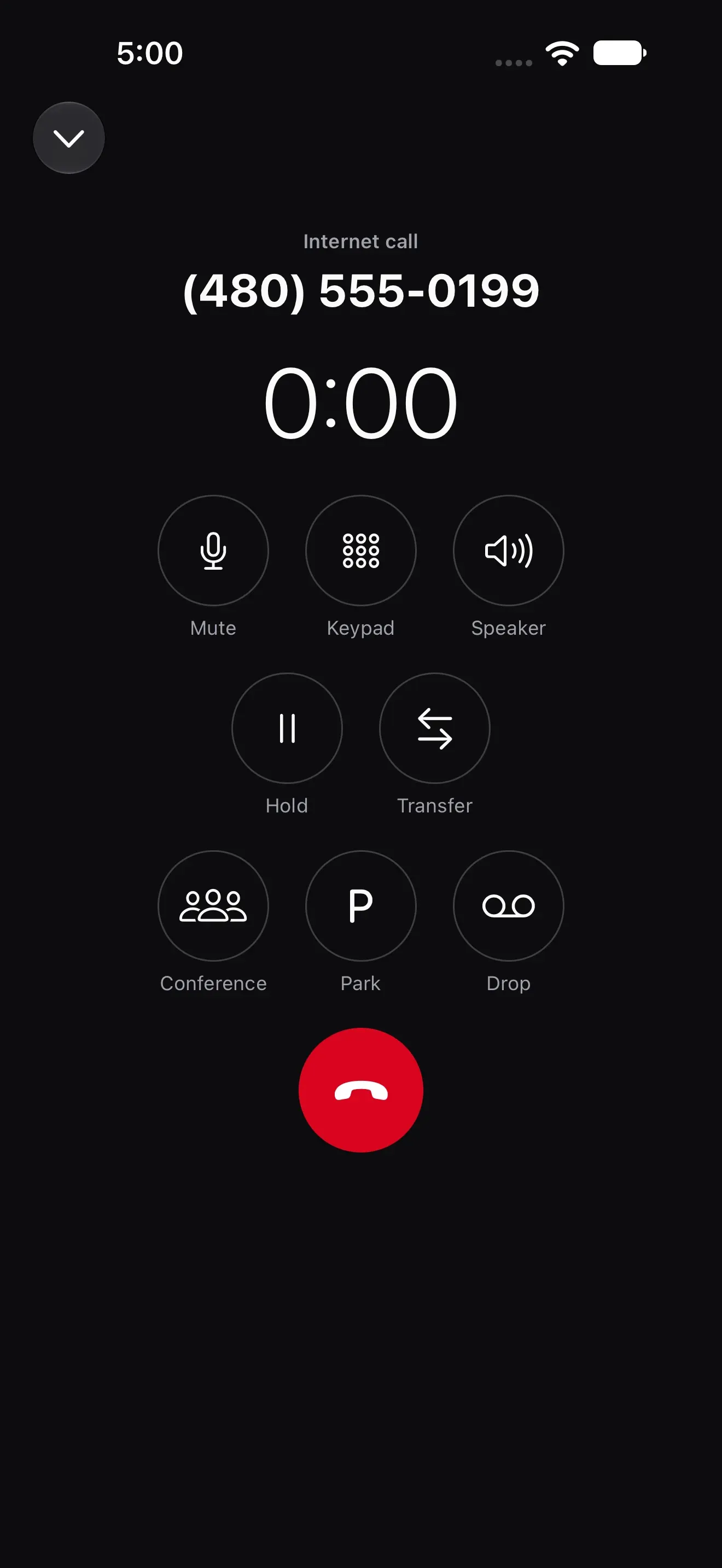
A call in the iPhone app
  • A browser tab. Calls, the call bar, transfers and park, with nothing to install.
  • The Mac and your cell. Native apps for Mac, iPhone and Android, on one number.
  • Sales and support. A menu, a ring group for sales and a queue with callbacks for support.

Your CRM already knows them.

Connect HubSpot, and the ringing call shows the contact and the open deal. Take a note on the call and it lands on their timeline. You choose what goes across, switch by switch.

See integrations

A call ringing from Harbor Clinic, with the caller’s HubSpot contact and open deal, and their Sonar account, balance due and next bill
The call bar on a call with Harbor Clinic, its HubSpot button beside mute, hold, transfer and park

Built your own agent? Put it on the phone.

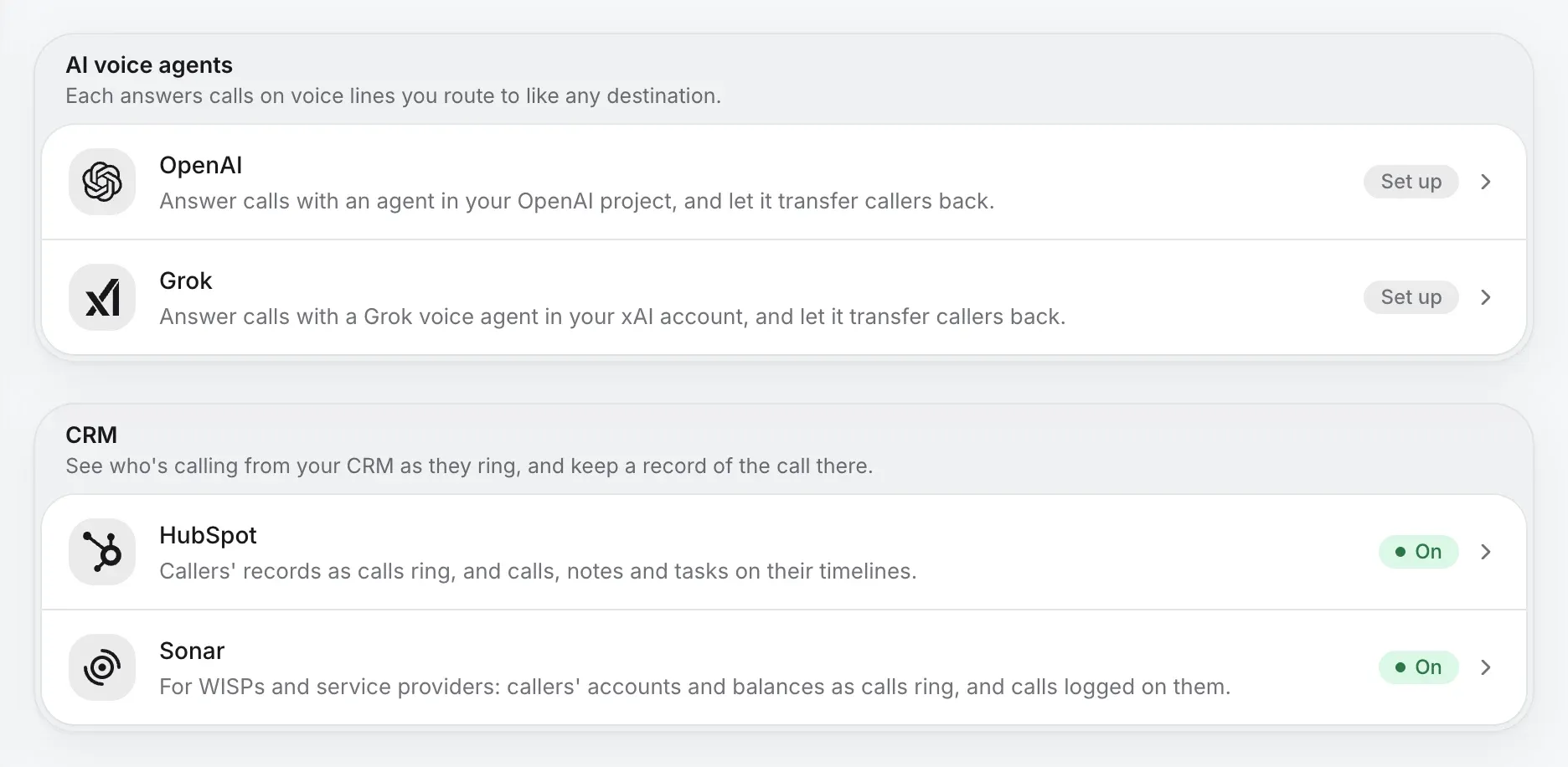
Connect a voice agent from your OpenAI project or xAI account. It answers like any line in your phone system, and hands callers back only where you allow. Two fallbacks, always: if it doesn’t answer, and if it tries a transfer you didn’t allow.
  1. Caller
  2. Main lineAfter hours
  3. Your agentOpenAI or Grok
  4. Support queueWhere you allow
  5. VoicemailIf it doesn’t answer
Integrations: AI voice agents from OpenAI and Grok, and HubSpot and Sonar in the CRM tray, both on

Already run your own PBX? Keep it. SIP trunking connects it to Kafono numbers, and you move your numbers without changing a desk.

The phone, on a dashboard.

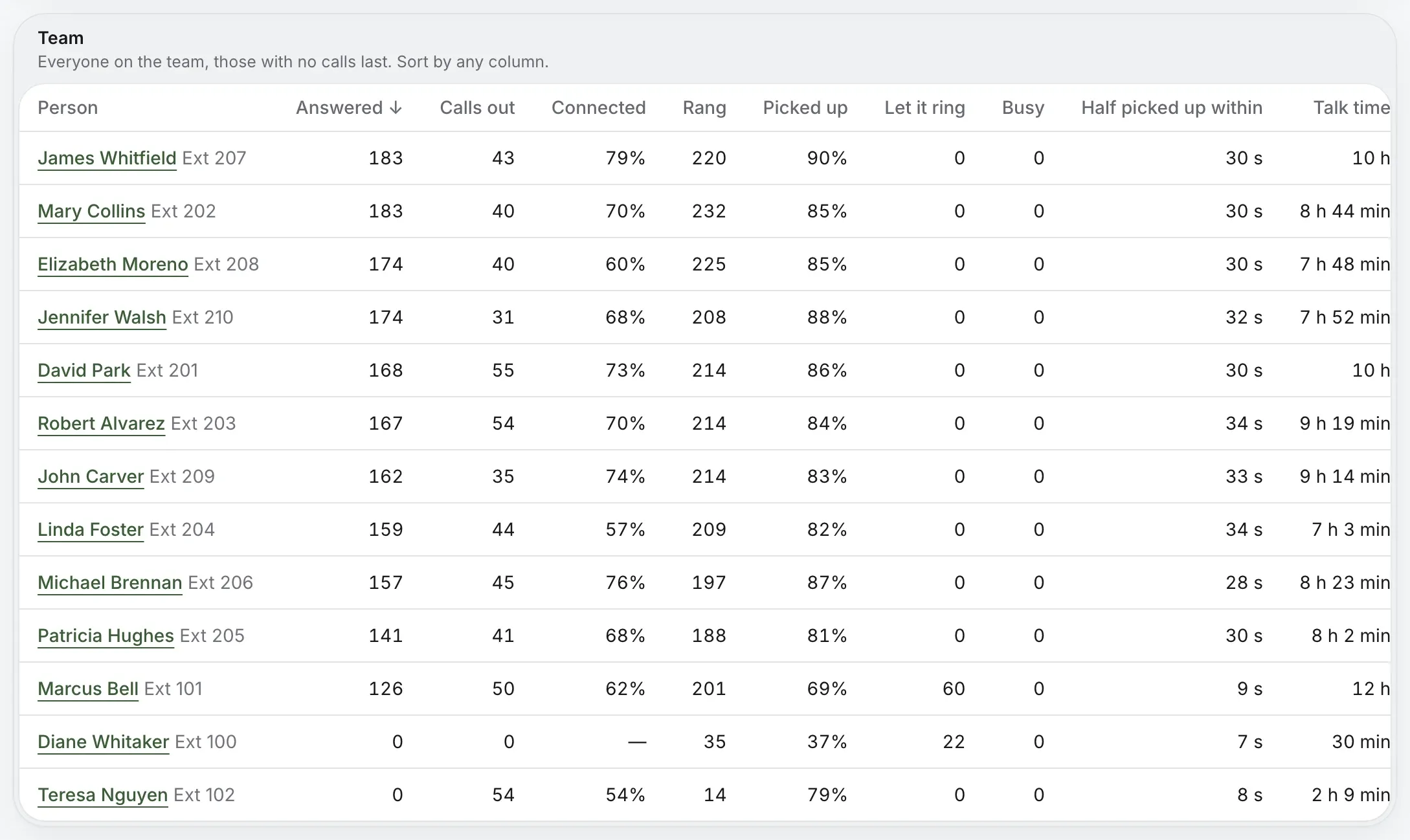
Calls in, answer speed, who’s picking up, and why people call, by queue and by person. Enough for a weekly review, without an export and a pivot table.
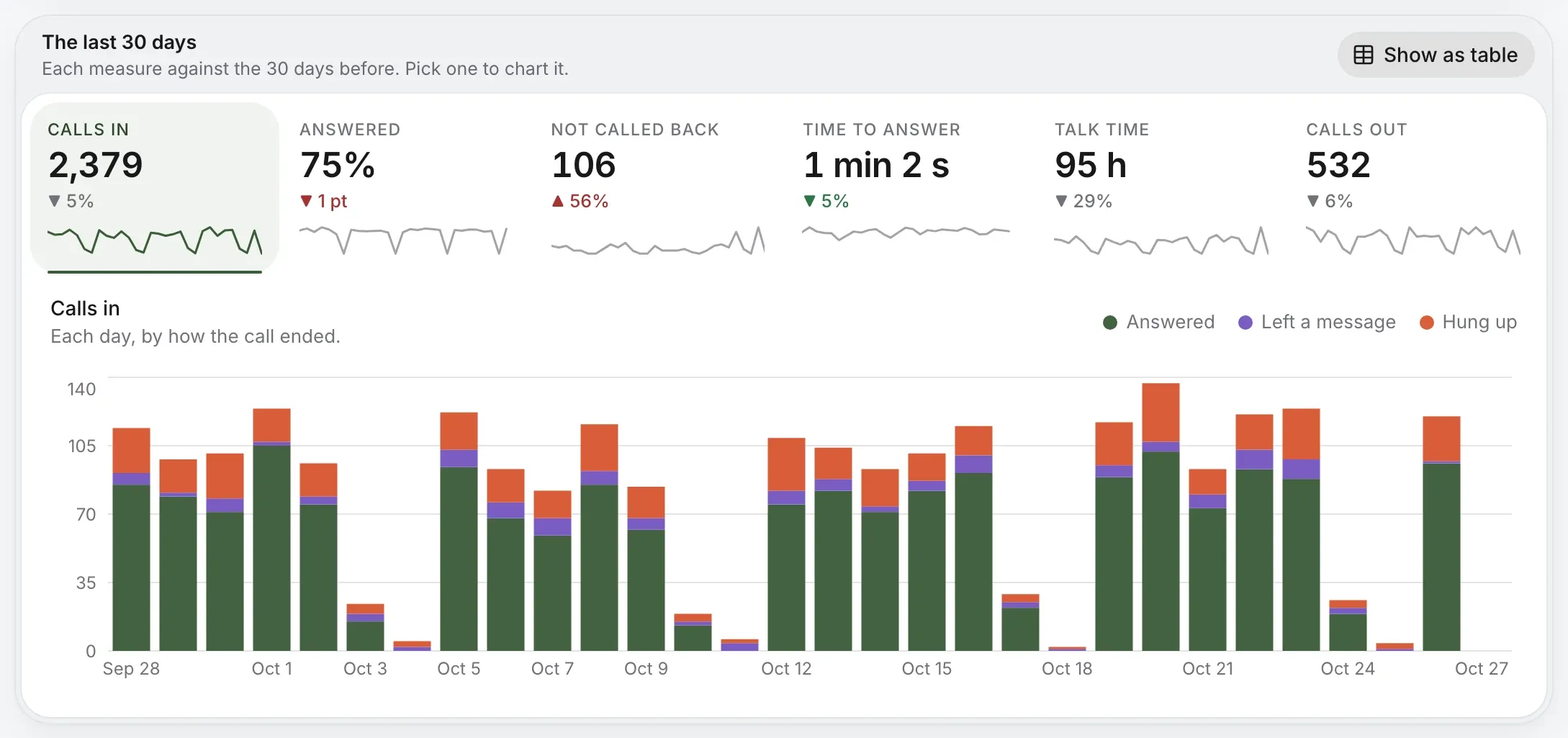
The last 30 days: calls in, answered, not called back, time to answer, talk time and calls out, each against the 30 days before, over a chart of each day
The team: each person’s calls answered and made, rang, picked up, time to answer and talk time
See call analytics
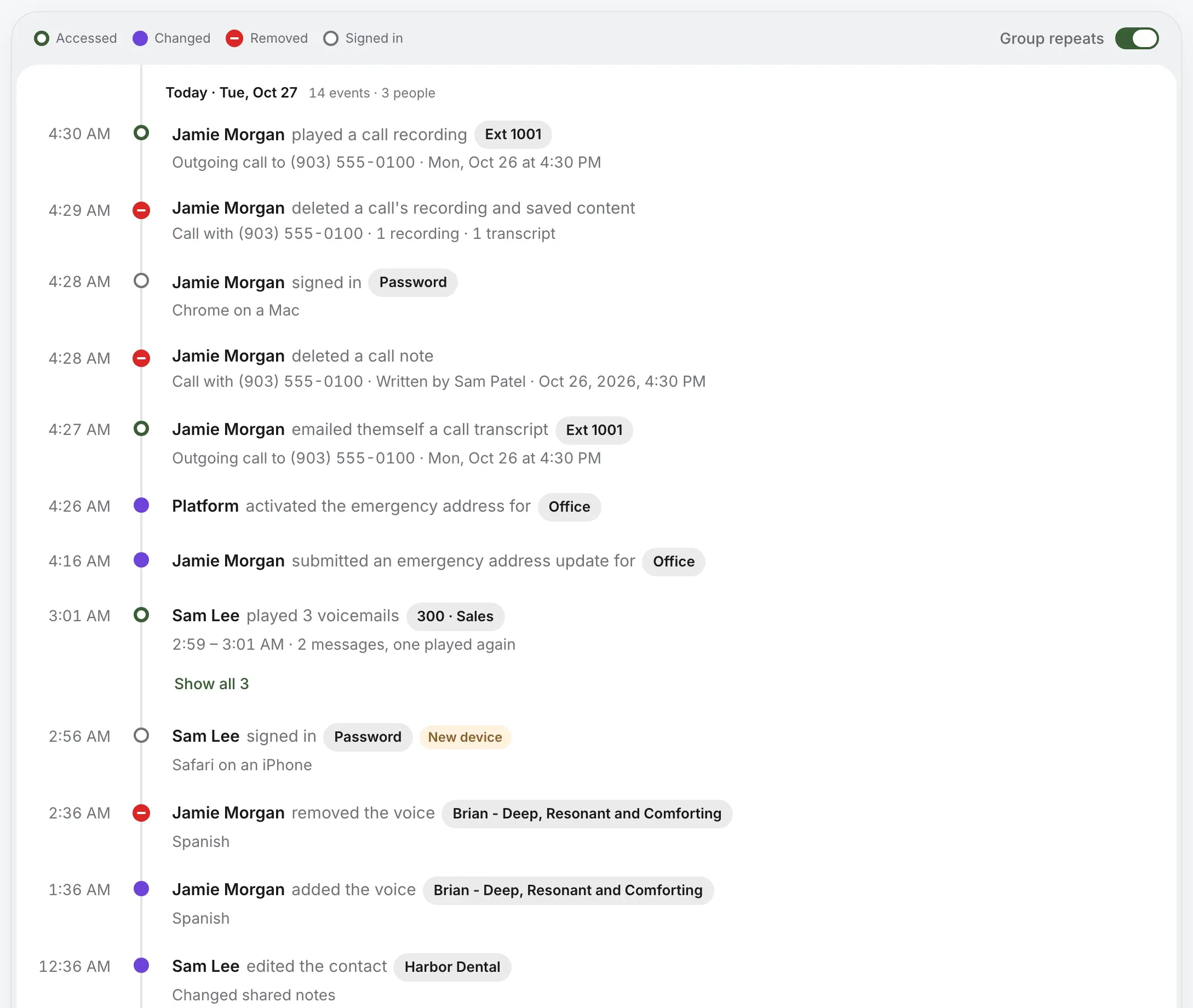
The activity log: who played a recording, signed in, changed a setting or exported calls, and when

Permissions, and a log of them.

  • Roles. Owners, admins and staff, each seeing what they should.
  • Activity. Who played a recording, signed in, changed a setting or exported calls, and when.
  • AI, off by default. Every AI feature stays off until you allow it.

Per seat, like everything else you buy.

$15 a person and $2 a number, each month. No contract. Desk phones only if you want them.

Before taxes and fees. Call transcription is [CALL TRANSCRIPTION PRICE].

$184a month

Start with your team

Questions you were going to ask.

Do we need desk phones?
No. Calls ring in the browser, the Mac app and the iPhone and Android apps. Add desk phones only where you want them.
Do you have an API?
We don’t publish one today. HubSpot, Sonar and AI voice agents connect out of the box, and our team builds custom integrations on request, so tell us what you need.
Does it work with our CRM?
HubSpot and Sonar today: a ringing call shows the caller’s record, and calls with known contacts are logged to it.
Can we bring our own phone system?
Yes. SIP trunking connects a phone system you already run to Kafono numbers, at $15 a month for each call at a time.
Can we point calls at our own AI agent?
Yes. Connect an agent from your OpenAI project or xAI account. It answers like any line in your phone system, and hands callers back only where you allow.
We’re remote. Does that matter?
No. Everyone answers the company’s numbers from wherever they’re working, with no office phone system to reach.

Some screens on this page are from Harper Valley National Bank, our demo account. The bank, its people, its callers and every number are made up.

Try it on your own number.

Check your business number, then pick a plan. Every price is on the page.

No number yet? Pick a new one

Rather talk it through? Write to us and a person answers.