No contractFree number transfer30-day money-back guarantee

See every price
Finish

Type the words.
Hear a voice.

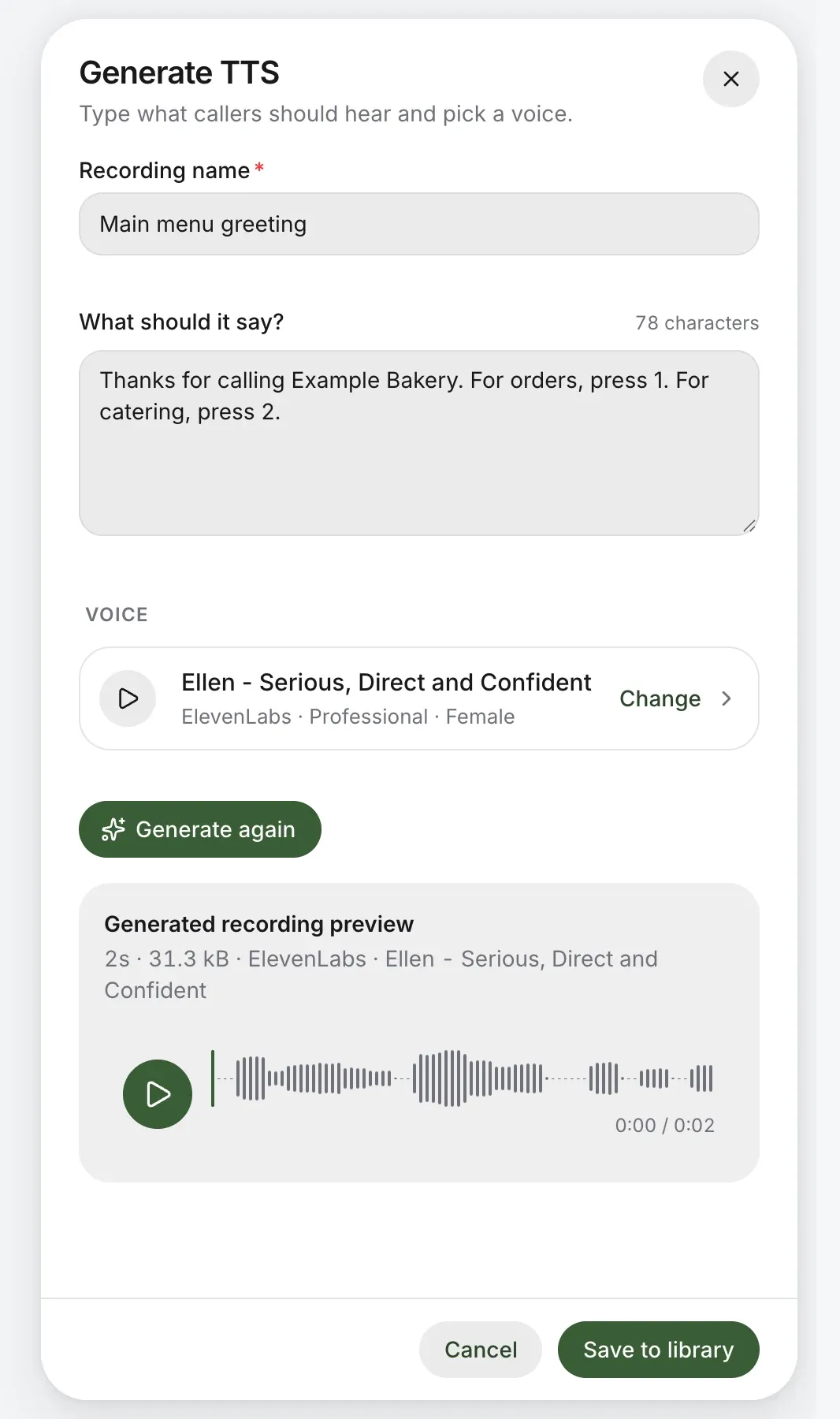
Write what callers should hear, pick a voice and listen before you save. No studio, no second take: change a word and hear it again.
Main menu greetingEllen · ElevenLabsGenerated in seconds
01The studio, up closeReal screens, test account
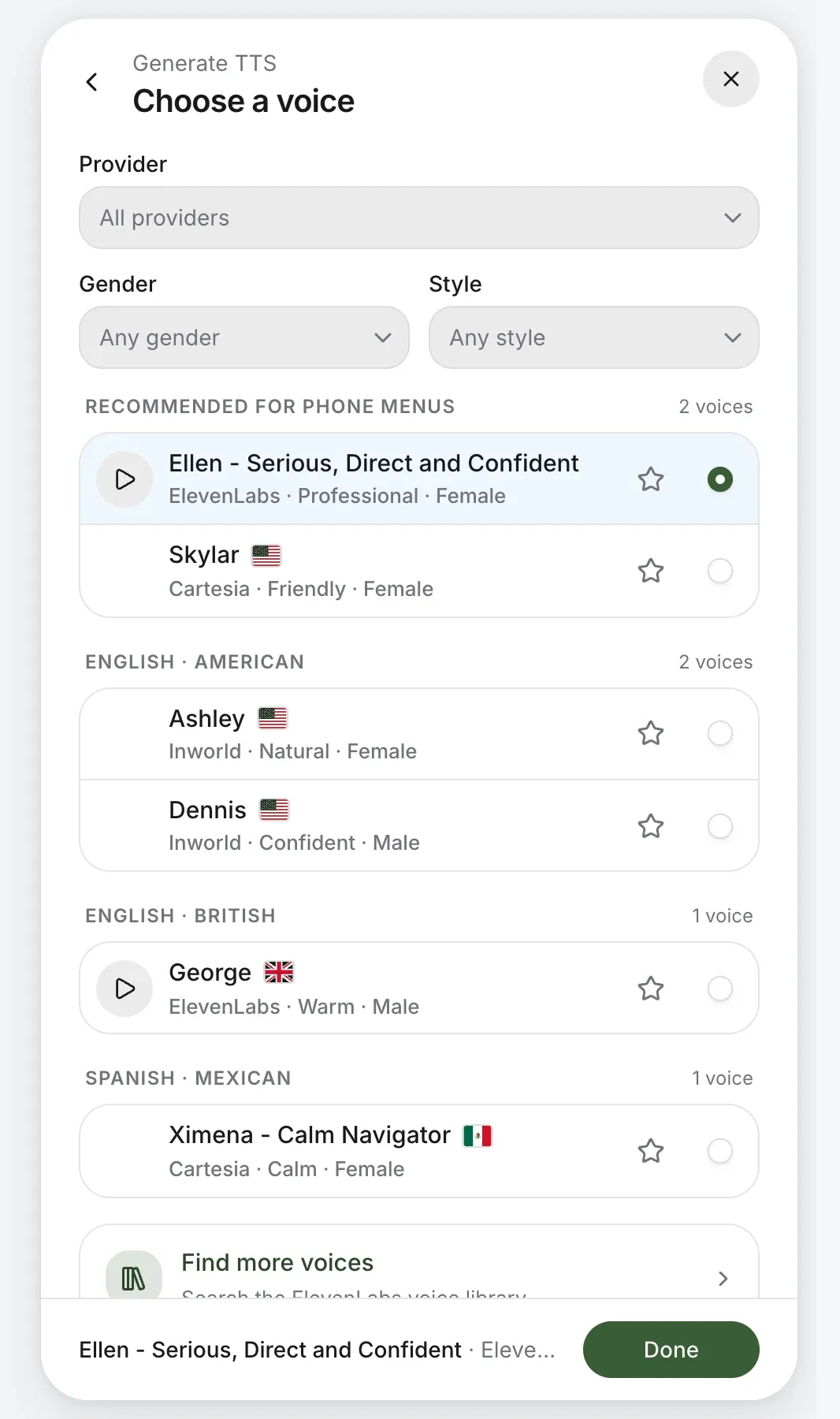
Choose a voice: voices recommended for phone menus, then by language and accent, each with a sample and a star
Fig. 1Choose a voice. Recommended ones first, then by language and accent, each with a sample.
The generator: the recording’s name, what it should say, the voice, and the generated recording to play before saving
Fig. 2Generate, play it back, and save it to your audio files only when it’s right.
02Voices, chosen like a typefaceFrom the hand-picked set

Each voice has a character. Hear it before you choose.

  • Recommended for phone menus

    Ellen

    Serious, direct and confident.

    ElevenLabsEnglishFemale

  • Recommended for phone menus

    Skylar

    Friendly and welcoming, made for customer service.

    CartesiaEnglish, AmericanFemale

  • English · British

    George

    A British voice for a polished welcome.

    ElevenLabsEnglish, BritishMale

  • Spanish · Mexican

    Ximena

    Steady and clear, for callers in Spanish.

    CartesiaSpanish, MexicanFemale

03Three ways to make a recordingAll in Audio files

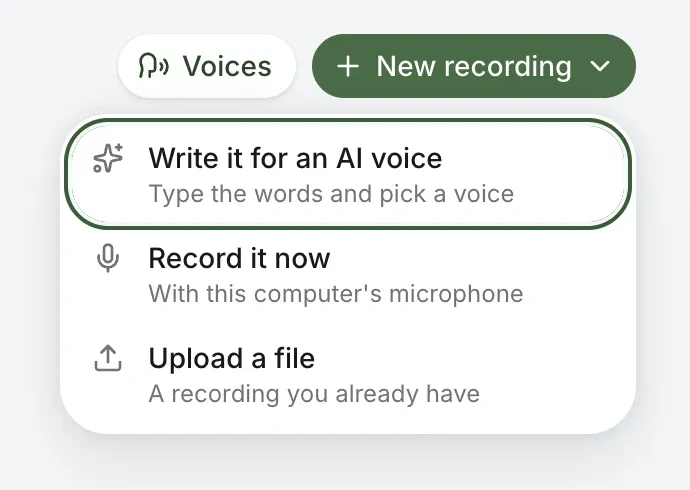
Write it

Type the words and pick a voice. Hear it, change a word, hear it again.

Record it

With your computer’s microphone or the iPhone or Android app, up to five minutes, played back before you save.

Upload it

Have a greeting someone made for you? Upload the file and it plays as it is.
04Thousands more voicesFor business accounts
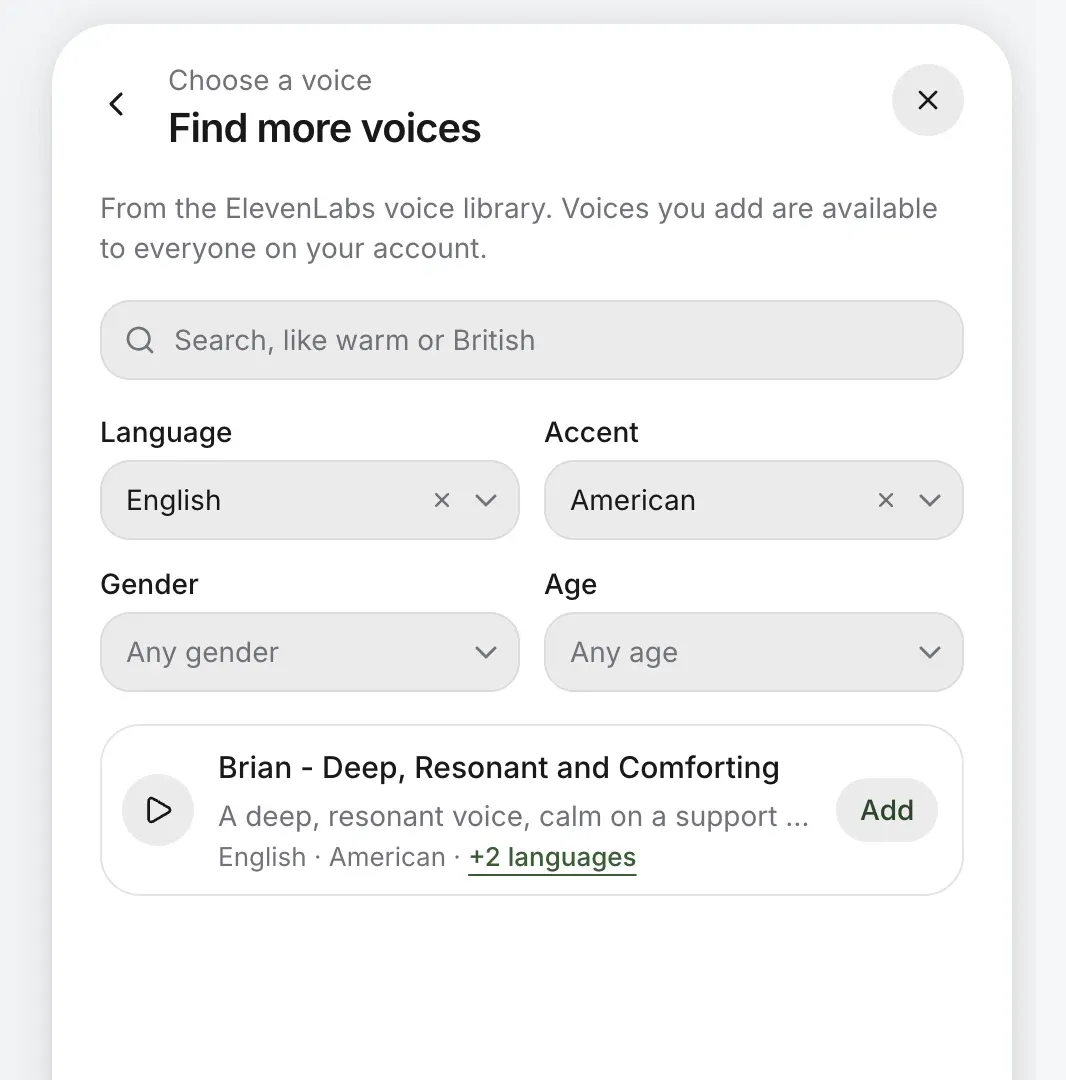
Find more voices: the ElevenLabs voice library searched by language, accent, gender and age
Fig. 4Find more voices: search a library of thousands by language and accent.

The library, for the voice you can’t find.

Voices to add
Up to 50 for your account
Who adds them
Owners and admins
Who uses them
Everyone on the account
Search by
Language, accent, gender and age
Offered
Only voices with at least 30 days’ notice before they’re withdrawn
If one is withdrawn
Your saved recordings keep playing
05Twenty-one languagesIn the library
  • English
  • EspañolSpanish
  • العربيةArabic
  • 中文Chinese
  • NederlandsDutch
  • Filipino
  • FrançaisFrench
  • DeutschGerman
  • עבריתHebrew
  • हिन्दीHindi
  • Bahasa IndonesiaIndonesian
  • ItalianoItalian
  • 日本語Japanese
  • 한국어Korean
  • PolskiPolish
  • PortuguêsPortuguese
  • РусскийRussian
  • SvenskaSwedish
  • TürkçeTurkish
  • УкраїнськаUkrainian
  • Tiếng ViệtVietnamese

English and Spanish lead, with nineteen more. Each voice is added in one language; add it again for another.
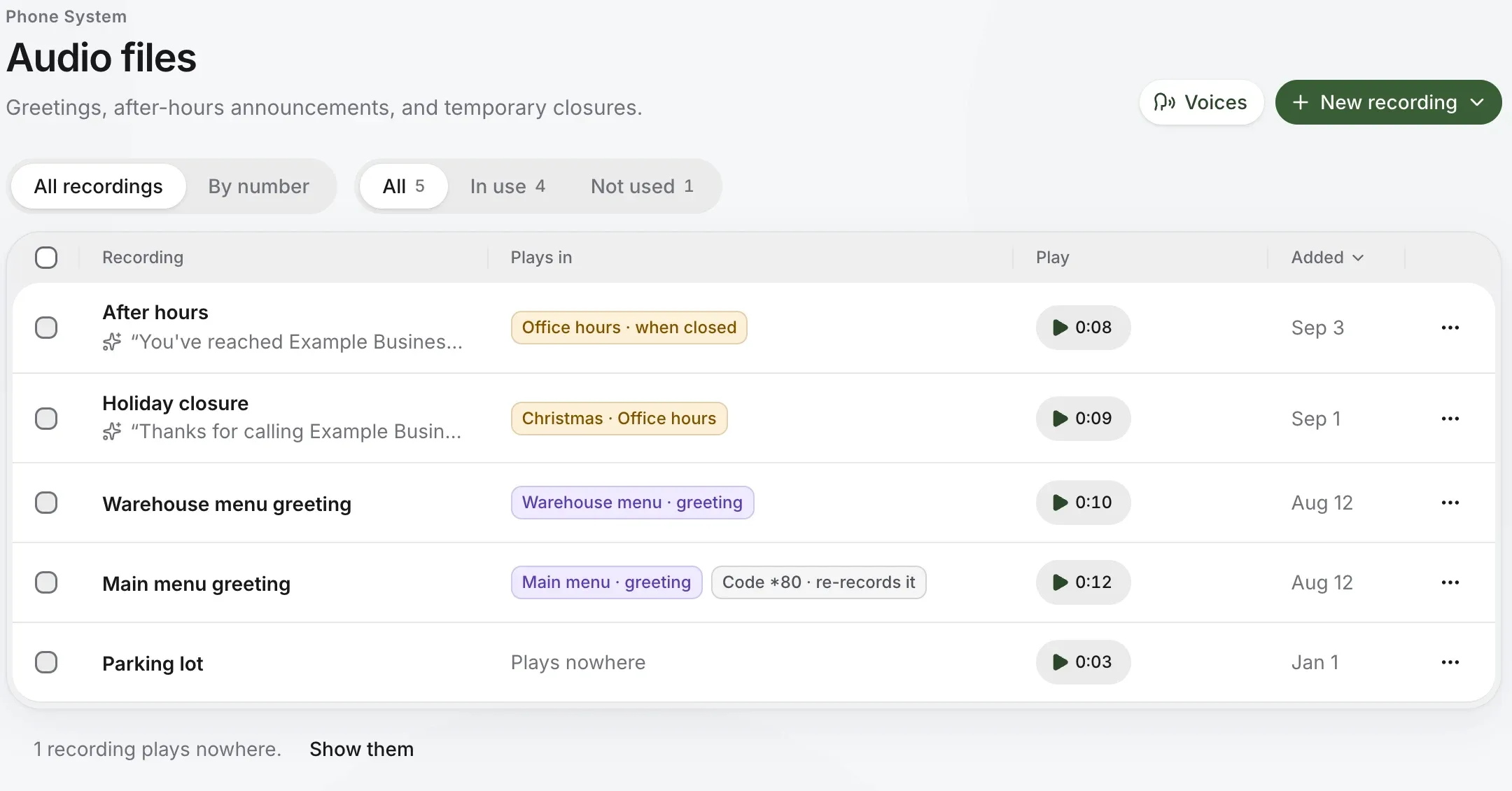
06Where it playsEvery recording, one list
Audio files: greetings and menus, each with where it plays, two of them written for an AI voice
Fig. 5Audio files shows where every recording plays: the main menu, after hours, a holiday closure.
07Questions
Who turns AI voices on?
The account owner, once, after seeing which voice providers the words are sent to. Until then, recording and uploading still work.
Can a home account use it?
Yes, with our hand-picked voices. Searching the library for more is for business accounts.
What if a voice I used is withdrawn?
Recordings you saved keep playing. Voices are offered only when their provider gives at least 30 days’ notice before withdrawing them.
Can I record it myself instead?
Yes. Record with your microphone in the browser or the iPhone or Android app, for up to five minutes, or upload a file.

Your greeting, in a voice worth hearing.

Check your number in a few seconds. You’ll know it can come before you pay anything.

No number yet? Pick a new one

Rather talk it through? Write to us and a person answers.