No contractFree number transfer30-day money-back guarantee

See every price
Finish

Kafono for Mac

Your business line, right beside your work.

Calls, texts, voicemail and every caller’s history in one Mac window. Answer at your desk, jot a note for the team, and call back from the list.
Mac app: coming sooniPhone and Android
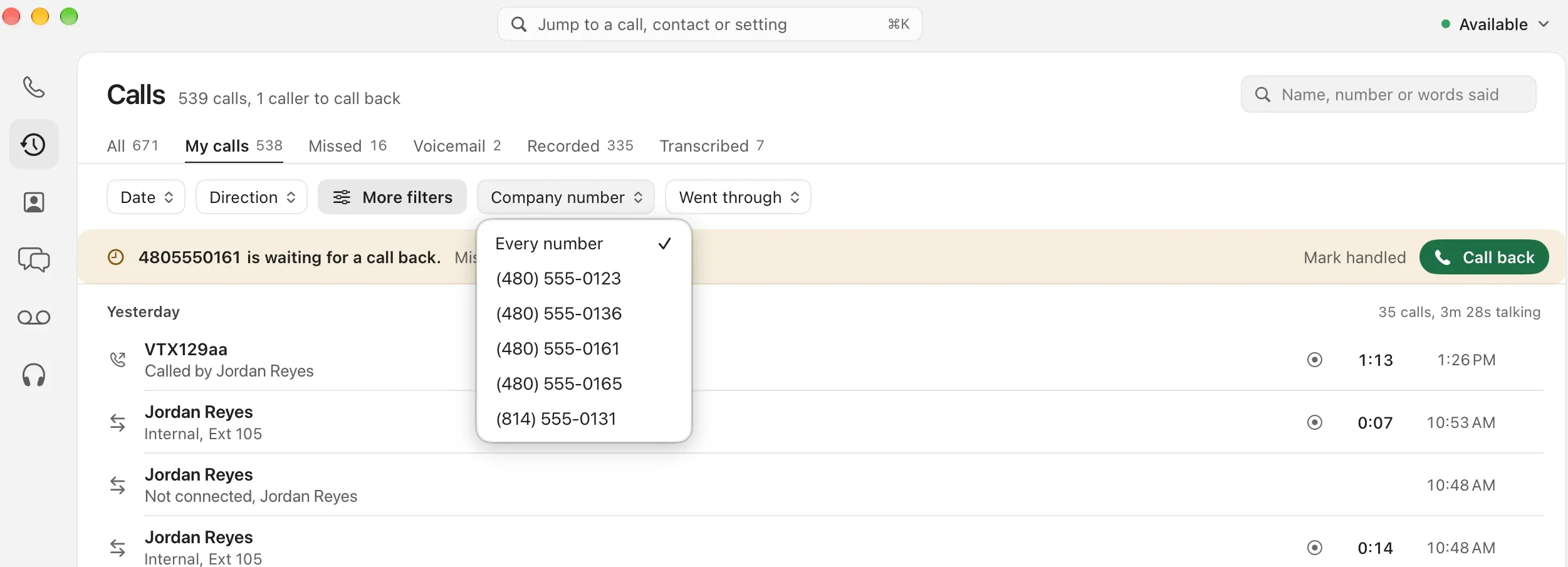
Calls in the Mac app, filtered to one company number, with a caller waiting for a call back

Built like a Mac app, because it is one.

  • ⌘KJump to anythingA call, a contact or a setting, from the keyboard.
  • Available, or notSet your status from the corner; queues follow it.
  • Call back from the listWho’s waiting for a call back sits on top, one press away.
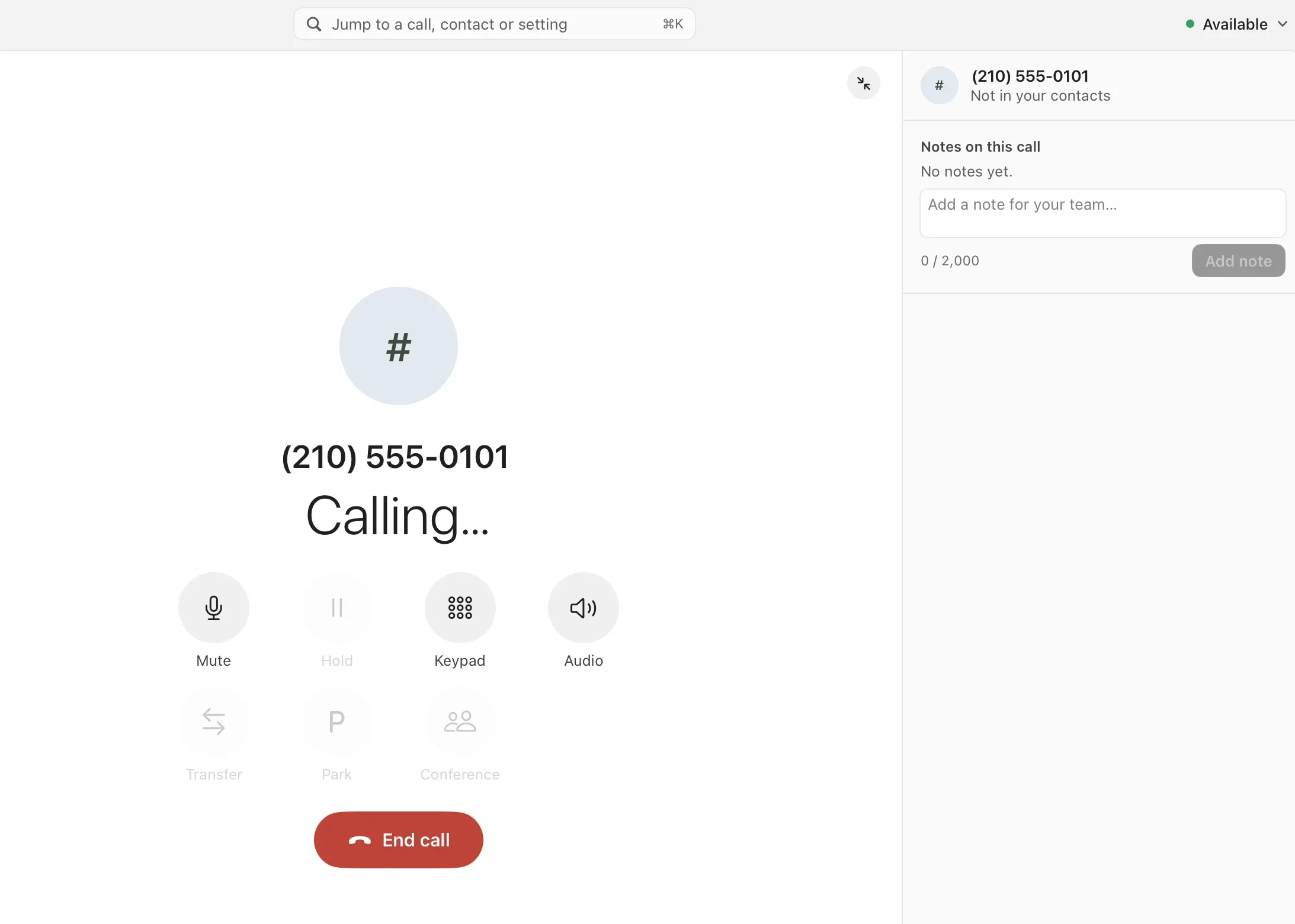
A call in progress in the Mac app: mute, hold, keypad, transfer, park and conference, with notes for the team beside it
  1. The call, front and centreWho it is, the call’s state, and every control in reach.
  2. Transfer, park, conferencePass the caller on, park them for anyone to pick up, or bring a third person in.
  3. Notes for the teamWrite as you talk. The note stays on the call for everyone.

Texts, as a team

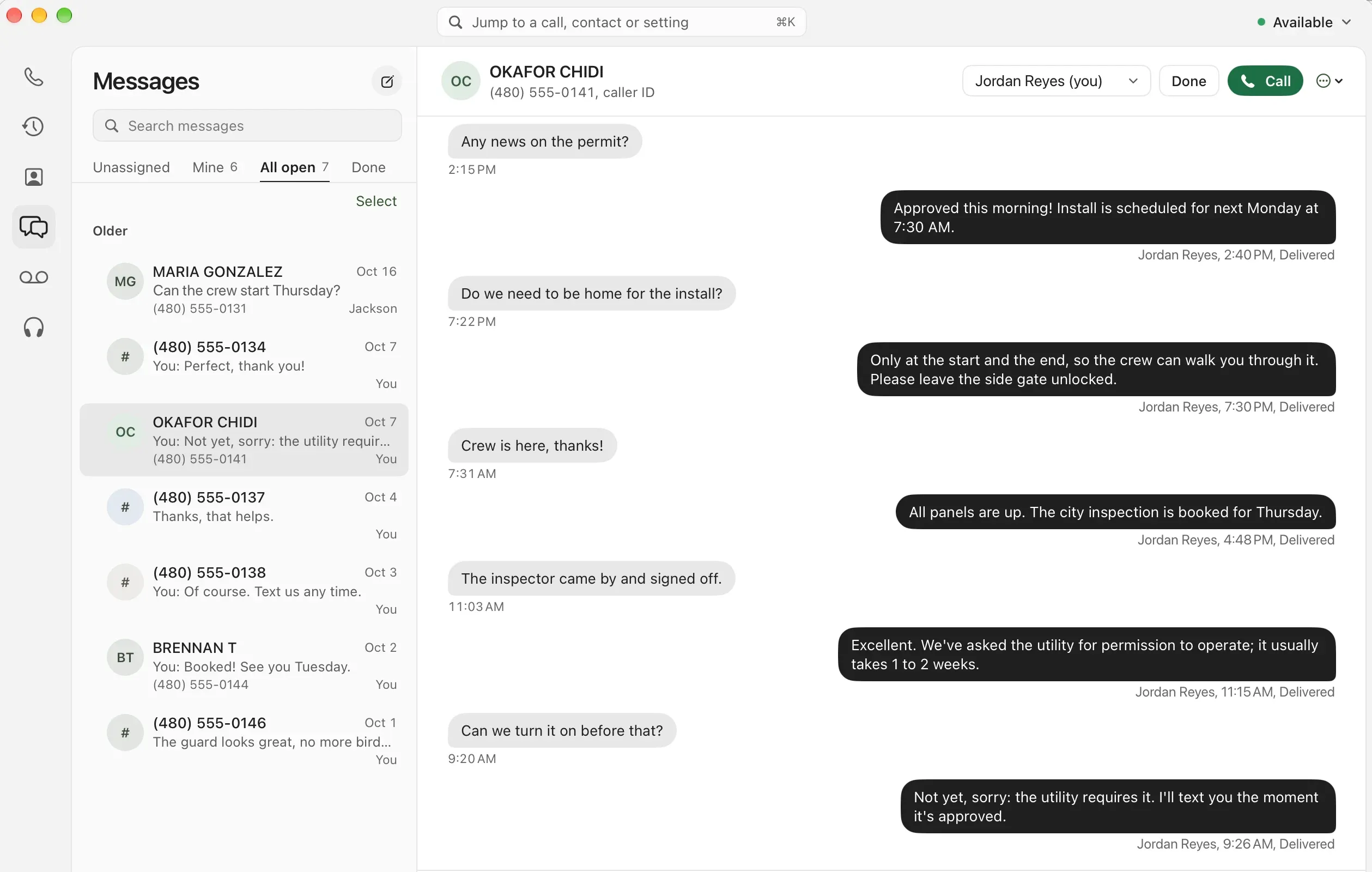
Customers text your business number; the whole team sees the thread and who has it.

  • Assign and finish

    Take a thread, hand it to a coworker, and mark it done.

  • Every reply signed

    See who sent each message and when it was delivered.

  • Call from the thread

    Switch to a call when a text won’t do.
More on business texting
Texts in the Mac app: a customer’s conversation with the team, and who sent each reply

Questions about the Mac app.

Is it a real Mac app?
Yes. A native app for your Mac that rings with your Kafono number, with your calls, texts, voicemail and contacts in one window.
Does it ring at the same time as my desk phone?
It rings with the rest of your phones, as your call settings say, and you answer on whichever is closest.
Is it the same account as the iPhone app and the web?
Yes. One sign-in; your calls, messages and notes are the same everywhere.
Why does the app say Everyline?
Kafono runs in the Everyline app for now. Sign in with your Kafono details and it’s all yours.

Your number, on your Mac.

The Mac app comes with Kafono for homes and businesses. Check your number to get started.

No number yet? Pick a new one

Rather talk it through? Write to us and a person answers.

A small tech team laughing around a laptop