No contractFree number transfer30-day money-back guarantee

See every price
Finish

Recording

Keep the call
for later.

Record every call by a company rule, or press Record when one matters. The recording follows the call through transfers and waits in call history, ready to play.

The call bar on a call being recorded, its Recording menu open: Pause recording and Stop recording

One call. One recording.

However many people the call passes through, and however often it’s paused.

On the call
Front deskSam Patel, Billing
Recording
Paused
  1. 0:00

    Front desk answers. The company rule records incoming calls, so the recording starts with the call.

  2. 1:20

    Front desk transfers the caller to Sam in Billing. The recording goes with the call.

  3. 2:31

    Sam pauses it while the caller reads out a card number, and resumes at 2:58.

  4. 4:12

    They hang up. Call history keeps one recording of the whole call, without the paused part.

Automatically

Record by rule.

One company rule picks the calls: incoming, outgoing, between your extensions, or any mix. Every extension follows it, and so does each new one.

Allow exceptions, and an extension can record more or less than the rule, set right in the table or in its own panel. 911 calls follow the rule, or you can record every one.
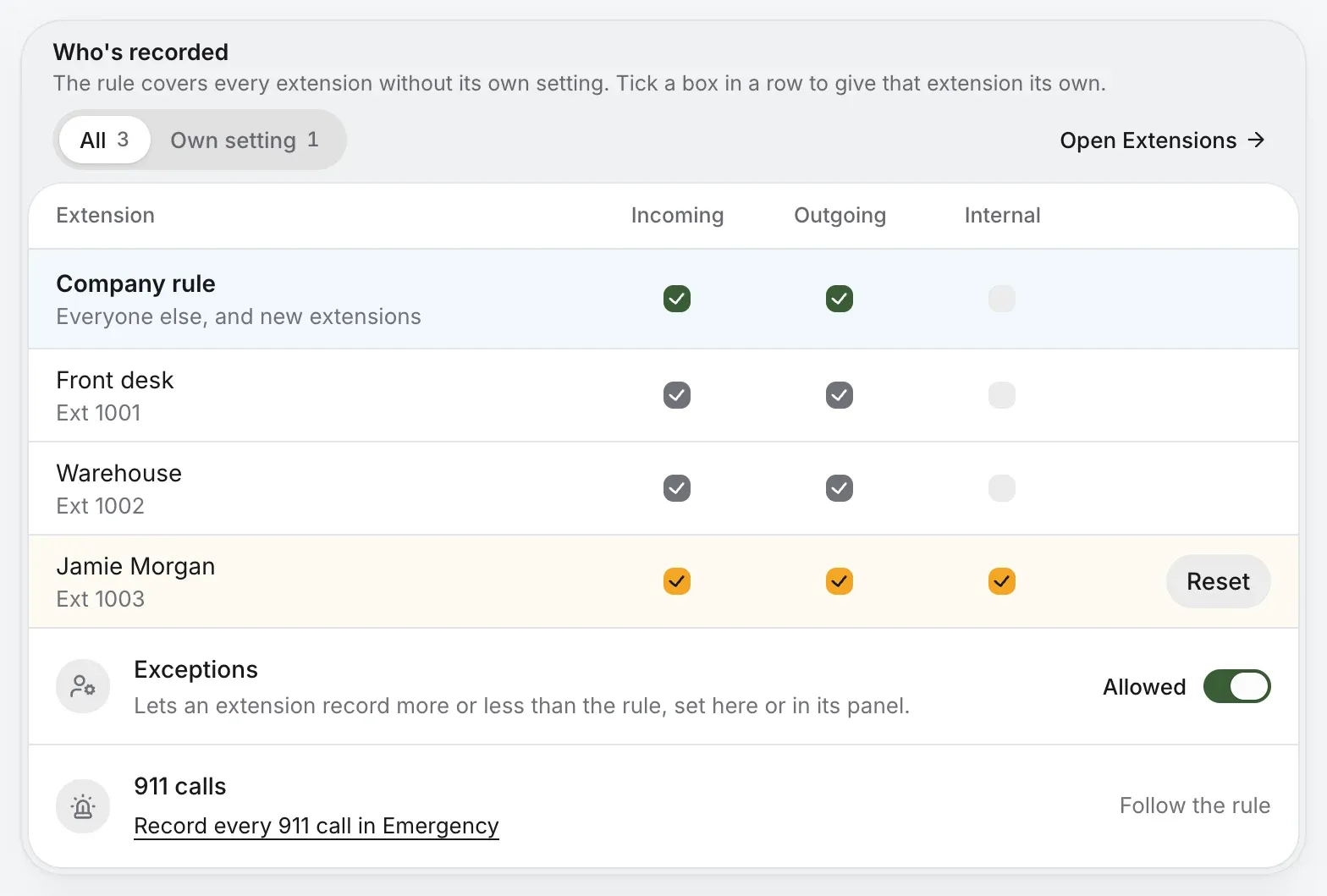
Who’s recorded: the company rule records incoming and outgoing calls, each extension follows it, and one has its own setting that records internal calls too

On demand

Or press Record.

Mid-call, press Record in the call bar. Pause while a card number is read, then resume or stop. Start again on the same call and it adds to the same recording.

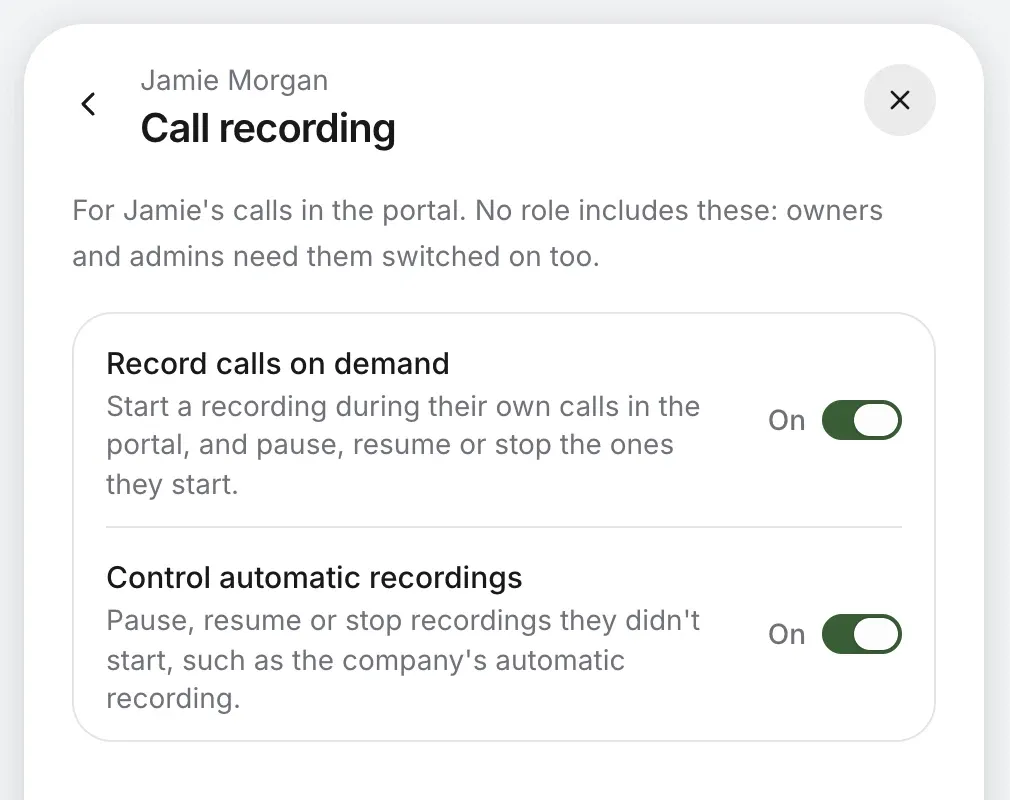
You choose who can, person by person: record their own calls, or pause and stop the company’s automatic recording too. No role includes either, not even owner.

Jamie Morgan’s call recording: Record calls on demand and Control automatic recordings, both on

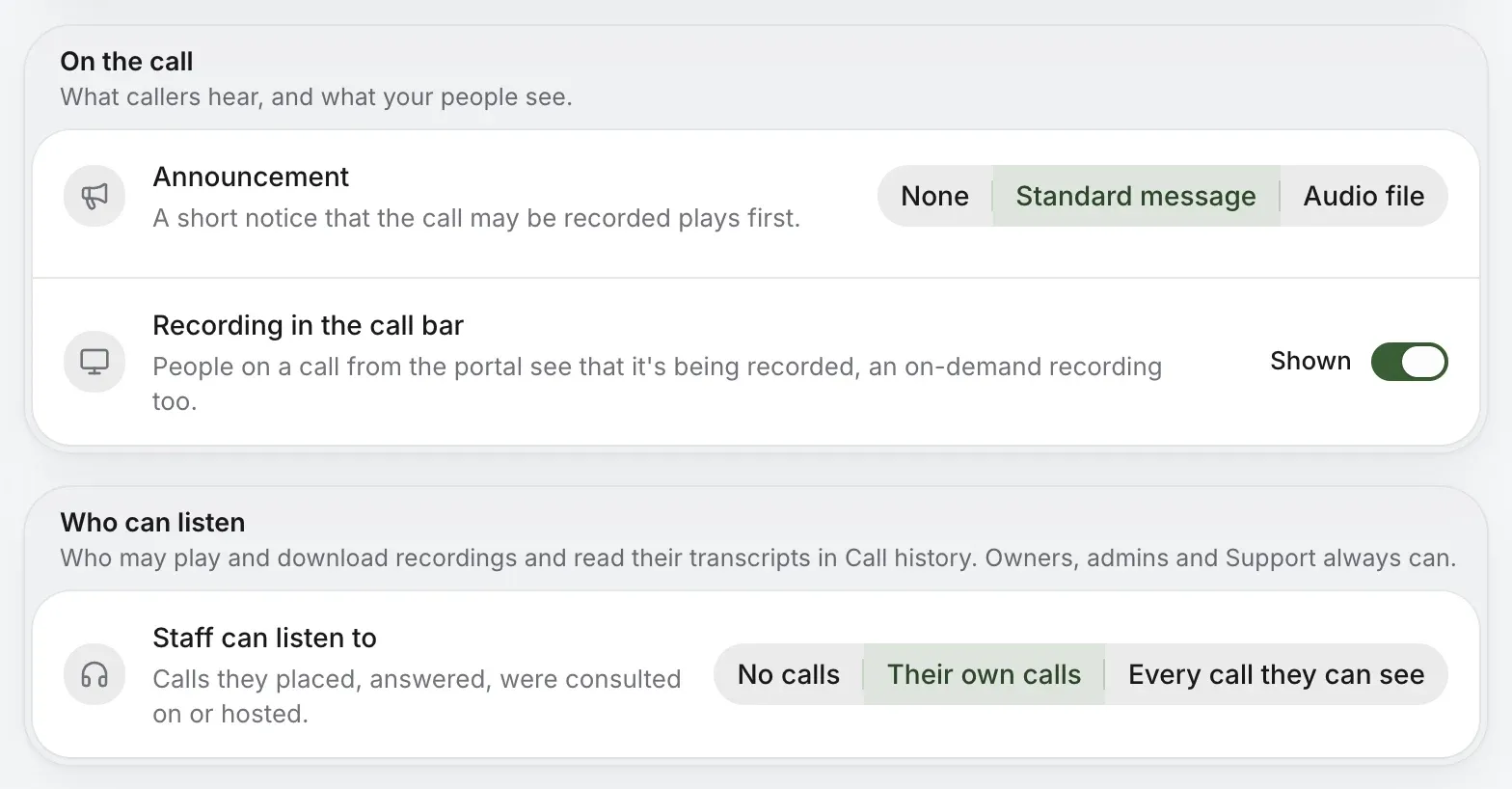
On the call

Tell callers, and your team.

Before the call, play a short standard notice that it may be recorded, or a recording of your own. Your team can see a red Recording dot in their call bar, or not.

A recording started with Record plays no notice, so say so at the start of the call where the law asks for it.

On the call: the standard message plays first and recording shows in the call bar. Who can listen: staff hear their own calls

Listening

Choose who can listen.

Owners and admins can always play, download and read every recorded call. For everyone else, pick one of three.

Every play and download goes in the account’s activity log, with who and when.

  1. No callsStaff play no recordings and read no transcripts.
  2. Their own callsCalls they placed, answered, were consulted on or hosted.
  3. Every call they can seeAny call call history shows them.

Afterwards

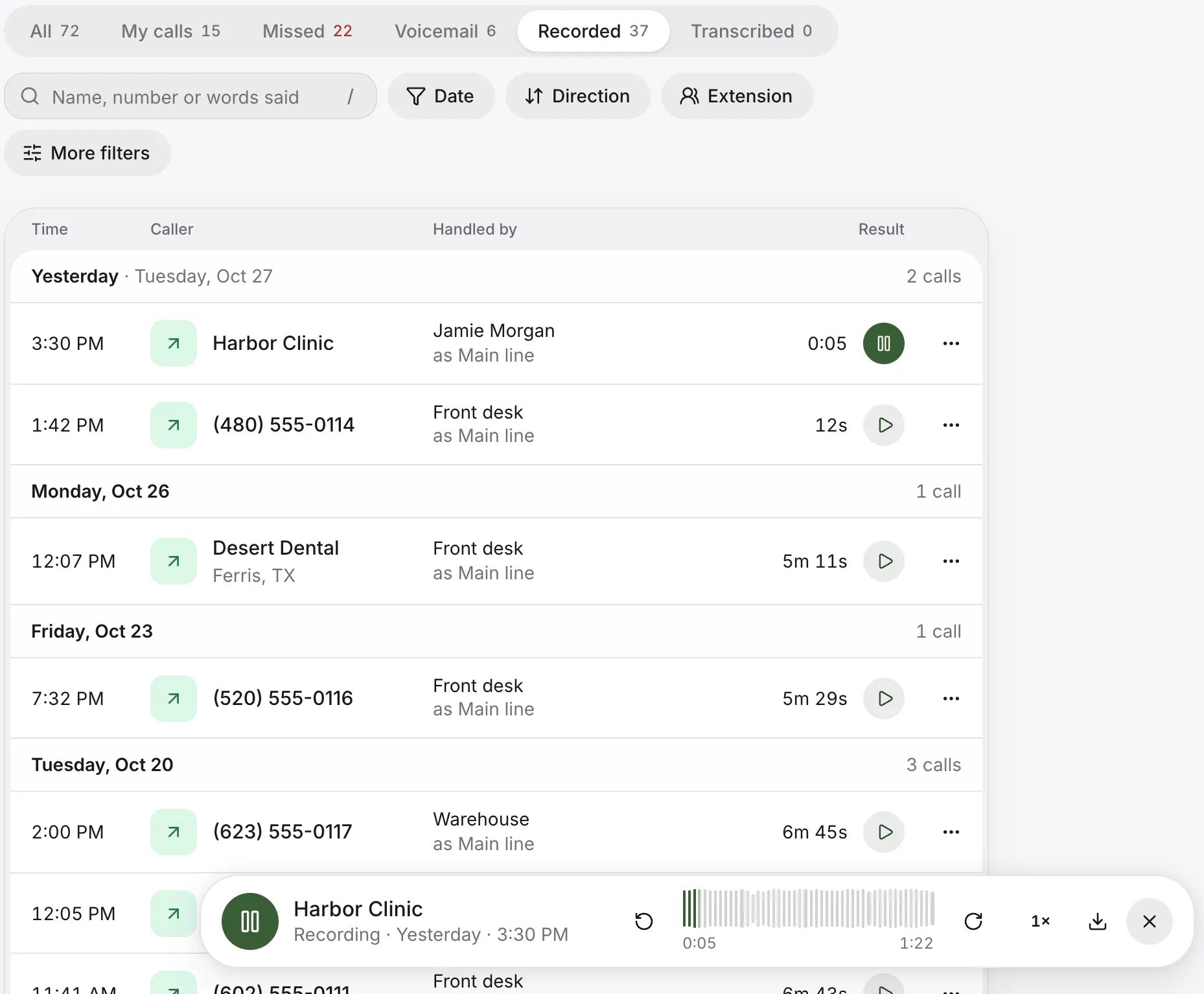
Play it back from call history.

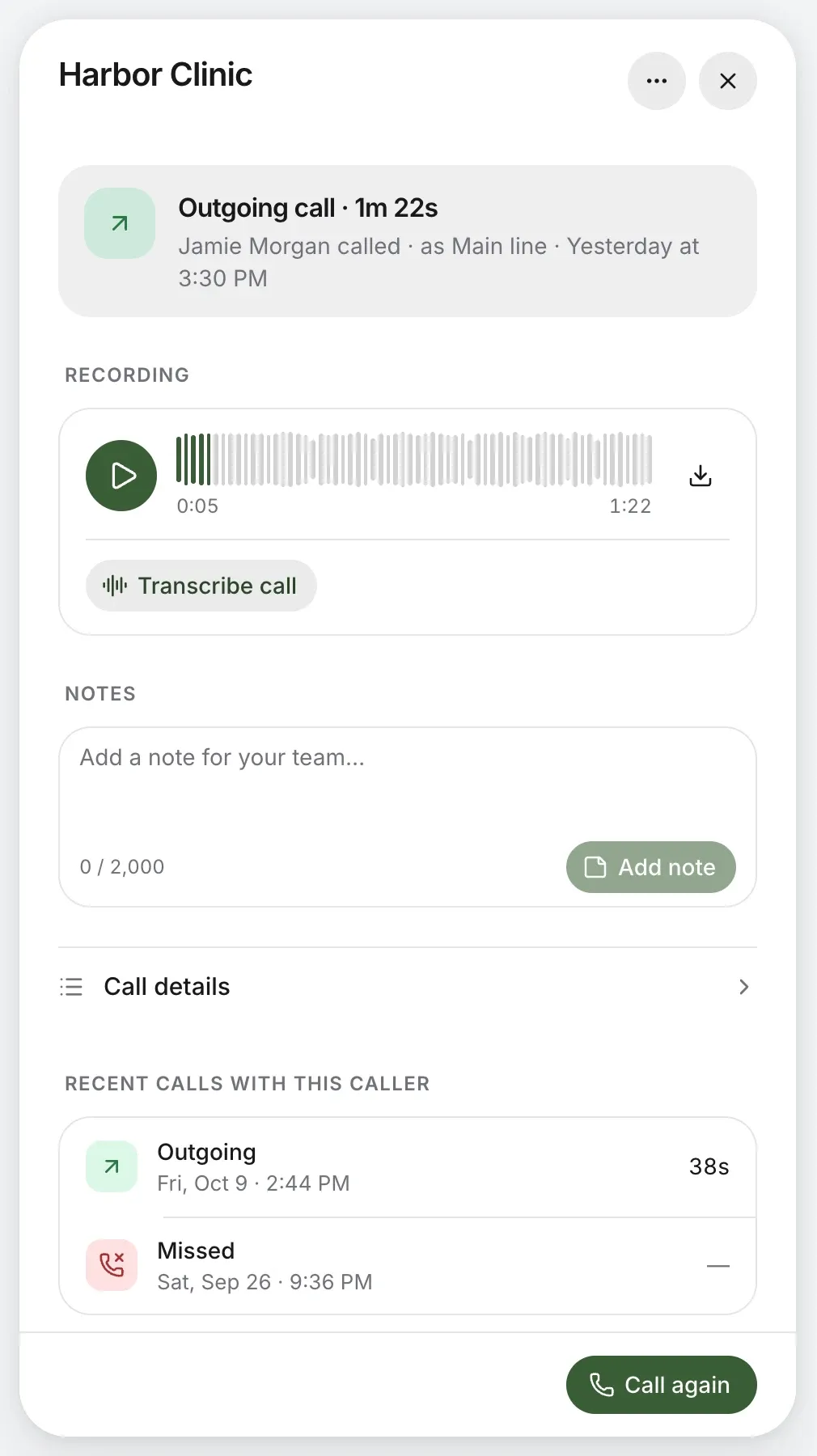
Recorded calls have their own view in call history. Play one in its row, download it, or open the call to add a note for the team.

With transcription on, ask for a transcript and summary of any recorded call. Call transcription

Call history’s Recorded view, a call with Harbor Clinic playing in the player at the bottom

When it’s done

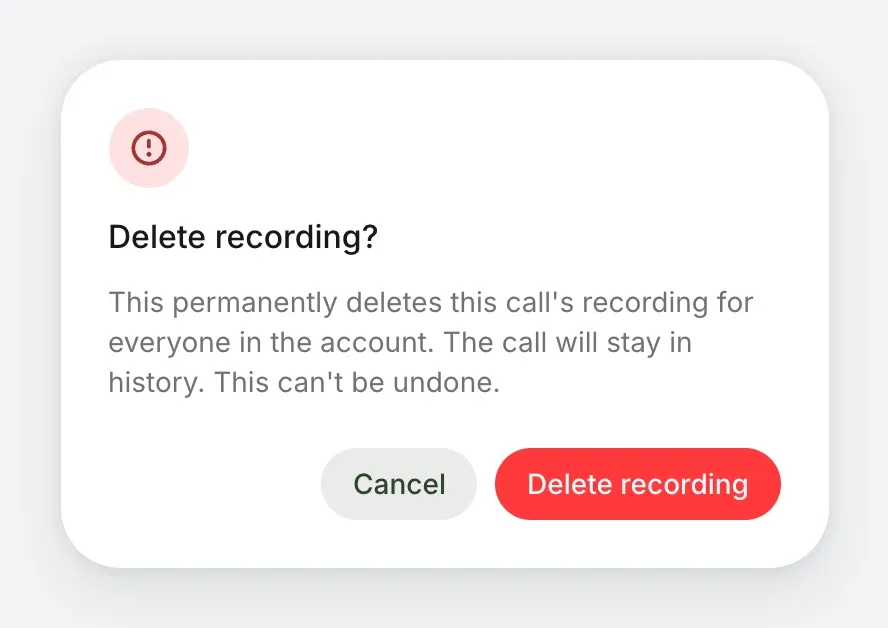
Delete it for good.

An owner or admin can delete a call’s recording, with its transcript and summary. It goes for everyone in the account, and can’t be undone.

The call itself stays in call history, so you still know it happened.

A recorded call’s panel: the recording to play or download, Transcribe call, notes and recent calls with the caller
Delete recording? It deletes the call’s recording for everyone in the account; the call stays in history

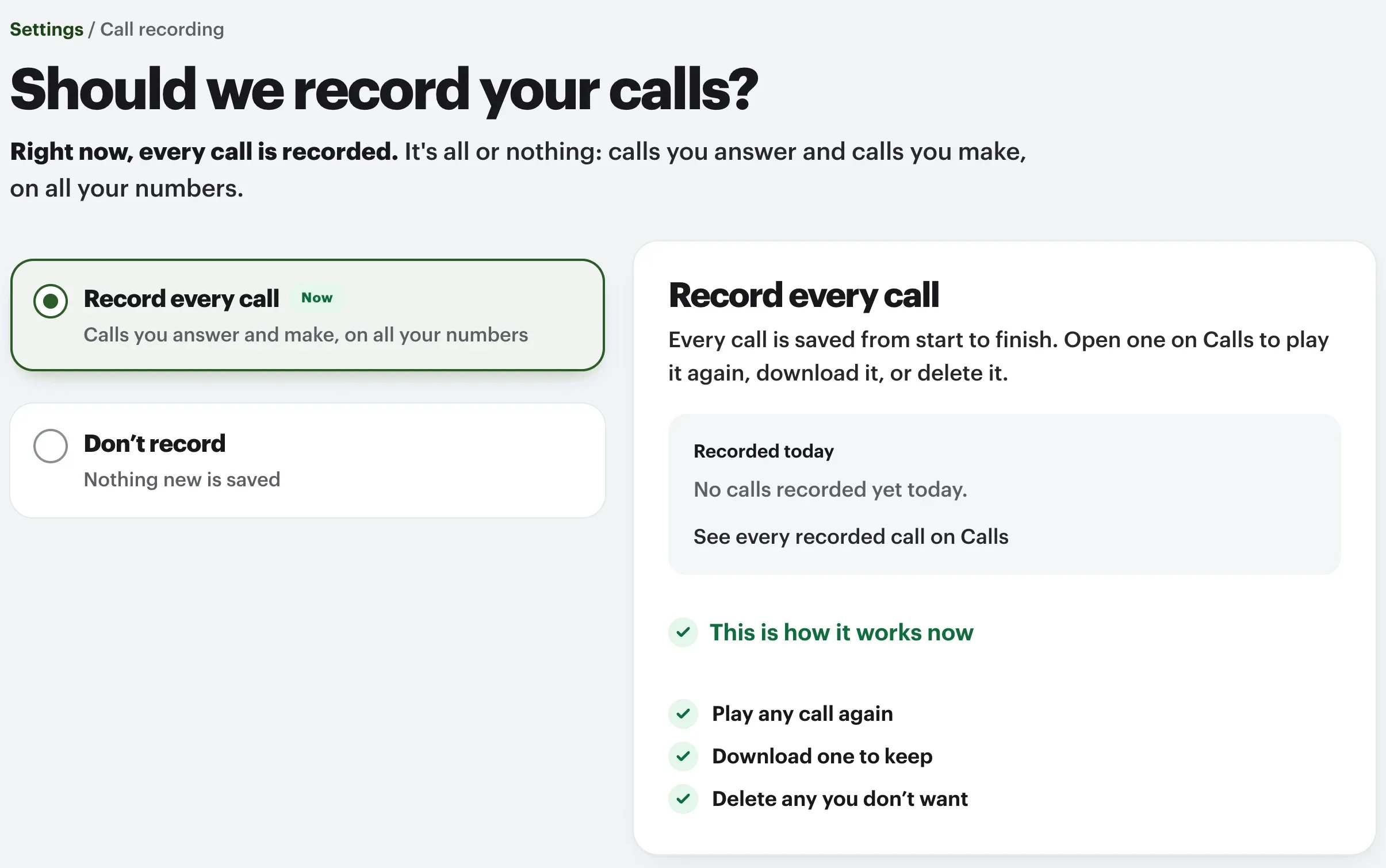
At home

At home, it’s one switch.

Record every call, in and out, on all your numbers, or none. Play, download or delete any of them from Calls.

A home plays no notice, so let people know at the start of the call.

A home’s Call recording page: Record every call or Don’t record, and where to play, download or delete a call

Questions about call recording.

Is it legal to record phone calls?
It depends on where you and your callers are. Some places require everyone on a call to agree to being recorded, so check the rules that apply to you. A business can play a notice before every call.
Which calls does the company rule cover?
The calls you choose, incoming, outgoing or between your extensions, on every extension that follows the rule, whatever they answer on. Record is in the call bar when you call from the browser.
Can staff hear calls they weren’t on?
Only if you choose Every call they can see. With Their own calls, staff hear calls they placed, answered, were consulted on or hosted. Owners and admins can always listen.
Can recordings be written out?
Yes, on business accounts with transcription on: ask for a transcript and a short summary of any recorded call.
Who can delete a recording?
Owners and admins on a business account, and the account owner at home. The recording goes for everyone, with its transcript and summary; the call stays in call history.

Keep the calls that matter.

Check your business number in a few seconds. You’ll know it can come before you pay anything.

No number yet? Pick a new one

Rather talk it through? Write to us and a person answers.