Put the whole company on one screen.
Check your business number. Front desk comes with business phone, for everyone with a login.
Rather talk it through? Write to us and a person answers.
One page for whoever answers your calls: the call in hand, who’s waiting, and the whole company beside it. Drag a call onto someone, and it’s theirs.
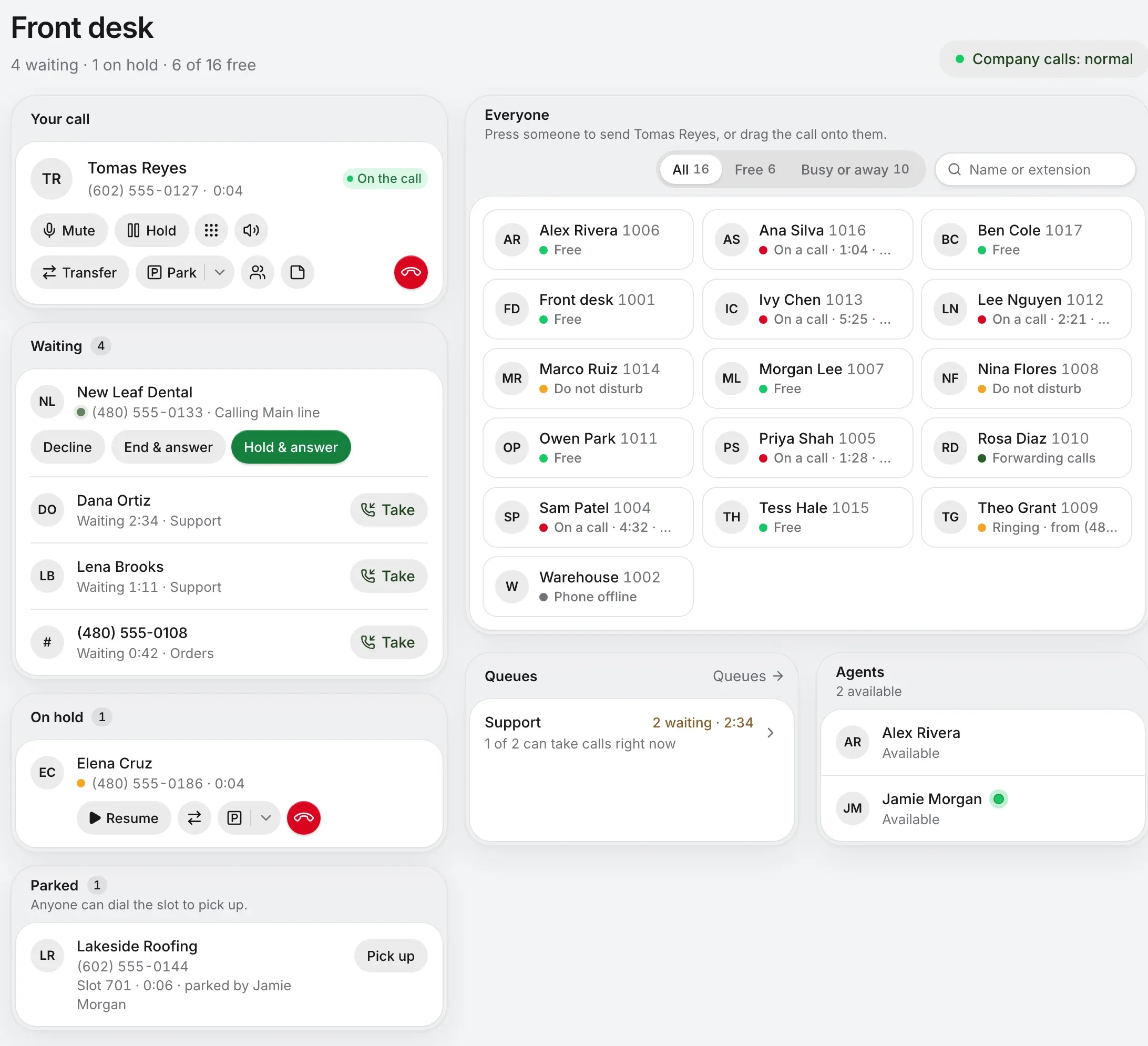
Your shift at Example Supply Co. is about to start.
Anyone can dial the slot to pick up.
A sample desk with made-up callers. The real page is just below.
It sits first in the portal’s sidebar for everyone on a business account, in the look of the rest of the portal, and it follows the company’s calls within seconds.
Every tile says what that person’s doing right now. Press someone, and the menu says where the call would really end up, and suggests the likeliest choice. Try each state.
Straight through. The caller rings them, and your line’s free for the next one.
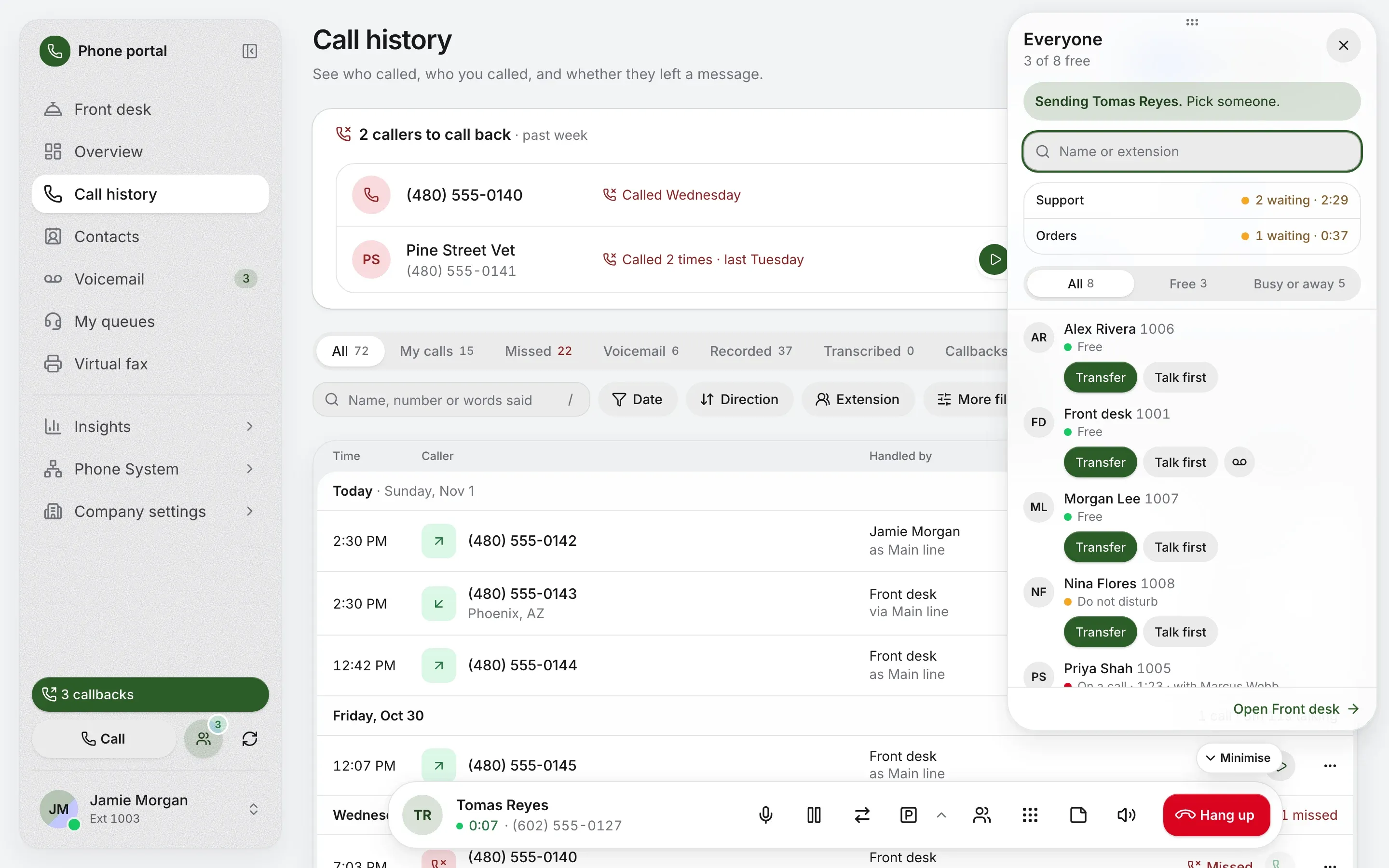
The caller holds while you ask. Then Complete transfer, or Cancel and go back to them.
Straight to their mailbox, with no ringing, for anyone whose voicemail is on.
The caller waits in a slot with your park music. Anyone dials the slot from any phone, or presses Pick up. Left too long, it rings back.
Drop a call on a queue and the caller waits in line, as anyone who dialed in would.
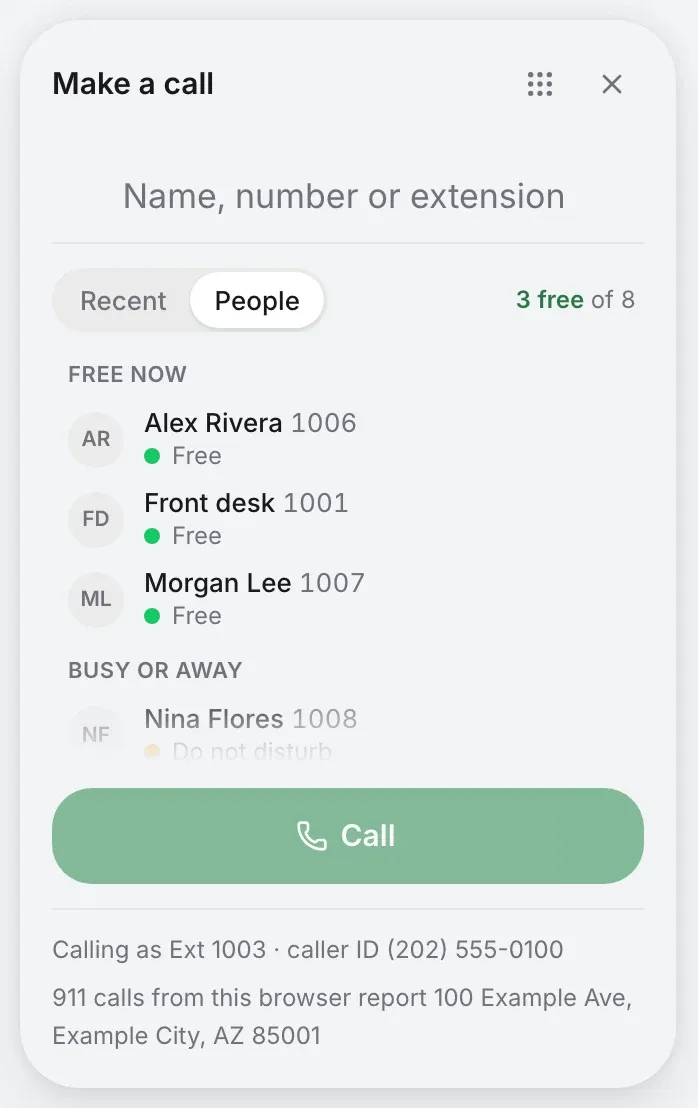
The Transfer button’s own search takes an outside number too. With HubSpot or Sonar connected, Everyone’s search finds their contacts as well.
The Everyone button shows who’s free from every page. It opens a window you can move and resize, that comes back where you left it. With a call up, each name offers Transfer and Talk first.
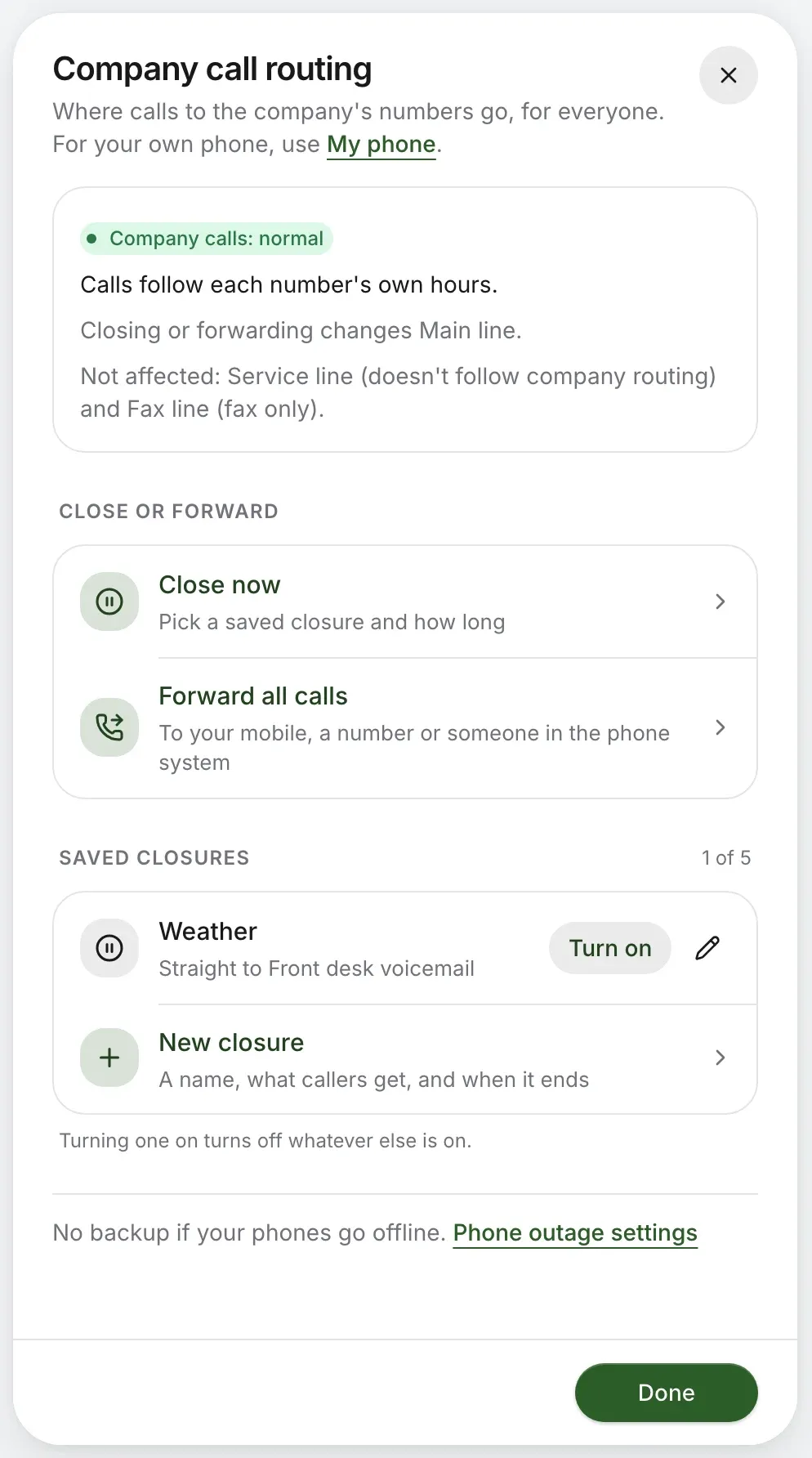
Snow day? Early close? The Company calls pill says what the phones are doing, and for owners and admins it opens Close now, Forward all calls and your saved closures. Everyone else can see what’s on.
More on business hoursAlso on the call bar
Check your business number. Front desk comes with business phone, for everyone with a login.
Rather talk it through? Write to us and a person answers.