The web
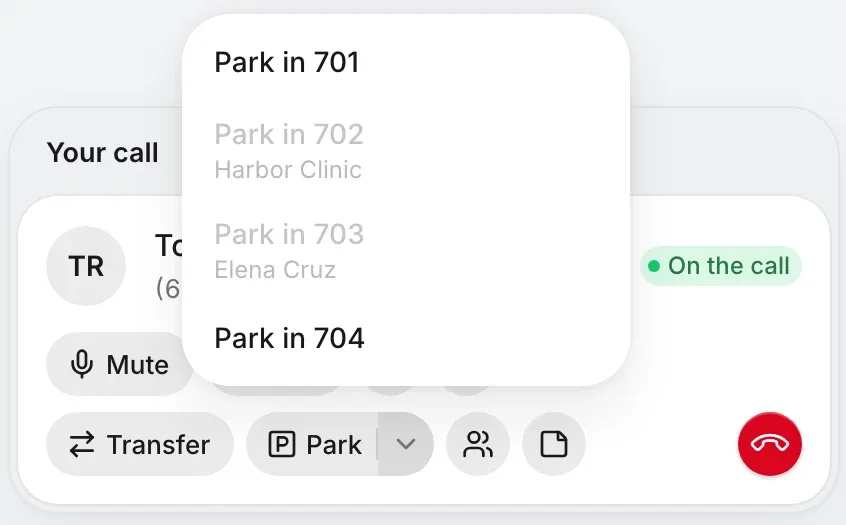
One press of Park takes the next free slot, or its menu names them, the taken ones greyed. A Parked pill counts them on every page.
Send a call straight through, or talk to them first. Or park it in a numbered slot, where anyone can pick it up from any phone. Forget about it, and it rings back.
You in the portal, on any page
Sam in the warehouse, on a desk phone
Priya out on a job, in the iPhone app
A sample lot with made-up callers. The real screens are just below.
Every way of sending a call treats your caller differently. Pick one, and follow Tomas, you and whoever’s next along the same call.
Tomas
You
Sam
Transfer now. Tomas hears it ring, and your line’s free right away. If Sam doesn’t answer, the call goes where Sam’s calls go when they don’t answer, as any call to them does.
Tomas
You
Sam
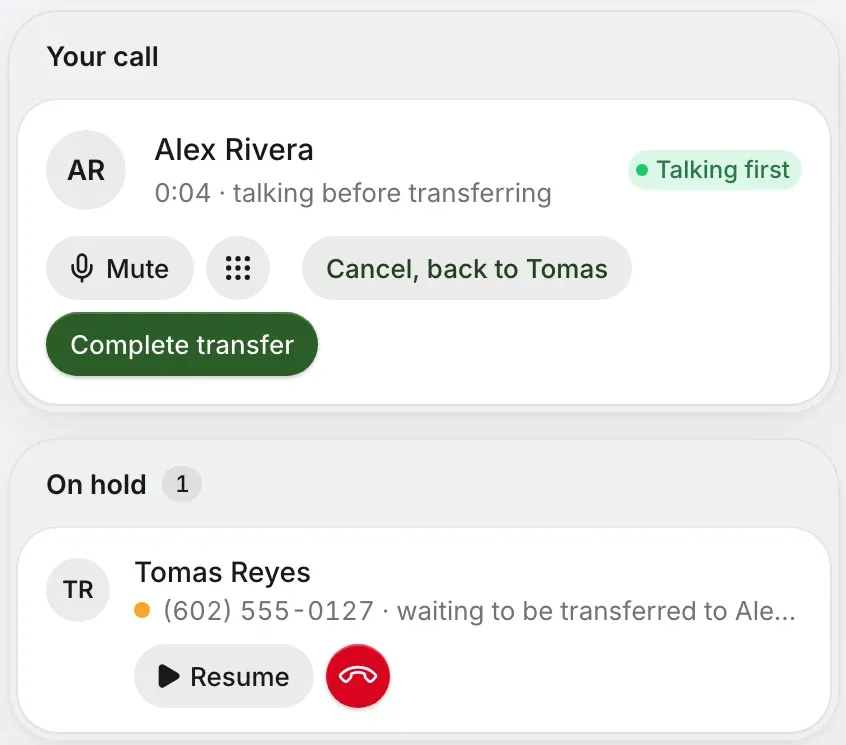
Talk first. Tomas holds while you ask. Complete transfer then joins them with no ringing, and you drop off. Or Cancel takes you back to Tomas, as if you’d never asked.
Tomas
You
Sam
Send to voicemail. Straight to the mailbox, with no ringing, for anyone whose voicemail is on. The transfer list has a voicemail button beside their name.
Tomas
You
The queue
Onto a queue. Tomas waits in line, as anyone who dialed in would, and the next free person gets the call. Ring groups are on the same list, and ring their people.
Tomas
You
Outside
To an outside number. Type the whole number in the Transfer search. Transfer sends the call straight on, and Talk first lets you speak to them before you do.
Tomas
You
Anyone
Park. Tomas waits in a numbered slot with your music, and your line’s free. Anyone picks up from any phone, or dials the slot. Left too long, it rings back.
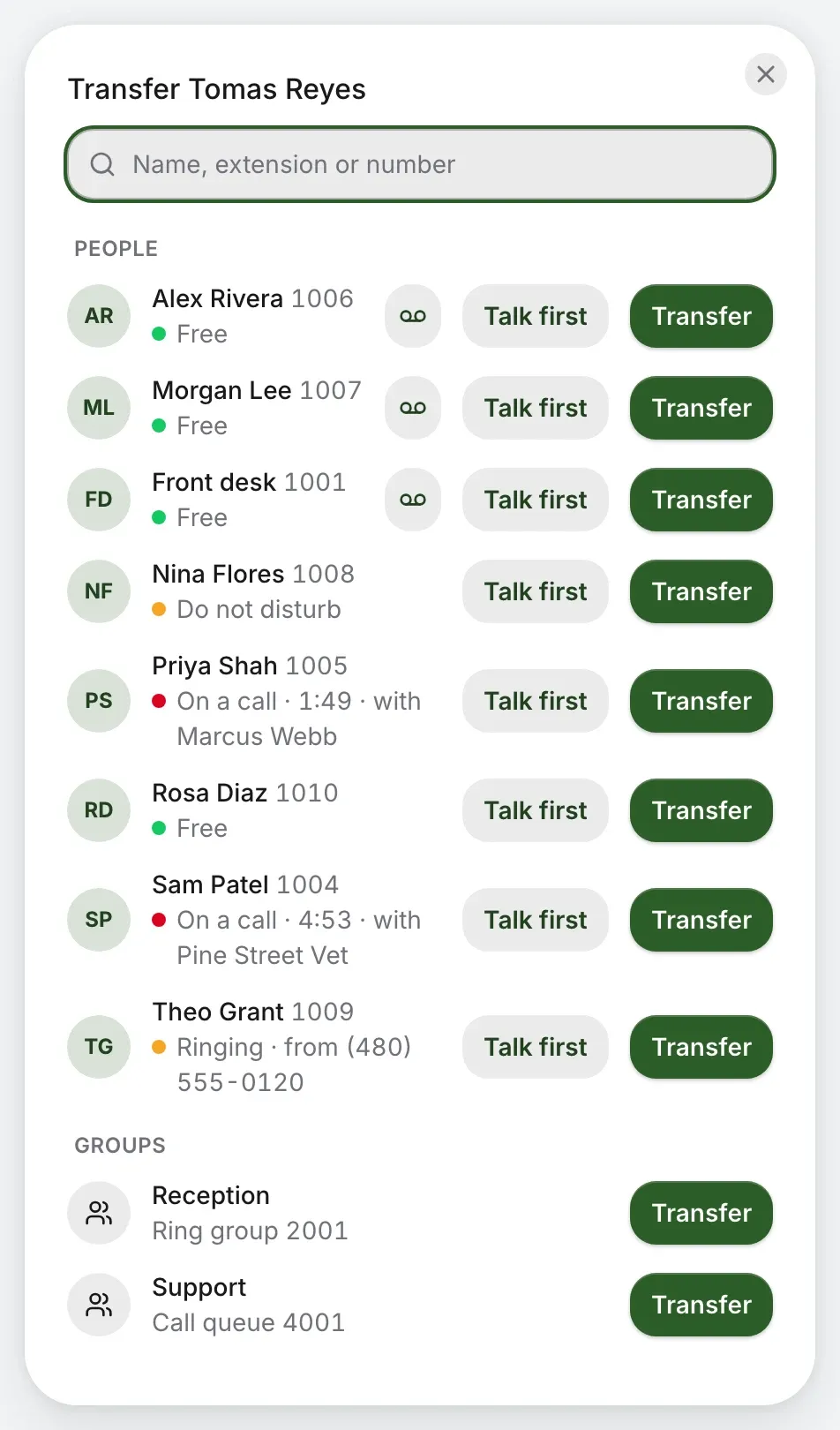
That was a sample. This is the real list, from the Transfer button on any page. It searches by name, extension or number.
One page in Company settings, for owners and admins, in the order it happens. Each time and each place is yours to choose, and they hold for the whole company.
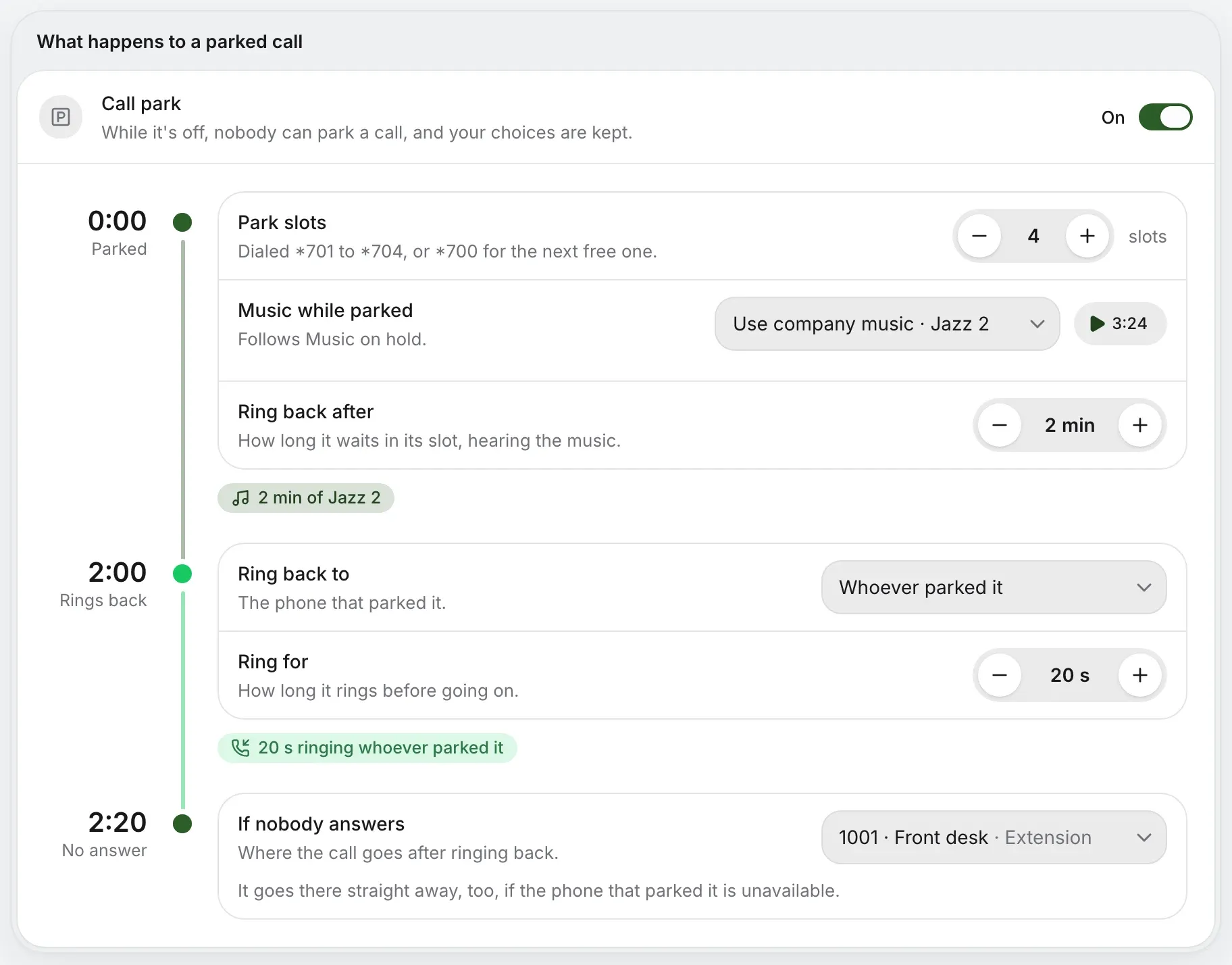
A parked call belongs to the whole company, so everyone sees the same slots wherever they answer. Nobody has to be at a desk, or on the same kind of phone.
One press of Park takes the next free slot, or its menu names them, the taken ones greyed. A Parked pill counts them on every page.
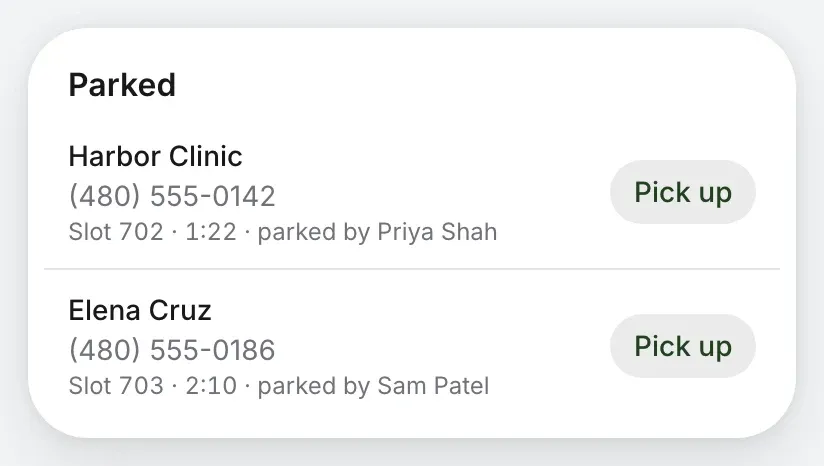
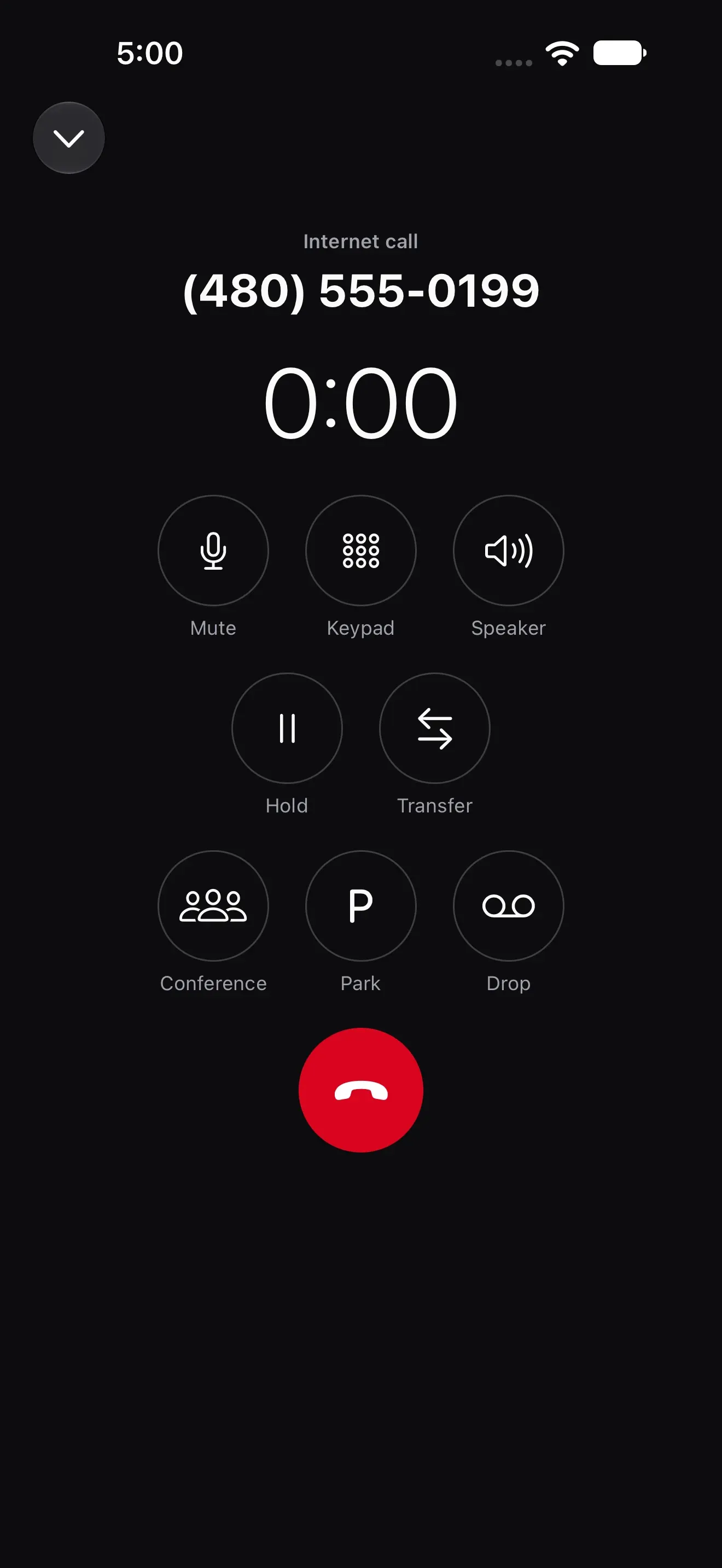
Park is on the call screen. Parked calls sit at the top of the Calls tab with Pick up, and on an iPhone the tab wears a badge.
A slot pad, with how long each parked caller has waited on its key. Press a digit to pick the slot.
A Park key lights up and names who’s there. Press it to park a call, and press it again to pick one up.
Any phone on the account picks up by dialing the slot. Transfer a call to a slot to park it, the way a desk phone always has.
Park the call, then page the shop floor: “Sam, Tomas is on 701.”
PagingDial ** and their extension to pick up a coworker’s ringing phone. A desk phone’s busy-lamp key does it for you.
Star codesWith two calls up, Join connects them and drops you out, and Merge makes it a conference call.
Conference callsOne screen with every call and everyone’s state. Drag a call onto a name to send it.
Front deskCheck your business number. Transfer and call park come with business phone, on every phone you use.
Rather talk it through? Write to us and a person answers.